I searched the forums, but i haven't seen any problem such as mine. I first saw it with the Help and Support program, but it has also appeared in Combat Arms (game) and in Internet Explorer. See attachments to see what i mean. If you need any further information, just post what.Thank you in advance.

You are using an out of date browser. It may not display this or other websites correctly.
You should upgrade or use an alternative browser.
You should upgrade or use an alternative browser.
pictures not showing
- Thread starter doomhart
- Start date
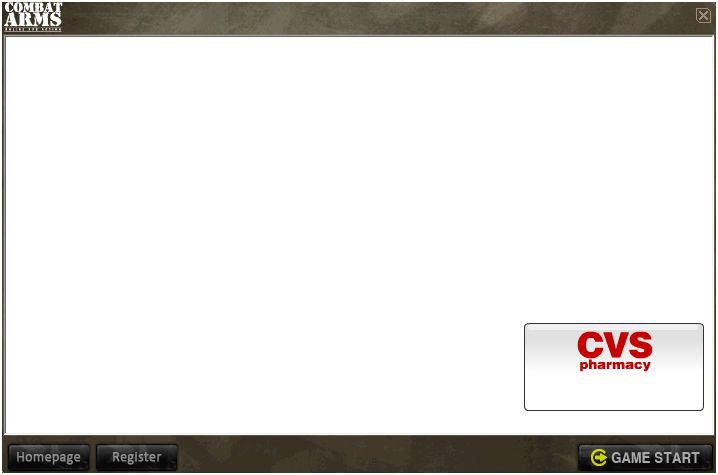
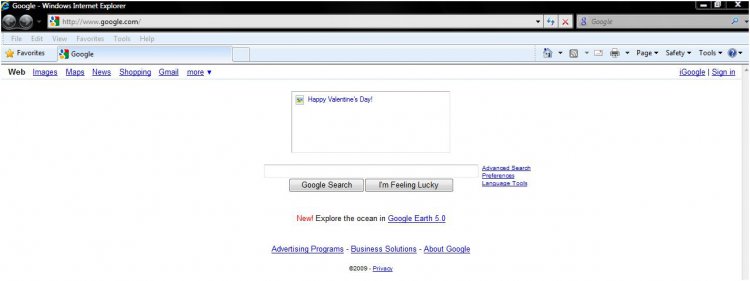
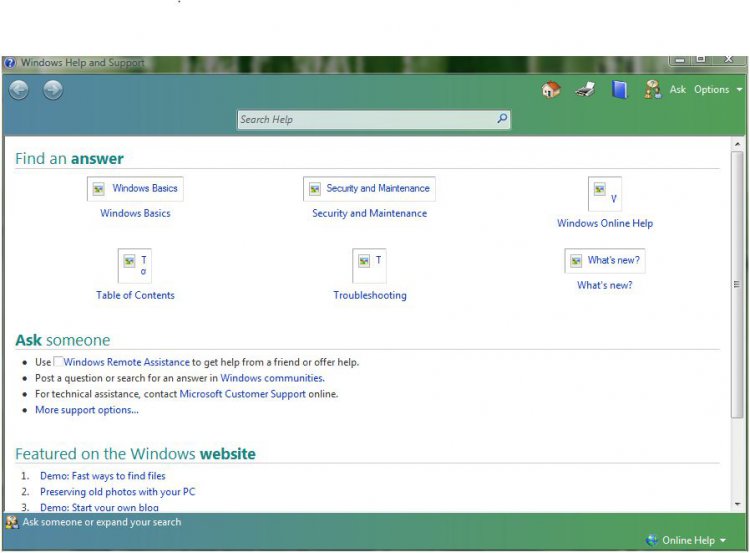


How long has it been like it and can you remember what you were doing when you first noticed it happening.?
How long have you had the computer, is it a desktop or laptop, if it's a new machine has it been like this since new and have you installed any new software or hardware in between the time it was OK and the time it went wrong ?
How long have you had the computer, is it a desktop or laptop, if it's a new machine has it been like this since new and have you installed any new software or hardware in between the time it was OK and the time it went wrong ?
My Computer
System One
-
- Operating System
- Windows 10 Home
- Manufacturer/Model
- HP Envy x360 Convertible 15-bq0xx
- CPU
- AMD A9 Stoney Ridge Technology
- Motherboard
- HP 8312 (Socket FP4)
- Memory
- 8.00GB Dual-Channel Unknown (?-0-0-0)
- Graphics Card(s)
- Generic PnP Monitor (1920x1080@60Hz) 512MB ATI AMD Radeon R5
- Sound Card
- AMD High Definition Audio Device Realtek High Definition Aud
- Monitor(s) Displays
- Generic PnP Monitor on AMD Radeon R5 Graphics
- Screen Resolution
- 1920 x 1080
- Hard Drives
- 119GB SanDisk SD8SN8U-128G-1006 (SSD)
931GB Hitachi HGST HTS721010A9E630 (SATA
- Keyboard
- Standard PS/2 Keyboard
- Mouse
- Microsoft Optical Wheel Mouse
- Internet Speed
- 62.86Mbps down 18.19Mbps up
- Other Info
- EPSON78D0CF (XP-332 335 Series) (Default Printer)
uhm, i dont know when it exactly started happening, but i first saw it in December right after install of Rocketdock. I bought this gateway laptop in the summer of 2007. And it wasnt like this before. I dont know what other software i installed between the times it was OK and wasnt since i dont really know when it started. But wait, ill check uninstall programs in control panel to see the install dates...
Ok, these are the ones installed since November 24 2008. In chronological order. Avast Antivirus, Ventrilo, Command and Conquer: The First Decade, MSXLML 4.0 SP2 Parser and SDK (idk what this is), Firefox (3.0.5) World of Warcraft, Google Chrome, Rocketdock 1.3.5, Audacity 1.3.7 (unicode). There are more afterwards bit i dont think they affected my system.
Ok, these are the ones installed since November 24 2008. In chronological order. Avast Antivirus, Ventrilo, Command and Conquer: The First Decade, MSXLML 4.0 SP2 Parser and SDK (idk what this is), Firefox (3.0.5) World of Warcraft, Google Chrome, Rocketdock 1.3.5, Audacity 1.3.7 (unicode). There are more afterwards bit i dont think they affected my system.
My Computer
S
stew2
Well heres what id do.
1. Run all your antivirus and spyware cleaners.
2. Uninstall google chrome.
3. Run and install any windows updates.
4. Create a new user, login to that account and see if the problem is still there.
5. Run vista startup repair.
6. Clean all temporary files.
7. Defrag the entire system using PerfectDisk 10 including the boot time files.
Or you could just back up your data and reinstall vista.
1. Run all your antivirus and spyware cleaners.
2. Uninstall google chrome.
3. Run and install any windows updates.
4. Create a new user, login to that account and see if the problem is still there.
5. Run vista startup repair.
6. Clean all temporary files.
7. Defrag the entire system using PerfectDisk 10 including the boot time files.
Or you could just back up your data and reinstall vista.
Last edited by a moderator:
My Computer


I searched the forums, but i haven't seen any problem such as mine. I first saw it with the Help and Support program, but it has also appeared in Combat Arms (game) and in Internet Explorer. See attachments to see what i mean. If you need any further information, just post what.Thank you in advance.
Hi,
Open elevated command prombt and type sfc /scannow then hit enter. Don't forget to put ur installation dvd in ur drive. This may work for u...
My Computer
System One
-
- Manufacturer/Model
- Wipro
- Motherboard
- Intel dq35j0
- Memory
- 8 Gb
- Graphics Card(s)
- inter express chipset
- Sound Card
- Realtek
- Monitor(s) Displays
- Wipro
- Screen Resolution
- 1024*768
- Hard Drives
- 500 gb
- Keyboard
- DELL
- Mouse
- Dell
- Internet Speed
- 100 mbps(office lan)


What version of IE are you using? Click Help/About and post the results.
If it's IE7 try going to Tools/Internet Options/Advanced and click the Reset button.
Close IE and re-open it.
Re-enable all the add-ons under Tools/Manage Add-ons.
If it's IE8 beta uninstall it now then go to Internet Explorer 8 webpage and download the final version.
Try that Reset option above if it is the final version.
If it's IE7 try going to Tools/Internet Options/Advanced and click the Reset button.
Close IE and re-open it.
Re-enable all the add-ons under Tools/Manage Add-ons.
If it's IE8 beta uninstall it now then go to Internet Explorer 8 webpage and download the final version.
Try that Reset option above if it is the final version.
My Computer
System One
-
- Operating System
- Win 10 Pro x64 x 2
- Manufacturer/Model
- Alienware ALX x58
- CPU
- Intel® Core™ i7-975 Extreme O/C to 4.02 GHz, 8MB Cache
- Motherboard
- Asus® P6T Deluxe V2 X58 LGA1366
- Memory
- 24GB Corsair Vengeance DDR3 SDRAM at 1600MHz - 6 x 4096MB
- Graphics Card(s)
- 1792 MB NVIDIA® GeForce® GTX 295 Dual Core
- Sound Card
- Onboard Soundmax® High-Definition 7.1 Performance Audio
- Monitor(s) Displays
- Samsung XL2370 HD LED backlit 23" W/S 2ms response time
- Screen Resolution
- 1920 x 1080
- Hard Drives
- 2 x 500gb SATA II
1 x 1TB SATA II
1 external eSATA LaCie 3TB
(Non-RAID)
- PSU
- Alienware® 1200 Watt Multi-GPU
- Case
- Unique
- Cooling
- 4 case fans @ CPU water cooling.
- Internet Speed
- 1gb/s up and down
uhm, i dont know when it exactly started happening, but i first saw it in December right after install of Rocketdock. I bought this gateway laptop in the summer of 2007. And it wasnt like this before. I dont know what other software i installed between the times it was OK and wasnt since i dont really know when it started. But wait, ill check uninstall programs in control panel to see the install dates...
Ok, these are the ones installed since November 24 2008. In chronological order. Avast Antivirus, Ventrilo, Command and Conquer: The First Decade, MSXLML 4.0 SP2 Parser and SDK (idk what this is), Firefox (3.0.5) World of Warcraft, Google Chrome, Rocketdock 1.3.5, Audacity 1.3.7 (unicode). There are more afterwards bit i dont think they affected my system.
Try these registry entries
View attachment giffile_fix.reg
View attachment ico_file_assoc_fix.reg
View attachment bmp.reg
Merge it by double clicking it.
My Computer
System One
-
- Manufacturer/Model
- Wipro
- Motherboard
- Intel dq35j0
- Memory
- 8 Gb
- Graphics Card(s)
- inter express chipset
- Sound Card
- Realtek
- Monitor(s) Displays
- Wipro
- Screen Resolution
- 1024*768
- Hard Drives
- 500 gb
- Keyboard
- DELL
- Mouse
- Dell
- Internet Speed
- 100 mbps(office lan)