How to Enhance Windows Vista DreamScene with Stardock DeskScapes
 Information
Stardock DeskScapes extends Windows DreamScene to support dynamic animated wallpaper by adding support for the new .Dream format. The .Dream format supports triggers, dynamic content, MPEG video, WMV video, and author information. This gives you a wider choice of animated wallpapers to choose from.
For more information and updates, see: Stardock.com: DeskScapes
For more information and updates, see: Stardock.com: DeskScapes
 Warning
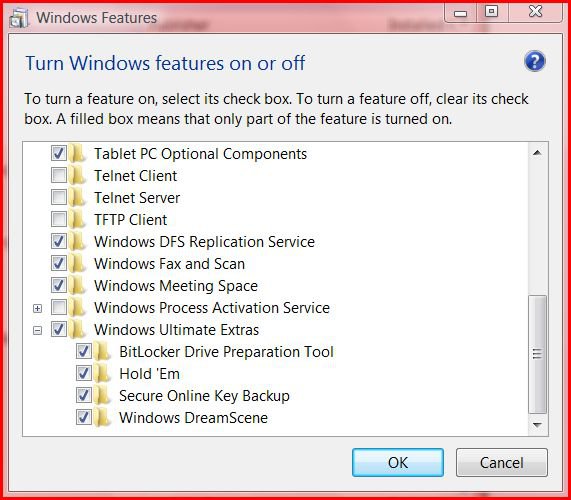
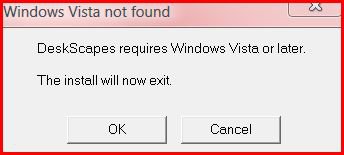
DeskScapes is only for Vista Ultimate, and you must have Windows DreamScene installed. See: How to Install and Use DreamScene in Vista
On some computers, DeskScapes and can cause a significant performance impact. Some Dreams will use more of the CPU Usage than others. You can check in Task Manager (CTRL+SHIFT+ESC) under the Performance tab to see how much CPU Usage is being used by a particular Dream.
On some computers, DeskScapes and can cause a significant performance impact. Some Dreams will use more of the CPU Usage than others. You can check in Task Manager (CTRL+SHIFT+ESC) under the Performance tab to see how much CPU Usage is being used by a particular Dream.
 Tip
Tip- If the DeskScapes Dream background goes blank on you, then select a regular Windows Wallpaper and then select the DeskScapes Animated Wallpaper again. (EX: after a bad shutdown or returning to desktop from a game) See: How to Change the Desktop Background Wallpaper in Vista
- You can download free .Dream files from here: WinCustomize.com: Dream. Just save them in the location below to be able to select them as DeskScapes Animated Wallpapers.
- You can use the free program DreammMaker to create you own dreams. See: http://dream.wincustomize.com/dreammaker.aspx?c=1
- Dream files are stored at: C:\Users\(your username)\Documents\Stardock\Dreams
 Note
NotePROBLEM TROUBLESHOOTING:
- See: Windows Help and How-to: Troubleshooting Problems with Windows DreamScene
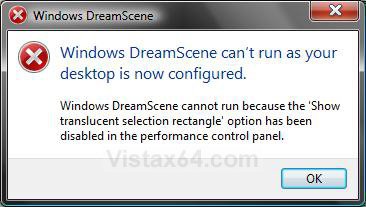
- If you get this error below, then see: How to Enable or Disable the Translucent Selection Rectangle in Vista
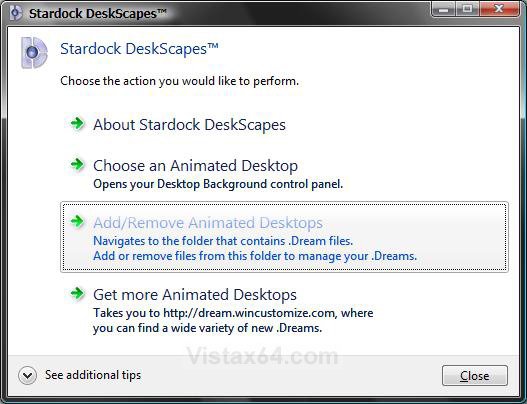
EXAMPLE: Stardock DeskScapes Progam Interface
NOTE: You can see this by clicking on the DreamScapes shortcut in the Start Menu or the C:\Program Files (x86)\Stardock\Object Desktop\DeskScapes\DreamTasks.exe file above.
 ATEP ONE
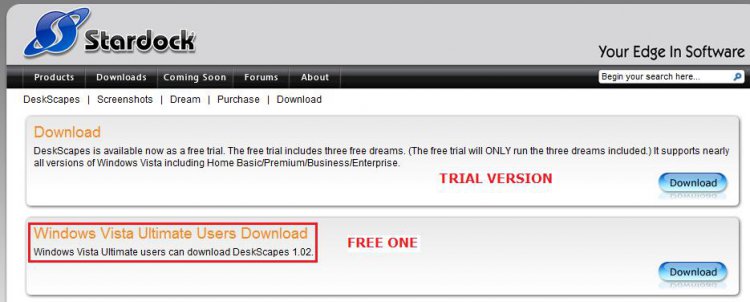
2. Download and install the free version of DeskScapes for Vista Ultimate.
NOTE: If you would like to make your own DeskScapes Dream files, then download and install the DreamMaker program. See: WinCustomize: DreamMaker Download
STEP TWO 1. Open the DreamScapes program interface and choose an option.
NOTE: See example above.
A) Go to step 2.
OR
1. Right click on a empty area of your desktop and click Personalize. (See screenshot below)
NOTE:
A) Pause DreamScene - This will pause a Windows DreamScene and DreamScape desktop background.
B) Play DreamScene - This will unpause the Dreamscene from above to allow it to play again.
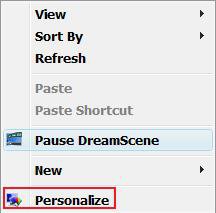
2. Click on Desktop Background. (See screenshot below)

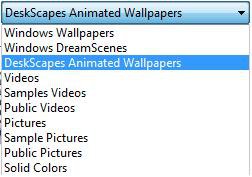
3. Click on the Picture Location drop down list, and then click on DeskScape Animated Wallpapers. (See screenshot below)
NOTE:
A) For Windows Wallpapers, see: How to Change the Desktop Background Wallpaper in Vista
For Windows DreamScene Content, see: How to Install and Use DreamScene in Vista
B) You can edit this Picture Location list from within the registry location of:
HKEY_CURRENT_USER\Software\Microsoft\Windows\CurrentVersion\Explorer\Wallpapers\Images
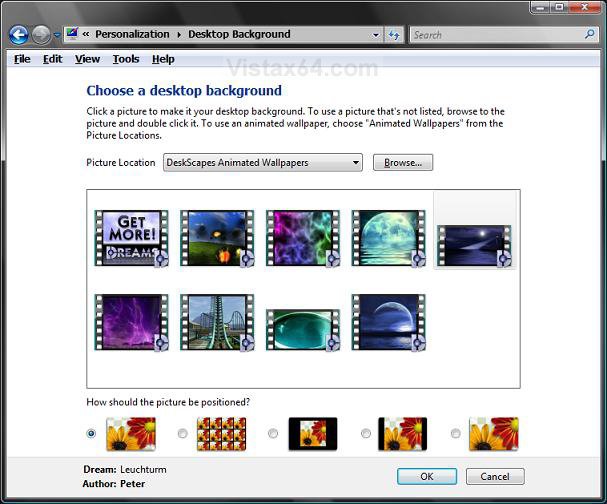
4. Select a DreamScene (DeskScapes Dream file) you want on your desktop background. (See screenshot below).
NOTE: Just hover your pointer over the DreamScene to see a prevew of it on your desktop without it being selected.
5. Click OK to select the highlighted DreamScene.
NOTE: You can download more free .Dream files from WinCustomize.com: Dream
Just save them in this location below to be able to select them as DeskScape Animated Wallpapers. (C:\Users\(User Name)\Documents\Stardock\Dreams)
That's it,
Shawn
Related Tutorials
- How to Change the Desktop Theme in Vista
- How to Change the Logon Screen in Vista
- How to Use and Change a Screen Saver in Vista
- How to Enable the Hidden Aurora Boot Screen in Vista
- How to Change the Default Boot Screen in Vista SP1
- Clear the Desktop Background Picture Location History
- How to Add or Remove a Toolbar to the Desktop in Vista
- How to Enable or Prevent the Desktop Background Wallpaper from being Changed in Vista
- How to Change the Desktop Background Wallpaper in Vista
- How to Install and Use DreamScene in Vista
- How to Enable or Disable the Translucent Selection Rectangle in Vista
Attachments

Last edited: