
How to Create a Vista Recovery Disc
 Information
This will show you how to download or create a Recovery Disc for both the 32 bit and 64 bit Vista.
 Note
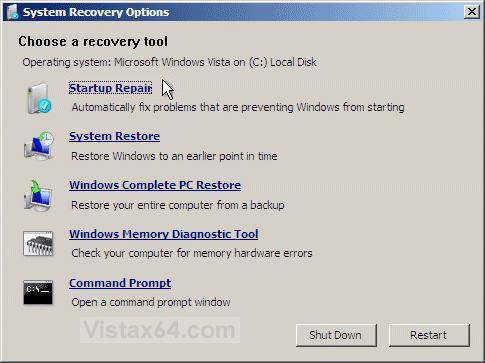
NoteThe Recovery Disc created here does not install Vista. It is also not like the OEM Vista recovery DVD that comes with most store bought computers created from the factory recovery partition. Instead it is used only to boot from to repair your already installed Vista. See the example below for the options available from the recovery disc when booted from.
 Tip
TipThis can be useful if you only have a OEM Vista recovery DVD or partition and would like to have a dvd to boot from to repair your Vista instead of reinstalling it. Plus, the recovery disk files are small enough to fit on a CD if you do not want to or can use a DVD.
EXAMPLE: System Recovery Options screen
NOTE: Using the Recovery Disc you create below, you can boot to the System Recovery Options screen below.
Here's How:
 STEP ONE
  Note
NoteIf you have SP1 or SP2 installed, then you will need to replace the recdisc.exe file installed by SP1/SP2 with a non-SP retail version below instead for the 32 bit or 64 bit version of Vista that you have installed.
Note
To see what 32-bit or 64-bit version of Vista you have, open the Control Panel (Classic View) and click the System icon, or right click Computer in the Start Menu and click Properties. You will see the bit version under the System type section.
If you ever run the sfc /scannow command, then it will restore the old original non-working copy of the recdisc.exe file, and you would have to do this STEP ONE section again to be able to create a Vista Recovery Disc.
1. If You Have 32 bit (x86) Vista Installed
A) Click on the Download button below to download the recdisc_x86.zip file.

B) Go to step 3.
2. If You Have 64 bit (x64) Vista Installed
A) Click on the Download button below to download the recdisc_x64.zip file.
3. Save the ZIP file to your desktop.
4. Right click on the ZIP file (on desktop), and click on Open.
5. If prompted by UAC, then click on Allow.
6. Extract (drag and drop) the recdisc.exe file to the desktop.
NOTE: You can delete the ZIP file (on desktop) when done if you like afterwards.
7. Right click on the extracted recdisc.exe file, click on Properties, General tab, the Unblock button, and on OK.
NOTE: If you do not have a Unblock button under the General tab, then the shortcut is already unblocked and you can continue on to step 8.
8. In Windows Explorer, navigate to C:\Windows\System32\recdisc.exe. (See screenshot below)
9. Take ownership of and set permissions to Allow your user account Full Control of the recdisc.exe file at the location in step 8.
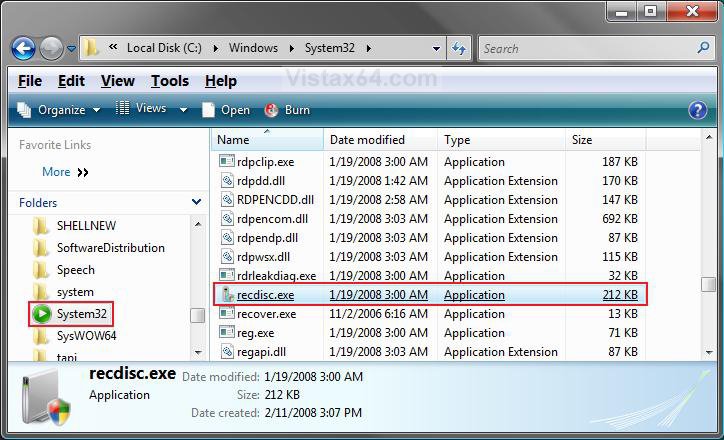
10. Right click on the extracted recdisc.exe file on the desktop from step 6, and click on Cut.
11. Go back to the C:\Windows\System32\recdisc.exe window and right click on a empty area and click on Paste. (See screenshot below step 13)
12. Click on Copy and Replace and Continue.
13. Right click on recdisc.exe, and click on Send To and Desktop (create shortcut).
14. Move the shortcut to where you like for easy use.
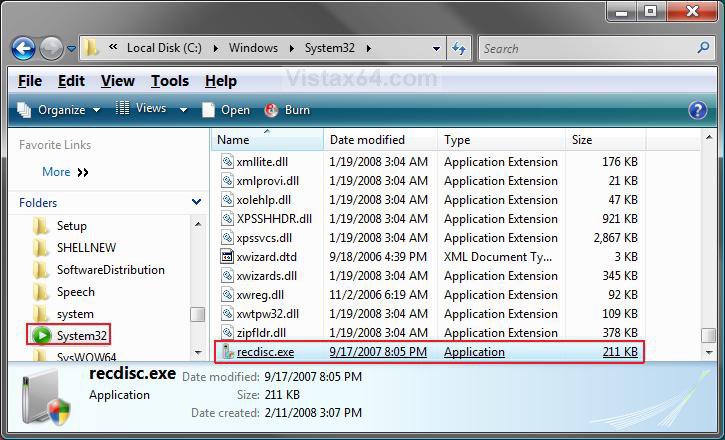
STEP TWO 15. Double click on the recdisc.exe shortcut on your desktop created from above to run the program.
16. Select your DVD drive, and click on create disc. (See screenshot below.
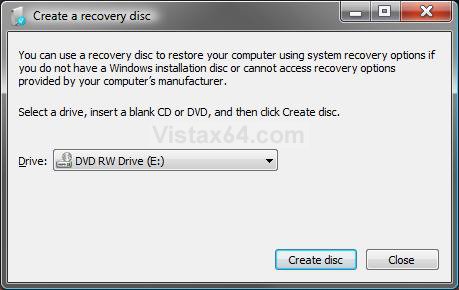
17. Insert your retail Vista installation DVD into the CD/DVD drive, and click on Continue. (See screenshot below)
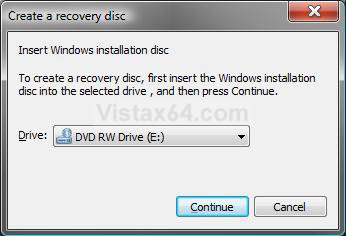
18. You will now see this. (See screenshot below)
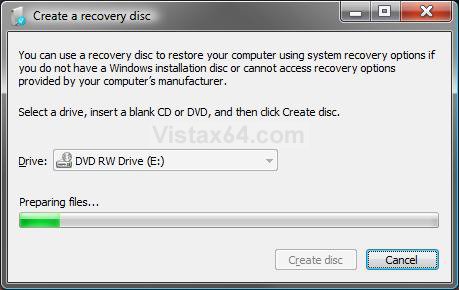
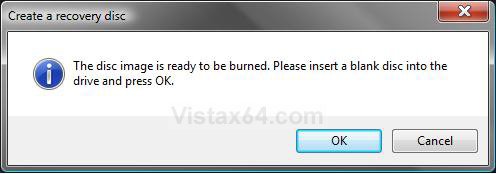
19. After a little bit, it will ask you to replace the Vista installation DVD with a blank CD or DVD.
A) Insert a blank CD or DVD into your CD/DVD drive and click on OK. (See screenshot below)
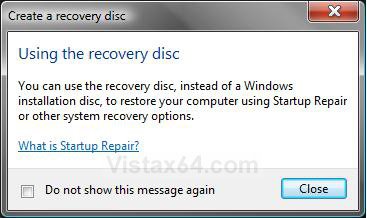
20. When it is finished, click on Close for both windows. (See screenshots below)
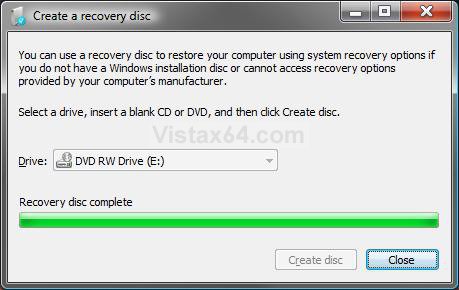
21. Now you can boot from this Recovery Disc to go to the System Recovery Options screen in the example above.
That's it,
Shawn
Related Tutorials
- How To Perform a Repair Installation For Vista
- How to Do a Startup Repair in Vista
- How to Do a System Restore in Vista
- How to Restore the Complete Computer from a Complete Backup and Restore Image in Vista
- How to Use the Memory Diagnostics Tool in Vista
- List of Commands for Vista and How to Use Them
- How to Create a Vista SP1 Slipstream Installation DVD
- How to Create a Bootable USB Flash Thumb Drive to Install Vista
- How to Do a Custom Installation of Vista
Attachments
Last edited by a moderator:


