How to Prevent or Allow a User to Change their Password in Vista and Windows 7
 Information
This will show you how to Allow or Prevent a selected User Account from being able to change their password from within User Accounts in the Control Panel (Classic View).
 Note
NoteBy default in Vista and Windows 7, users are allowed to change their passwords.
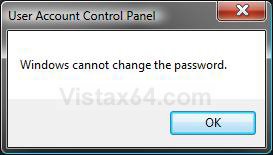
EXAMPLE: "Windows cannot change the password" Message
NOTE: This is the message a user will get after trying to change their password if their option to change password is set to disabled.
 METHOD ONE
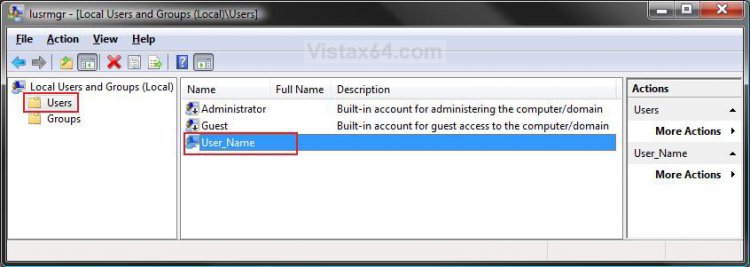
1. Open the Local Users and Groups manager.
2. In the left pane, click on Users. (See screenshot below)
3. In the middle pane, right click on the user account you want to do this with and click on Properties.
4. To Prevent the Selected User from Changing their Password
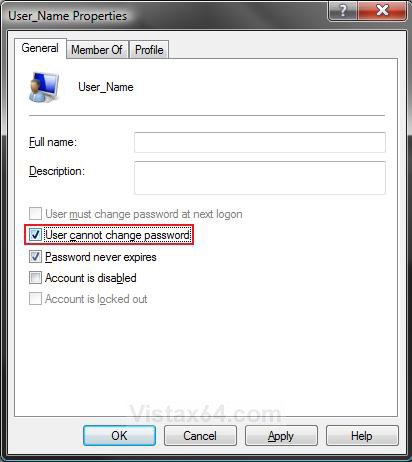
A) Check the User cannot change password box. (See screenshot below step 6)
B) Go to step 6.
5. To Allow the Selected User to Change their Password
A) Uncheck the User cannot change password box. (See screenshot below step 6)
NOTE: This is the default setting.
6. Click on OK. (See screenshot below)
7. Close the Local Users and Groups manager window.
METHOD TWO NOTE: This method is for all Vista and Windows 7 editions. This method was provided by Dwarf. Thank you Dwarf.
1. Open an elevated command prompt.
2. To Check the Change Password Status for a User
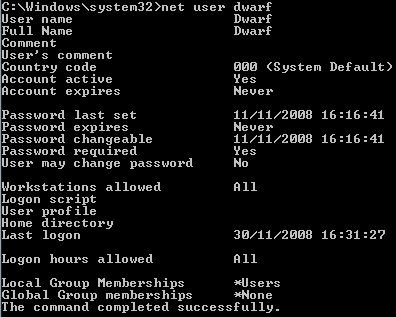
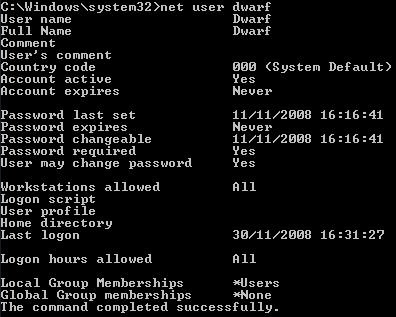
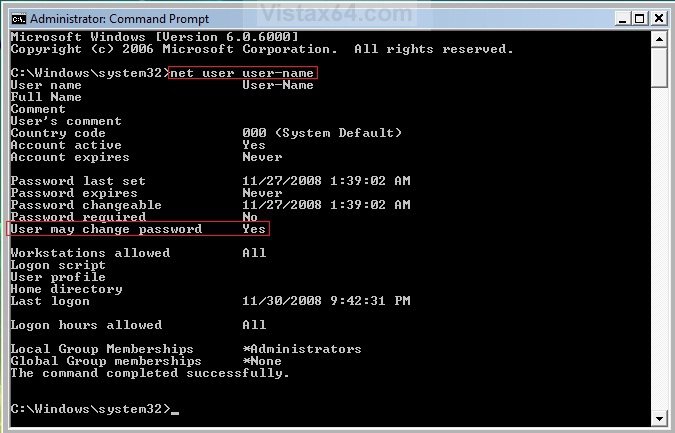
A) In the elevated command prompt, type the command below and press Enter. (See screenshot below)
NOTE: Substitute user name in the command below with the user name in quotes that you want to see the change password status of.
net user "user name"
B) To the right of User may change password, you will see either Yes (allow) or No (prevent) for that user name. (See screenshot below)
3. To Prevent the Selected User from Changing their Password
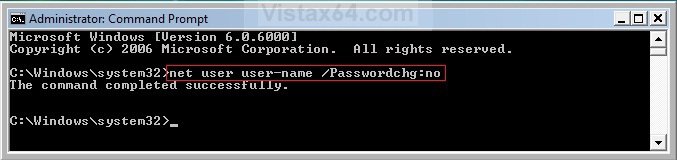
A) In the elevated command prompt, type the command below and press Enter. (See screenshot below)
NOTE: Substitute user name with the user name in quotes that you want to prevent from be able to change their password.
net user "user name" /Passwordchg:no
B) If the command was successful, you will now get a successfully completed message. (See screenshot below)
C) Verify the change with step 1.
D) Go to step 5.
4. To Allow the Selected User to Change their Password
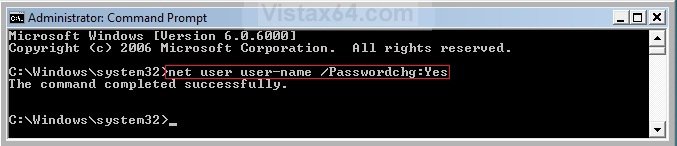
A) In the elevated command prompt, type the command below and press Enter. (See screenshot below)
NOTE: Substitute user name with the user name in quotes that you want to allow to change their password.
net user "user name" /Passwordchg:yes
B) If the command was successful, you will now get a successfully completed message. (See screenshot below)
C) Verify the change with step 1.
5. Close the elevated command prompt.
That's it,Shawn
Related Tutorials
- How to Make Vista Require a Username and Password at Logon
- How to Remove or Change a Password from a User Account in Vista
- How to Create a Password Reset Disk in Vista
- How to Reset a User Account Password in Vista
- How to Reset the Password of a User Account in Windows 7
- How to Create a Password for a User Account in Vista
- How to Change or Stop Password Expiration in Vista
- How to Logon Automatically at Startup in Vista
- How to Manage Stored User Names and Passwords in Vista
- How to Create, Change, and Use a Password Hint in Windows 7
Attachments

Last edited: