
How to Run Disk Defragmenter from the Command Prompt in Vista
 Information
This will show you how to run Vista Disk Defragmenter from the command prompt instead of the program within Vista to use more options and details.
Here's How:
 Note
NoteWait until your hard drive stops running before closing the command prompt to allow the defragmentation to finish. It may take a while to finish depending on how large and fragmented your hard drive is.
1. Open a elevated command prompt.
2. Choose the option you want to do below.
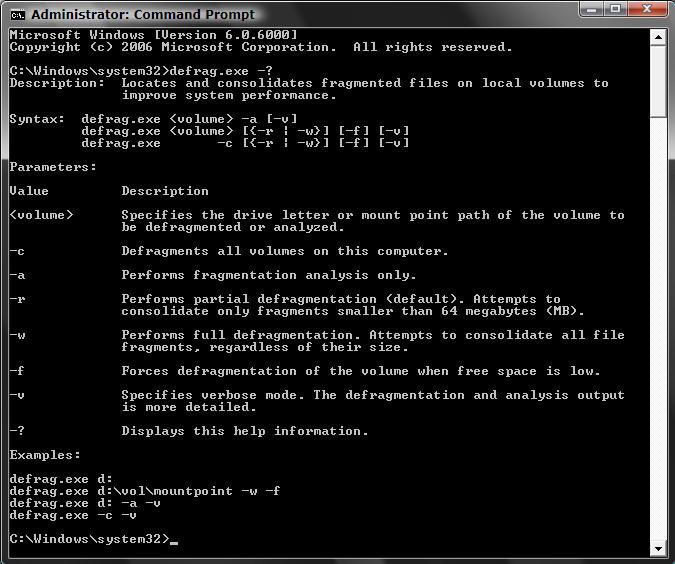
3. For a Complete List of Commands -
A) In the elevated command prompt, type defrag.exe -? and press Enter. (See screenshot below)
4. To Defragment a Drive or Volume -
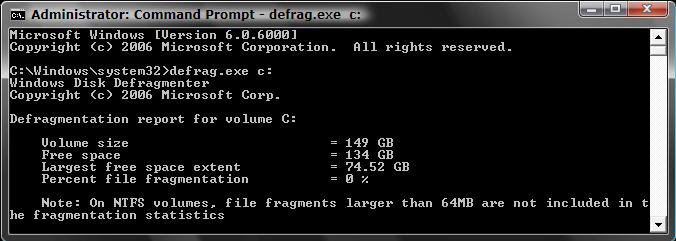
A) In the elevated command prompt, type a option in bold below you want to do. (See screenshot below)
- defrag.exe c: for the C: drive
NOTE: You can use whatever drive letter to defrag it. - defrag.exe -c for all drives or volumes.
B) Press Enter.
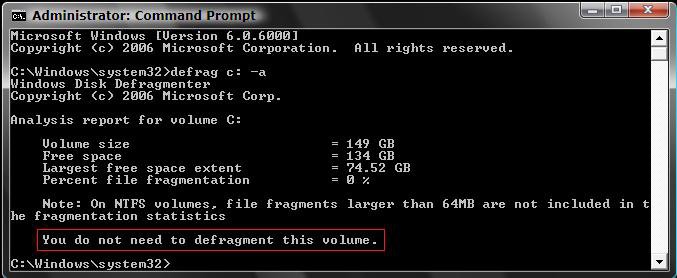
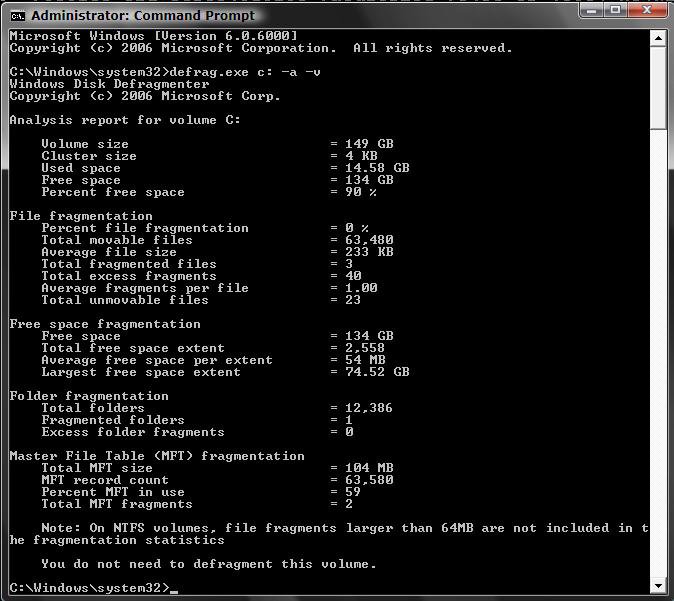
5. To Perform an Analysis Only and Not Defragment -
A) In the elevated command prompt, type the option in bold below. (See screenshot below)
- defrag.exe c: -a for an analysis on the C: drive
NOTE: You can use whatever drive letter to defrag it.
B) Press Enter.
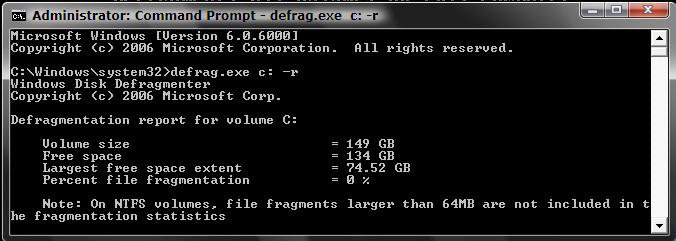
6. To Perform a Partial Defragmentation Only -
A) In the elevated command prompt, type a option in bold below you want to do. (See screenshot below)
- defrag.exe c: -r for the C: drive.
NOTE: You can use whatever drive letter to defrag it. - defrag.exe -c -r for all drives or volumes.
B) Press Enter.
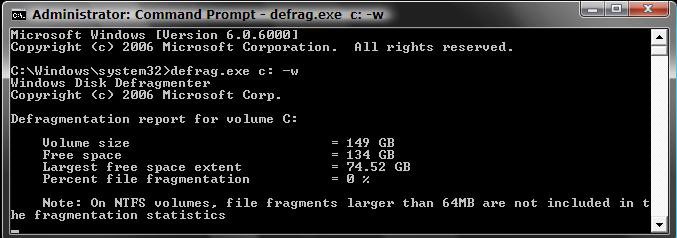
7. To Perform a Full Defragmentation -
A) In the elevated command prompt, type a option in bold below you want to do. (See screenshot below)
- defrag.exe c: -w for the C: drive.
NOTE: You can use whatever drive letter to defrag it. - defrag.exe -c -w for all drives and volumes.
B) Press Enter.
8. To Force a Defragmentation on a Drive With Low Space -
A) In the elevated command prompt, type a option in bold below you want to do. (See above sections)
- defrag.exe c: -f for the C: drive.
- defrag.exe c: -w -f for the C: drive with full defragmentation.
- defrag.exe c: -r -f for the C: drive with partial defragmentation.
- defrag.exe -c -f for all drives and volumes.
- defrag.exe -c -w -f for all drives with full defragmentation.
- defrag.exe -c- r -f for all drives with partial defragmentation.
B) Press Enter.
9. For Verbose or Detailed Mode -
A) In the elevated command prompt, type a option in bold below you want to do. (See screenshot below)
- defrag.exe c: -f -v for the C: drive.
- defrag.exe c: -a -v for the C: drive with analysis.
- defrag.exe c: -w -f -v for the C: drive with full defragmentation.
- defrag.exe c: -r -f -v for the C: drive with partial defragmentation.
- defrag.exe -c -f -v for all drives and volumes.
- defrag.exe -c -w -f -v for all drives with full defragmentation.
- defrag.exe -c- r -f -v for all drives with partial defragmentation.
B) Press Enter.
That's it,
Shawn
Related Tutorials
- How to Change the Schedule for Disk Defragmenter in Vista
- List of Commands for Vista and How to Use Them
- How to Use Open Command Prompt Window Here in Vista
- How to Enable or Disable the Command Prompt in Vista
- How to Enable or Disable Defrag of Boot Files at Startup in Vista
- How to Create a Defragment Boot Files Shortcut in Vista
- How to Add Defragment to Context Menu in Windows 7 and Vista
Attachments

Last edited by a moderator:


