![]() |
![]() | ![]() | ![]() | ![]() | ![]() | ![]() | ![]() |
| Welcome to Windows Vista Forums. Our forum is dedicated to helping you find solutions with any problems, errors or issues you are experiencing with Windows Vista. The Vista forum also covers news and updates and has an extensive Windows Vista tutorial section that covers a wide range of tips and tricks. |
| |||||||
![]() |
| |
Shortcut Target Path Location | ||||||||||||||||||||||||
| ||||||||||||||||||||||||
| | ||||||||||||||||||||||||
| | |
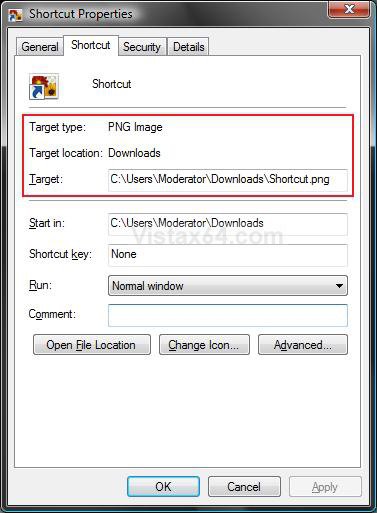
| Vista Home Premium 32bit | Re: Shortcut Target Path Location Hello, is there a way to have a shortcut point to two separate folders? For instance, I have a "Videos" shortcut that windows vista created by default, that pointed to my "C" drive. Well, I ended up changing it to point to my "F" drive. My "F" drive, however, is now full. So I've had to place other videos on another drive (in this case "G"). Can I make my "Videos" shortcut point to both drives? Thanks for any help you can give. |
My System Specs![]() |
| | |
| Vista x64 Ultimate SP2, Windows 7 Ultimate x64 | Re: Shortcut Target Path Location Hi Oneils, Welcome to Vista Forums. ![]() Sorry, a folder shortcut can only have one folder location as it's source. ![]() You could create another folder shortcut for the G location folder, say Videos 2, and place the shortcut inside the original Videos folder. This way it will be easier to keep together for easy access. Shawn |
My System Specs![]() |
| | |
| Vista Home Premium 32bit | Re: Shortcut Target Path Location Thanks Shawn. Me a sad panda... Would have been more convenient. But I suspected as much. I like your idea though. I was just going to create two shortcuts for videos in my favourites links. But you're way means my links won't be so cluttered. Again thanks for the help - you're fast! |
My System Specs![]() |
| | |
| Vista x64 Ultimate SP2, Windows 7 Ultimate x64 | Re: Shortcut Target Path Location Your welcome Oneils, I always try to answer as soon as I can or able to. Have a great New Years, Shawn |
My System Specs![]() |
| | |
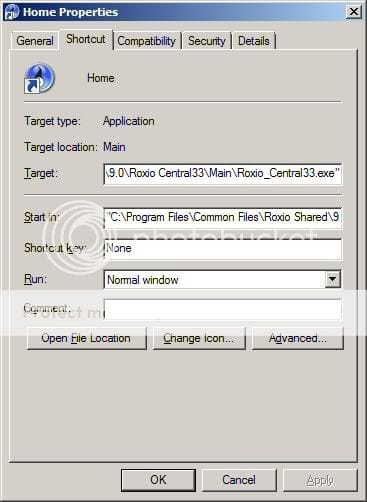
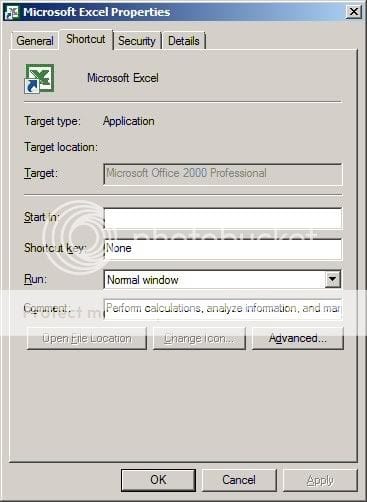
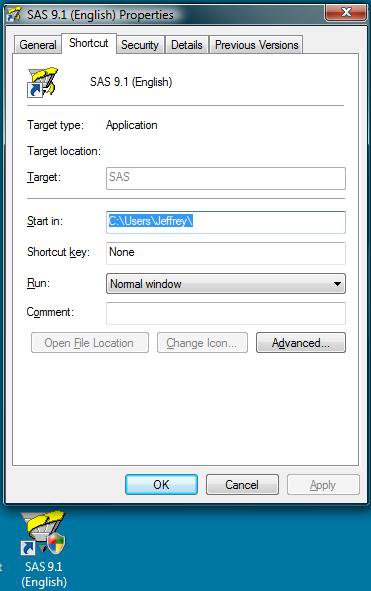
| Vista Home Premium 32bit | Re: Shortcut Target Path Location Is there anything you can do if the field is greyed out? About half of my shortcuts (Desktop and Start Menu) do not work - you click on them and nothing happens. I've noticed that this happens with the shortcuts that have options grey-out. Any suggestions? Works: ![]() Doesn't work: |
My System Specs![]() |
| | |
| Vista x64 Ultimate SP2, Windows 7 Ultimate x64 | Re: Shortcut Target Path Location Hi Arking, Welcome to Vista Fourms. ![]() Is the one that is grayed out a original shortcut that the program made? For a test, see if you can create your own shortcut from the EXE file and modify it's Target path. However, the Target is what the shortcut will open. Shawn |
My System Specs![]() |
| | |
| Vista Home Premium 32bit | Re: Shortcut Target Path Location They were both made by their respective programs. Is there anyway to change where the gray-out shortcuts point to? None of the grey-out shortcuts work, so I was wondering if there was a way to remedy this as a whole, or individually. |
My System Specs![]() |
| | |
| Vista x64 Ultimate SP2, Windows 7 Ultimate x64 | Re: Shortcut Target Path Location Arking, Sorry, not from the ones that are grayed out. You may be able to for ones that you manually create shortcuts for though. If you can, then just delete the grayed out ones. |
My System Specs![]() |
![]() |
| Tutorial Tools | |
| |
Similar Threads | ||||
| Tutorial | Category | |||
| Changing the Shortcut's target path | Vista file management | |||
| Target Path for Windows Mail? | Browsers & Mail | |||
| Changing target path of windows shortcuts | PowerShell | |||
| how to change target location of desktop | Vista General | |||
| How do you change the target of the shortcut or shortcut command l | Vista General | |||