Windows Vista Forums
Vista Forums Home Join Vista Forums Windows 7 Forum Vista Tutorials Tags
Welcome to Windows Vista Forums. Our forum is dedicated to helping you find solutions with any problems, errors or issues you are experiencing with Windows Vista. The Vista forum also covers news and updates and has an extensive Windows Vista tutorial section that covers a wide range of tips and tricks.

Go Back   Vista Forums > Vista Forums > Windows Updates

Vista - windows update new look

Reply
 
Old 3 Weeks Ago   #1 (permalink)


Vista Home Premium 64bit SP2


windows update new look

will somebody tell me why i still have the old look windows update

My System SpecsSystem Spec
Old 3 Weeks Ago   #2 (permalink)


Windows 7 Ult. (x64) | Ubuntu 9.10 RC (x64 - WUBI)


Re: windows update new look

Quote  Quote: Originally Posted by archie123 View Post
will somebody tell me why i still have the old look windows update
I'm sorry? I must have missed something. :|

When was there a new look added to Vista?
My System SpecsSystem Spec
Old 3 Weeks Ago   #3 (permalink)


Vista Home Premium 64bit SP2


Re: windows update new look

not vista mate no but the windows update part , you know where you check for os updates , i remember talk here of it changing to look like the windows 7 update , i updated my pc at wok the other day and noticed the new look an realised mines still the same :P
My System SpecsSystem Spec
Old 3 Weeks Ago   #4 (permalink)


Vista Home Premium SP2 32bit, Windows7x32bit


Re: windows update new look

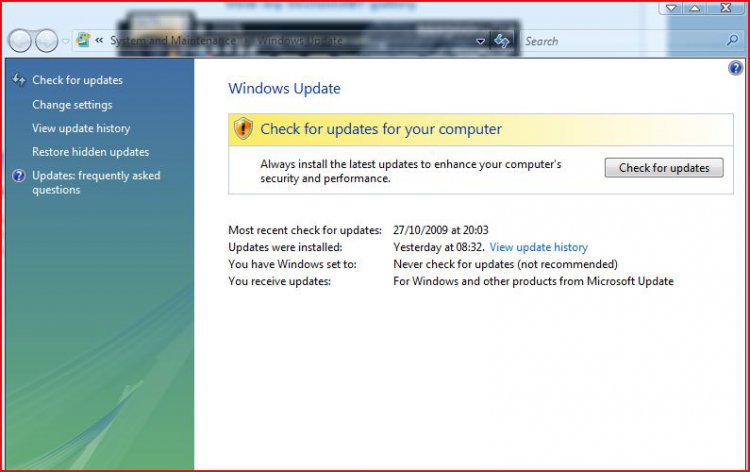
It hasn't changed for me either.
Attached Thumbnails
capture50.jpg  
My System SpecsSystem Spec
Old 3 Weeks Ago   #5 (permalink)


Vista Home Premium SP2 32bit, Windows7x32bit


Re: windows update new look

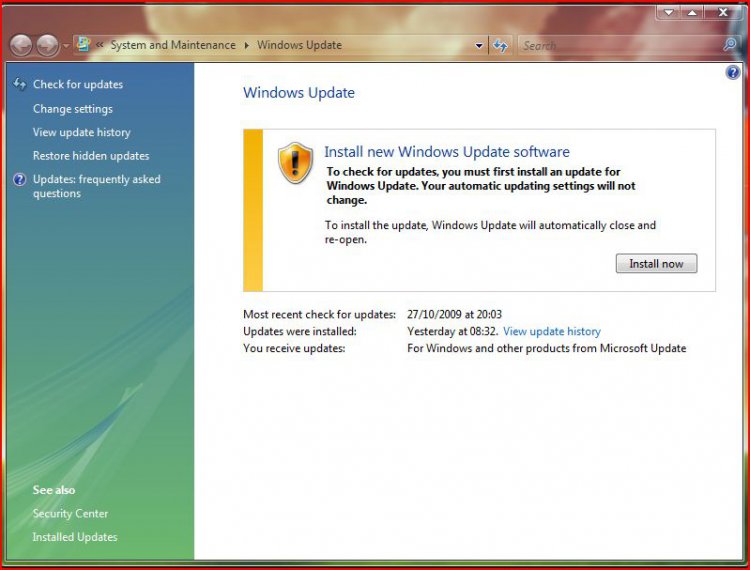
Just after posting, I checked my Updates and I got a message"To check updates you have to install Windows Update software" and I clicked "Install". Then I got the new look same as Windows7.
Edit: still I couldn't see any difference in appearance.
Attached Thumbnails
capture50.jpg   capture52.jpg  

Last edited by brummyfan; 3 Weeks Ago at 10:07 AM..
My System SpecsSystem Spec
Old 3 Weeks Ago   #6 (permalink)


Vista Home Premium 32 bit now with SP2!


Re: windows update new look

Hello all,
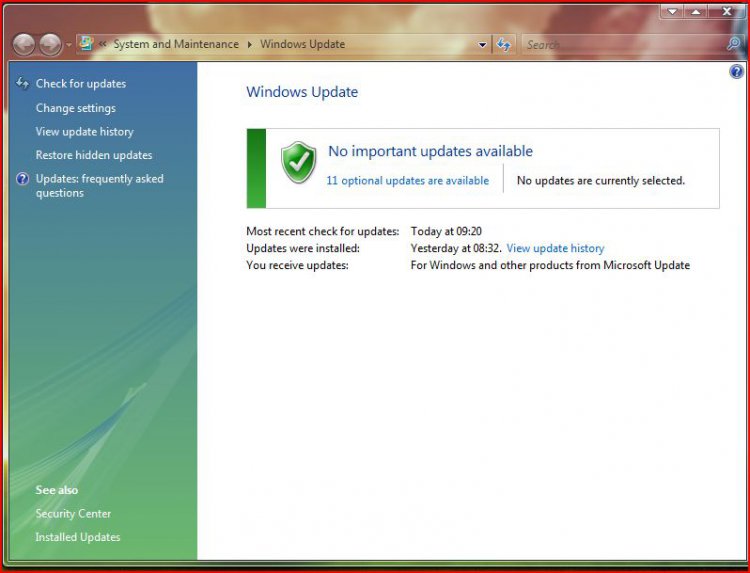
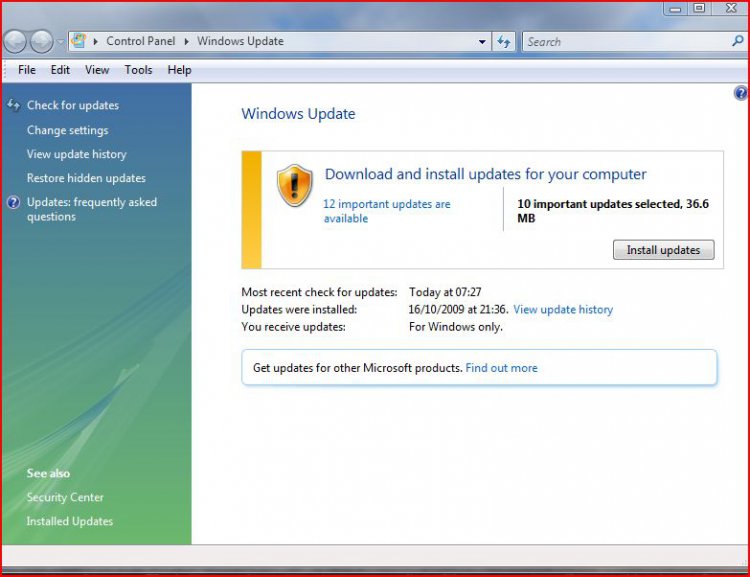
I just checked my Windows Update this morning and got a look at the 'new' update window.
Apparently it installed overnight in spite of the fact that I have Windows Update set to 'notify but don't download' updates.
capture.jpg


I'm not a big fan at the moment, I liked the old one just fine, but I guess it's not optional.

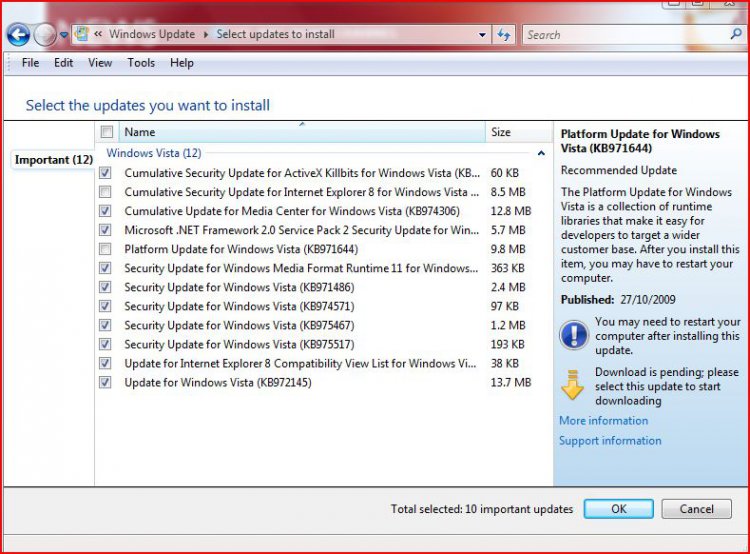
Can someone tell me why I have updates that are there but not ticked?
Thanks
My System SpecsSystem Spec
Old 3 Weeks Ago   #7 (permalink)


Vista Home Premium 32 bit now with SP2!


Re: windows update new look

PS.. Sorry I should have included the first window as well..

capture.jpg
My System SpecsSystem Spec
Old 3 Weeks Ago   #8 (permalink)


Vista Home Premium 64bit SP2


Re: windows update new look

well mines still the bloody same , its not an issue just annoying
My System SpecsSystem Spec
Old 3 Weeks Ago   #9 (permalink)


Windows Seven Home Premium


Re: windows update new look

Quote  Quote: Originally Posted by archie123 View Post
well mines still the bloody same , its not an issue just annoying
Just a thought Archie, if you disable check for updates from microsoft and then re enable it it will scan your computer again for what updates you have installed and might force the new updater?
My System SpecsSystem Spec
Old 3 Weeks Ago   #10 (permalink)


Vista Home Premium 32 bit. SP1 & SP2


Re: windows update new look

Quote  Quote: Originally Posted by Peppurr101 View Post
Hello all,
I just checked my Windows Update this morning and got a look at the 'new' update window.
Apparently it installed overnight in spite of the fact that I have Windows Update set to 'notify but don't download' updates.
Attachment 16832


I'm not a big fan at the moment, I liked the old one just fine, but I guess it's not optional.

Can someone tell me why I have updates that are there but not ticked?
Thanks
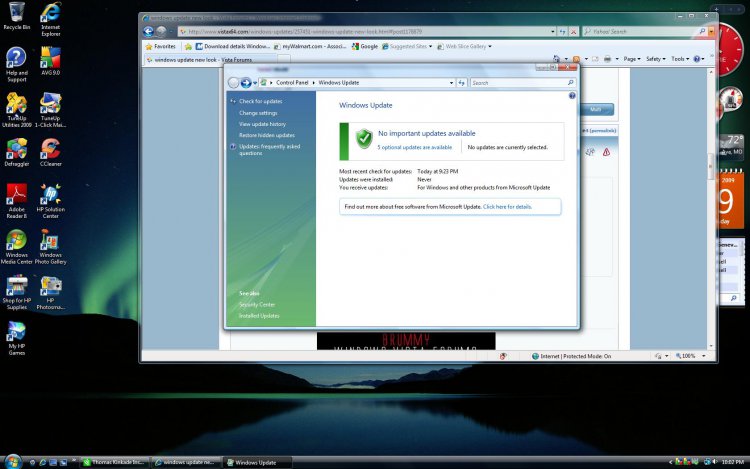
I am still trying to figure it out. Mine look sorta looks the same but there is a small difference in looks and a big one if you want to view update history. There is none so what happen to all of them? Also it now is showing Updates were installed...NEVER. But when I click on update history there are two updates there. One is windows defender, the other Windows Update Agent 7.4.7600.226. My information for my system should drop dow but it's Vista Home Premium 32 bit. Any ideas??
Attached Thumbnails
windows-updates.jpg  
My System SpecsSystem Spec
Reply

Thread Tools


Similar Threads
Thread Forum
windows update is wanting to install new windows update software? Windows Updates
windows update fails to update to new version with error code 8007 Vista General
A Windows Vista Security Tip: Use Windows Update to Update all Microsoft Programs on your Computer Vista security
Windows update error 80070103 - Beta 2 Vista NVIDIA Driver Update Vista General
Update or Instal Vista fails "Windows could not update registry da Vista General


Vista Forums is an independent web site and has not been authorized,
sponsored, or otherwise approved by Microsoft Corporation.
"Windows Vista", the Start Orb, and related materials are trademarks of Microsoft Corp.
© Designer Media Ltd

1 2 3 4 5 6 7 8 9 10 11 12 13 14 15 16 17 18 19 20 21 22 23 24 25 26 27 28 29 30 31 32 33 34 35 36 37 38 39 40 41 42 43 44 45 46