Windows Vista Forums
Vista Forums Home Join Vista Forums Windows 7 Forum Vista Tutorials Tags
Welcome to Windows Vista Forums. Our forum is dedicated to helping you find solutions with any problems, errors or issues you are experiencing with Windows Vista. The Vista forum also covers news and updates and has an extensive Windows Vista tutorial section that covers a wide range of tips and tricks.


Go Back   Vista Forums > Vista Forums > Drivers

RB

Vista - How can I re-boot my laptop?

Reply
 
12-10-2008   #1


vista 32bit


How can I re-boot my laptop?

Acer Extensa 5220, Intel Celeron Processor 530
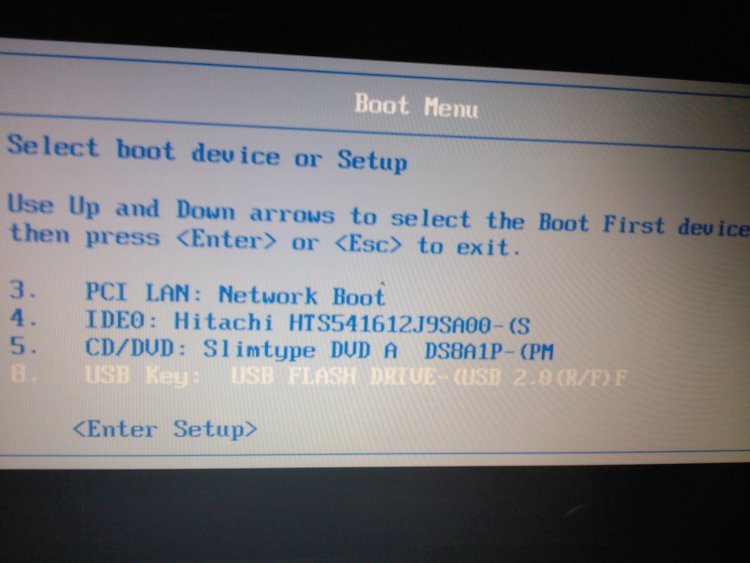
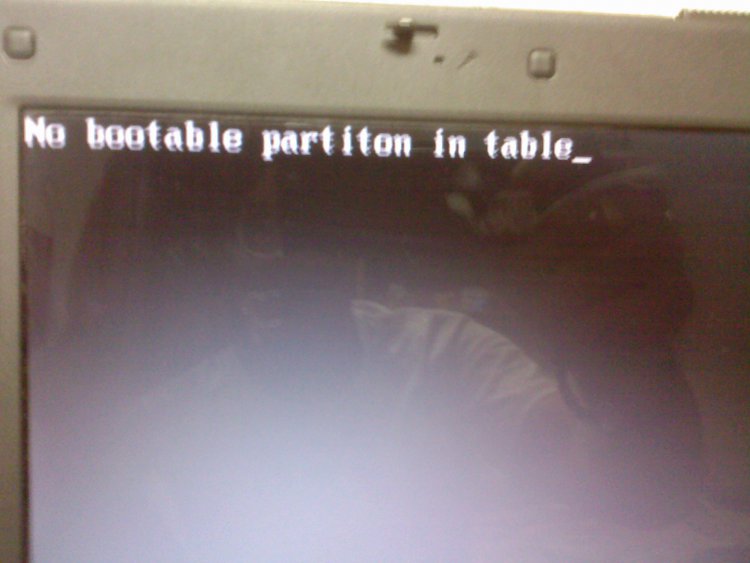
I tried to upgrade the OS from XP to Windows Vista. It was low of memory so I started deleting some unneeded files. But after that when I restarted the laptop I had an option F2 or F12. I tried both of them, but without access. When I put the XP cd it shows me NO BOOTABLE PARTITON ON TABLE. After that I can only turn off the laptop and do the same thing again and again. Please tell me how can I re-boot my laptop. All my important documents are on D drive, so I don't mind to clean all C drive and start all over, just please tell me how can I re-boot the laptop?

Thanks in advance.
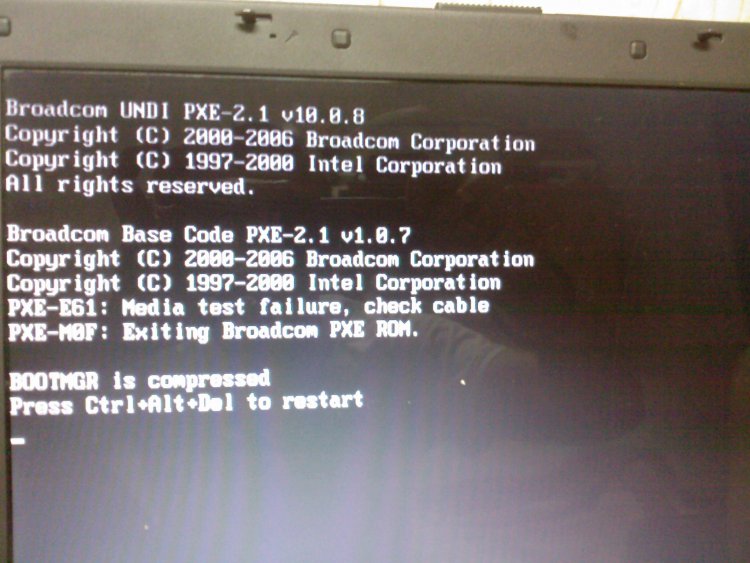
Attached Thumbnails
sp_a0611.jpg   sp_a0612.jpg   sp_a0613.jpg  
My System SpecsSystem Spec
12-10-2008   #2


Vista home premium 64 bit


Re: How can I re-boot my laptop?

Have you got the emergency recovery disk that came with your laptop?
My System SpecsSystem Spec
12-10-2008   #3


vista 32bit


Re: How can I re-boot my laptop?

no
My System SpecsSystem Spec
12-10-2008   #4


Vista ultimate 32 bit sp2


Re: How can I re-boot my laptop?

I see from you first picture that the bootmgr is compressed , windows will not boot when the bootmgr is compressed , you will need to re-boot from the cd/dvd and do a repair . If i remember rightly its like this
1. Boot from cd/dvd
2. When the screen comes up select you operating system and then click load drivers
3. A screen will open up and you will see your hard drive
4. Right click then go to Properties
5. Under the General tab uncheck the box that says "Compress drive to save disk space"
6. Click Apply and then Ok
7. Restart the computer and everything should boot up normally

Last edited by KV43; 12-10-2008 at 07:33 PM..
My System SpecsSystem Spec
12-10-2008   #5


Vista Ultimate SP2 x64 Windows 7 Ultimate x64 TECHNET


Re: How can I re-boot my laptop?

Like Roy69 and KV43 said you can repair it, only you said you don't have a recovery disk. You can make a vista recovery disk to give you the option to repair but not reinstall if you have access to another computer.
Create a Recovery Disc
My System SpecsSystem Spec
Reply

RB


Thread Tools


Similar Threads for: How can I re-boot my laptop?
Thread Forum
Laptop wont boot? General Discussion
Boot problem with laptop - F8 does not work either General Discussion
Laptop asks for boot disk Vista General
Unable to boot up laptop after hibernation General Discussion
Building a 32 and 64 bit dual boot laptop General Discussion


Vista Forums is an independent web site and has not been authorized,
sponsored, or otherwise approved by Microsoft Corporation.
"Windows Vista", the Start Orb, and related materials are trademarks of Microsoft Corp.
© Designer Media Ltd