

Ushiio
New Member
Help my friend with this?:
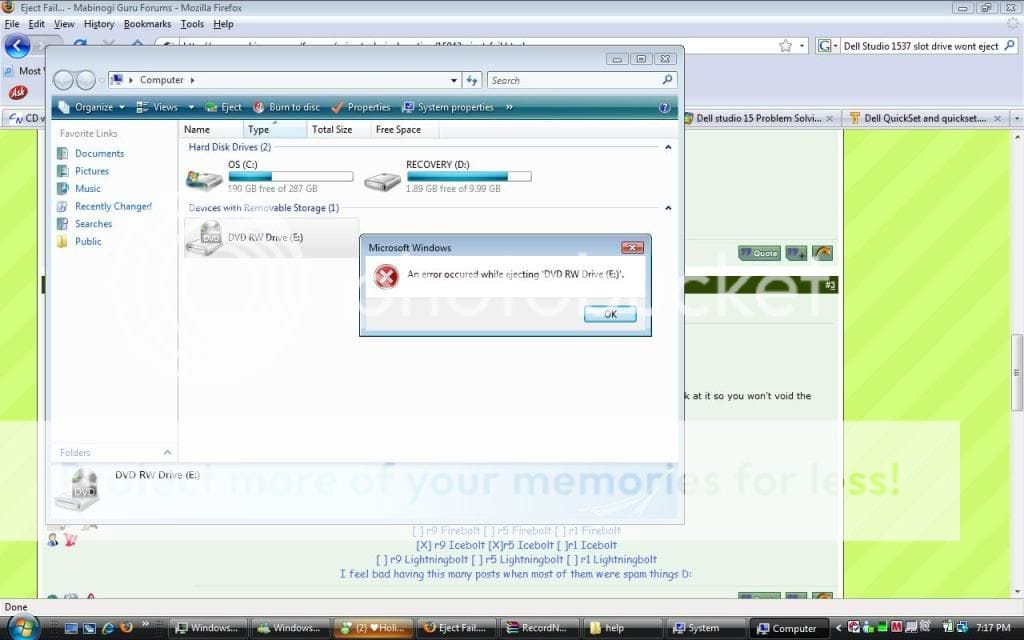
Here's the problem: my disc drive won't eject. D: And its a slot drive so it doesn't have one of those little holes on the side that you can poke a paperclip in to manually eject it(...I almost stuck one in the charger hole before I learned this >>). I used the touchpad eject thing, and I tried right clicking the drive and clicking eject, and that still didn't work! D: It gives me an error message >: Then I tried using the Fn+F10 tactic, which STILL didn't work Dx so basically right now I'm at a loss. FFS, this laptop is only like 2 months old >>
Laptop info:
Dell Studio 1537
Intel (R) Core (TM)2 Duo CPU T6600 @ 2.20GHz
Memory (RAM): 4.00GB
System type: 64-bit Operating System
--I'm using Windows Vista Home Premium
Anything I left out here?
Screenshot:
*Sorry if wrong section of forums. =_=
Here's the problem: my disc drive won't eject. D: And its a slot drive so it doesn't have one of those little holes on the side that you can poke a paperclip in to manually eject it(...I almost stuck one in the charger hole before I learned this >>). I used the touchpad eject thing, and I tried right clicking the drive and clicking eject, and that still didn't work! D: It gives me an error message >: Then I tried using the Fn+F10 tactic, which STILL didn't work Dx so basically right now I'm at a loss. FFS, this laptop is only like 2 months old >>
Laptop info:
Dell Studio 1537
Intel (R) Core (TM)2 Duo CPU T6600 @ 2.20GHz
Memory (RAM): 4.00GB
System type: 64-bit Operating System
--I'm using Windows Vista Home Premium
Anything I left out here?
Screenshot:
*Sorry if wrong section of forums. =_=