I just upgraded my fully operational vista 32bit to home premium 64bit. Everything is working in vista 64bit up untill I install my gfx card drivers. Vista will run perfectly on the generic drivers windows assigns to my card. When I successfully install the proper drivers from nvidia's website and reboot, windows will load the starting bar up then goto a black screen that I cannot do anything at. The system hangs up on me with no error message or any indication of problem.
I'm currently running in safemode right now and have treid reinstalling the drivers several times and each time they say working properly but unfortunatly I cannot get past a black screen on startup unless i uninstall nvidia drivers and let windows assign the generic drivers to the card.
Hi and welcome to Vista Forums!
I have two Nvidia 8600 GTS (256 MB) and with the latest nvidia drivers for x64 I have no problems, all working fine, also SLI.
Are you sure you install the correct driver?
1 x Seagate 120GB SATA (OS installation)
1 x Seagate 200GB SATA
2 x Seagate 320GB SATA (Hardware RAID 0)
1 x Seagate 250GB IDE (in external USB box)
1 x TrekStor 750GB USB
Im positive, I've also tried several other older drivers from the nvidia site.
I've been looking on google constantly and several other have this issue where the screen will go black but the OS will still load in background but no one has solved there issue thus far it seems.
Very weird since everything works perfectly on my 32bit vista partition. I'm using same driver set (but 64bit ofcourse).
1 x Seagate 120GB SATA (OS installation)
1 x Seagate 200GB SATA
2 x Seagate 320GB SATA (Hardware RAID 0)
1 x Seagate 250GB IDE (in external USB box)
1 x TrekStor 750GB USB
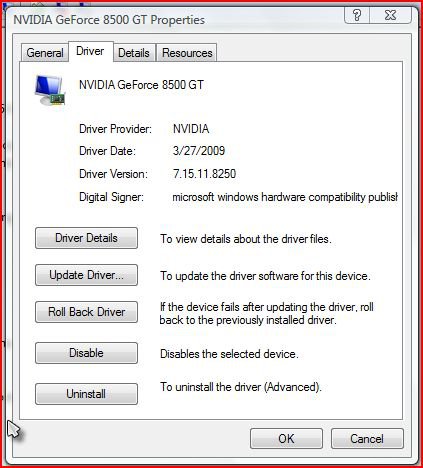
I have 8500GT and its been working great but when Installed their newest release I had the same problem. I rolled back to previous Nvidia driver everything was back to normal. My system is 64 bit Vista. Try the driver one step back from their newest release. If it doesn't work no harm done but, maybe it will. Good Luck
This is mine:
I've tried nvidias newest witch is 186.18,then 185.85, then 175.19 and all achieve same result. A black screen after vista loading bar. I know the OS is active in the background because of my G11 keyboard and activity light on desktop tower.
1 x Seagate 120GB SATA (OS installation)
1 x Seagate 200GB SATA
2 x Seagate 320GB SATA (Hardware RAID 0)
1 x Seagate 250GB IDE (in external USB box)
1 x TrekStor 750GB USB
I dont understand why it would work in 32bit and not 64 tho? same drivers but different bit sets. Im using a generic driver right now since none of the nvidia drivers will work.
1 x Seagate 120GB SATA (OS installation)
1 x Seagate 200GB SATA
2 x Seagate 320GB SATA (Hardware RAID 0)
1 x Seagate 250GB IDE (in external USB box)
1 x TrekStor 750GB USB
In my personal opinion, which is very short in Vista x64, and having had such a problem, this is because of a conflict of drivers... more than likely display & monitor.
How you install a driver is also an issue with Vista, more of a pita than anything else. Others may use a better or quicker method but, others are not typing this
Here are my suggestions... YMMV
Download fresh drivers for Audio, Display & Video... making sure all of them are certified and for x64 bit OS and saved them on a folder where you can easily get later. If you have recently downloaded the drivers (say 1 to 3 days), just make sure you know where to find them.
Go to Safe mode and Uninstall your Audio, Video & Display drivers. If you use Driver Sweeper, this would be a good time to run it. If not, just restart and get to the desktop, vista will most likely install Generic Drivers for all... no worries here.
Install your AUDIO drivers first, restart even if it doesn't ask you... others may not do this, I do it this way, more so when I am having an issue.
Install your video driver next. Now, this is where it gets a little hairy, you can either go to the folder where you saved the file and right click on it, then, "Run as Administrator"... this is imperative!!!
The other method I use is, I go to the Device Manager, double click on the display driver and click on the Driver Tab, click on Update Driver and DO NOT install Recommended but use the other option where it asks you to point to the folder where the installation file is. Chose the .exe file and let it rip. Once you're done, you'll need to restart again.
Last but not least, install the Monitor driver. Reboot.
If you were not able to find a x64 driver for it, this is where I believe a large part of the problem exist. I can't explain why or how because I am not a computer tech or guru but I know I fixed my issue after finding a x64 driver for my Acer AL2216W LCD. find the first x64 driver you can that is almost similar to the monitor you use and test it out.
Good luck
P.S.: the reason why I had you install the audio drivers as well is because I have also found that they corrupt very easily. Again, I have to actual facts and it could be that I feel that way because I do game offline a lot but, since I am not a tech or guru, sometimes, fixing my issues take me longer because of my old school methods
I have the acer moniter drivers and have tried to do all of the steps above several times. Another thing I forgot to mention was that in 32bit mode the drivers will all be picked up automatically(video sound ect) and in 64bit vista it will not regognize my sound card or install the proper drivers for them no matter what drivers I try.
I have came to the conclusion that my system is a x86 system and the motherbaord or onboard chipset just does not support 64bit although my processor can handle it.
Guess thats what I get for going with Acer.
If anyone can expand on this please do.
Thanks,
Ryan
I have came to the conclusion that my system is a x86 system and the motherbaord or onboard chipset just does not support 64bit although my processor can handle it.
If anyone can expand on this please do.
Thanks,
Ryan
I wish I could but that one just flew over my head cos I don't even know how to check whether my mobo is 64 bit compatible or not. On the other hand, I may already know but I just have forgotten, in which case, it would mean that I am getting old and sinile at the same time... not a very nice combination!
I'll keep an eye on this thread because I also want to know