Windows Vista Forums
Vista Forums Home Join Vista Forums Windows 7 Forum Vista Tutorials Tags
Welcome to Windows Vista Forums. Our forum is dedicated to helping you find solutions with any problems, errors or issues you are experiencing with Windows Vista. The Vista forum also covers news and updates and has an extensive Windows Vista tutorial section that covers a wide range of tips and tricks.

Go Back   Vista Forums > Vista Forums > Drivers

Vista - updated DVD drive firmware, now Vista cannot find drivers

Reply
 
Old 08-13-2009   #1 (permalink)


Vista Home Premium 32bit


updated DVD drive firmware, now Vista cannot find drivers

Hi,

I just purchased a new Dell Inspiron 1545 laptop, it has a TS-L633C DVD-RW drive.

I updated the DVD drive firmware to a version available on Dell's website (original D300, current DW10).

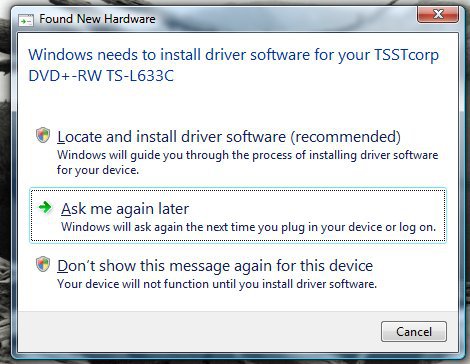
Now every time Vista starts, the "found New Hardware" wizard opens and attempts to install drivers for the DVD drive (which it doesn't find).

The drive functions perfectly, it appears in "Computer", and I am certain there are no drivers that need to be updated.

How do I get Vista to stop nagging me to update the drivers ?

Thanks!
Chipsndukes

My System SpecsSystem Spec
Old 08-13-2009   #2 (permalink)


Vista Ultimate SP2/Windows 7 Ultimate x64


Re: updated DVD drive firmware, now Vista cannot find drivers

Are you sure that's the correct firmware for that drive? Check the maker's tool here: SAMSUNG ODD SERVICE
My System SpecsSystem Spec
Old 08-13-2009   #3 (permalink)


Vista Home Premium 32bit


Re: updated DVD drive firmware, now Vista cannot find drivers

Quote  Quote: Originally Posted by Ex_Brit View Post
Are you sure that's the correct firmware for that drive? Check the maker's tool here: SAMSUNG ODD SERVICE
Hi Peter, I am sure that the firmware is intended for this drive.

It is a Samsung, but Dell-branded, so all support (firmware) is through Dell. I tried the Samsung FW, wouldn't flash, "incompatible".

The drive works if I could only get Vista to stop thinking the drivers need to be updated.

Thanks!
Chipsndukes
My System SpecsSystem Spec
Old 08-13-2009   #4 (permalink)


Windows 7 Ultimate 64bit


Re: updated DVD drive firmware, now Vista cannot find drivers

Quote  Quote: Originally Posted by chipsndukes View Post
Quote  Quote: Originally Posted by Ex_Brit View Post
Are you sure that's the correct firmware for that drive? Check the maker's tool here: SAMSUNG ODD SERVICE
Hi Peter, I am sure that the firmware is intended for this drive.

It is a Samsung, but Dell-branded, so all support (firmware) is through Dell. I tried the Samsung FW, wouldn't flash, "incompatible".

The drive works if I could only get Vista to stop thinking the drivers need to be updated.

Thanks!
Chipsndukes
For the moment try this...
Start\control panel\device manager\dvd-cdrom drives-choose your DVD-RW drive.\right click\properties,and Roll Back Driver-Restart.
My System SpecsSystem Spec
Old 08-13-2009   #5 (permalink)


Vista Ultimate SP2/Windows 7 Ultimate x64


Re: updated DVD drive firmware, now Vista cannot find drivers

Well try this: Go to Device Manager, right-click the drive and update drivers and tell it to search your hard drive. Maybe it's suffering from temporary amnesia.

I'm assuming you rebooted after doing the firmware update?
My System SpecsSystem Spec
Old 08-13-2009   #6 (permalink)


Vista Home Premium 32bit


Re: updated DVD drive firmware, now Vista cannot find drivers

Quote  Quote: Originally Posted by panais View Post
For the moment try this...
Start\control panel\device manager\dvd-cdrom drives-choose your DVD-RW drive.\right click\properties,and Roll Back Driver-Restart.
Hi panais,

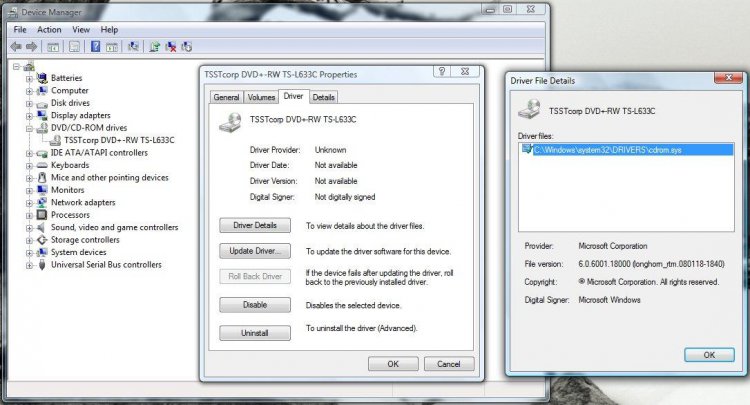
The Roll Back driver button is grayed out, I attached a picture below, also of the driver properties.

Thanks,
Chipsndukes
Attached Thumbnails
clipboard01.jpg  
My System SpecsSystem Spec
Old 08-13-2009   #7 (permalink)


Vista Ultimate SP2/Windows 7 Ultimate x64


Re: updated DVD drive firmware, now Vista cannot find drivers

..or try uninstalling the drive in Device Manager and rebooting.
My System SpecsSystem Spec
Old 08-13-2009   #8 (permalink)


Vista Home Premium 32bit


Re: updated DVD drive firmware, now Vista cannot find drivers

Quote  Quote: Originally Posted by Ex_Brit View Post
Well try this: Go to Device Manager, right-click the drive and update drivers and tell it to search your hard drive. Maybe it's suffering from temporary amnesia.

I'm assuming you rebooted after doing the firmware update?
Hi Peter, thanks.

Yes, the computer was rebooted after the firmware update.

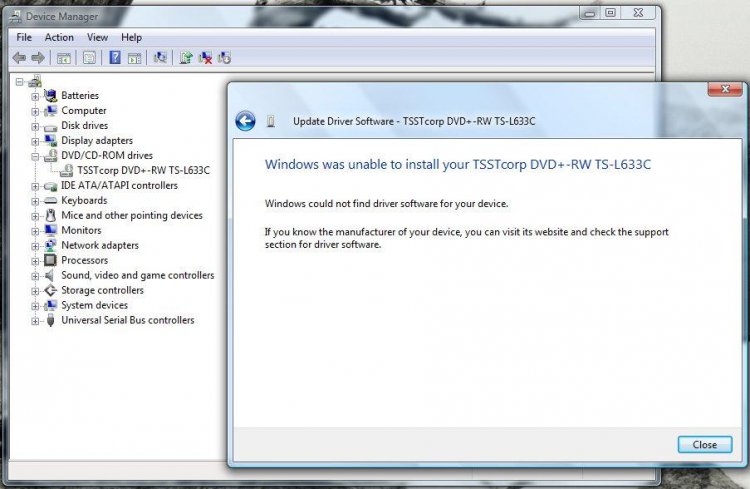
If you let Vista try and find the driver automatically, either online, on the harddrive or using the Dell driver installation disk, it finds nothing.

I am convinced this is the case because there is no such thing.

In other words, Vista is asking for something it doesn't need, I just don't know why.

Chipsndukes
Attached Thumbnails
clipboard02.jpg  
My System SpecsSystem Spec
Old 08-13-2009   #9 (permalink)


Vista Home Premium 32bit


Re: updated DVD drive firmware, now Vista cannot find drivers

Quote  Quote: Originally Posted by Ex_Brit View Post
..or try uninstalling the drive in Device Manager and rebooting.
I am trying that again now...

Chipsndukes
My System SpecsSystem Spec
Old 08-13-2009   #10 (permalink)


Vista Home Premium 32bit


Re: updated DVD drive firmware, now Vista cannot find drivers

OK, uninstalled the drive and restarted.

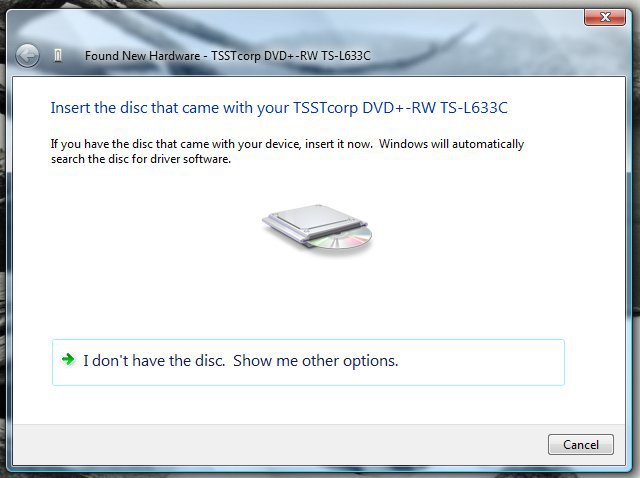
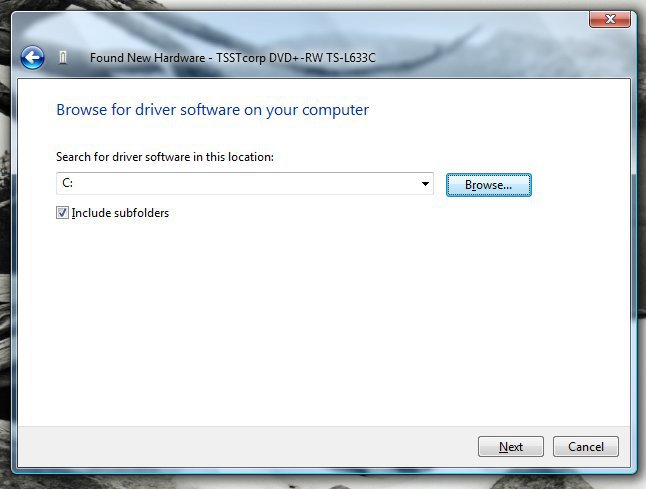
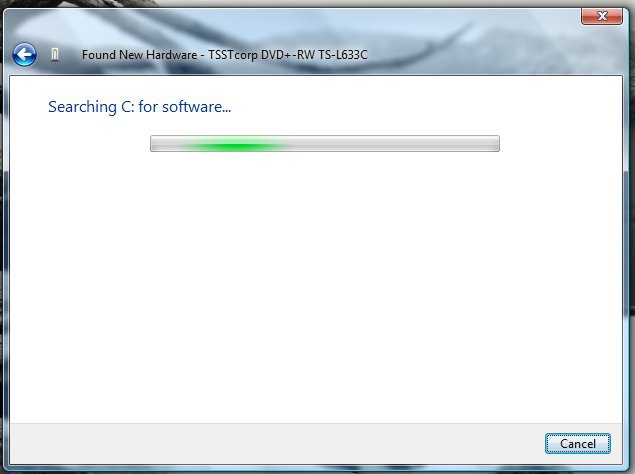
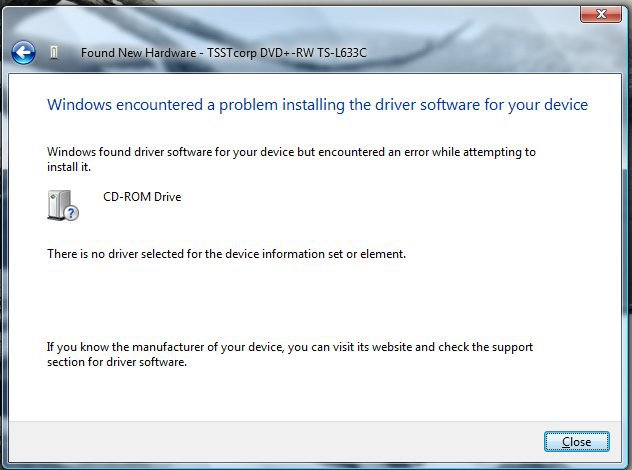
This series is what happens everytime Vista starts, attached.

I think Vista is fooled by the new firmware into thinking drivers are needed, they just aren't. There are none online, none on the hard drive, none on the Dell installation disk. This DVD drive has only firmware, no drivers.

I hope that helps a little...

Thanks gentlemen!
Chipsndukes
Attached Thumbnails
clipboard03.jpg   clipboard05.jpg   clipboard06.jpg   clipboard07.jpg   clipboard08.jpg  

clipboard09.jpg  
Attached Images
 
My System SpecsSystem Spec
Reply

Thread Tools


Similar Threads
Thread Forum
updated DVD drive firmware, now Vista cannot find drivers Vista hardware & devices
92 Firmware Drivers R4 Dsi. R4i Dsi 43691 PowerShell
Update Firmware, Vista changes drive letters? Vista General


Vista Forums is an independent web site and has not been authorized,
sponsored, or otherwise approved by Microsoft Corporation.
"Windows Vista", the Start Orb, and related materials are trademarks of Microsoft Corp.
© Designer Media Ltd

1 2 3 4 5 6 7 8 9 10 11 12 13 14 15 16 17 18 19 20 21 22 23 24 25 26 27 28 29 30 31 32 33 34 35 36 37 38 39 40 41 42 43 44 45 46