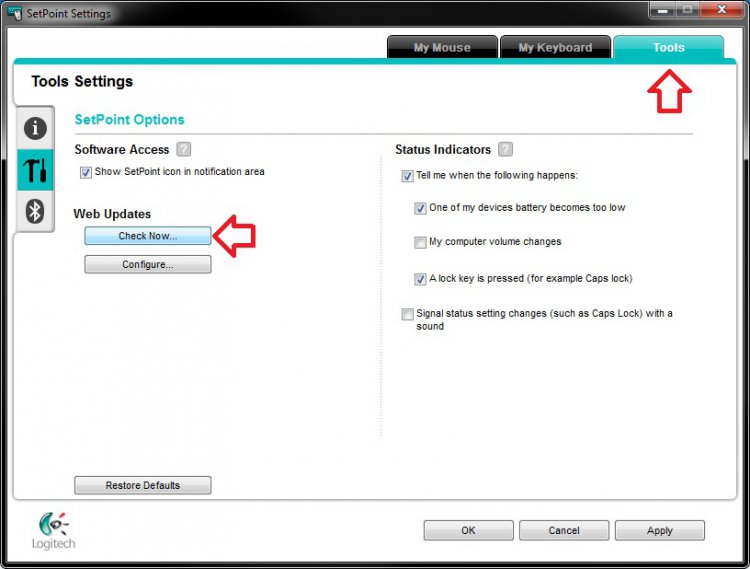
Last edited by Brink; 03 Mar 2013 at 01:13 AM. Reason: updated with 6.52.74
Maxthon 2 is my browser on Vista 64 bit. I recently upgraded my Nvidia software via a Windows update. I think the update screwed up my Logitech cordless optical trackman (software 4.80). The cursor now acts quite strangely., although not every time...just occasionally. It will skip to the left after being placed on an item. If there is a dropdown with a yes/no choice and I place the cursor on the yes and left click, nothing happens. A slight move of the cursor will now cause it to jump about an inch or so at a 45 degree angle to the left. Bring the cursor back to the yes, left click, and command is executed. Thought this was only happening in M2, but now it has happened elsewhere. This activity is of course very annoying. I'm also noting some similar behavior after deleting Setpoint 4.80 and using a regular mouse via USB port.
I figure that if I go to Setpoint 6 I might solve the problem. But when installing it, I got the warring that "You are running a 32 bit installer in a 64 bit OS, please run correct installer." Have no idea where my 32 bit installer is and would like to know how to download and install a 64 bit installer.
Thanks for that Airbot. My G15 and G5 are flying.![]()

Updated first post with new SetPoint 6.10.![]()
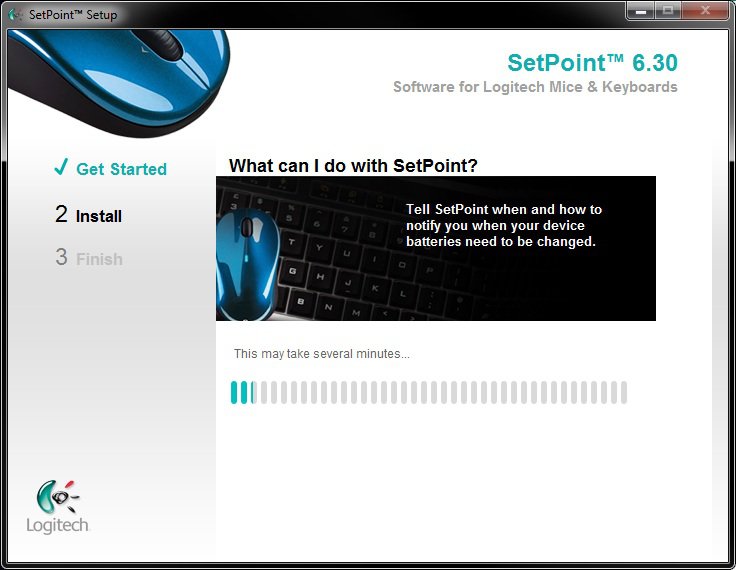
OK, so I try to install Setpoint 6.1 (64-bit for my 64-bit Vista HP), and the same installation problem arises: There seems to be a hang up within Windows Installer. The Setpoint installation screen opens with Get Started checked (in green) and Windows installer says it is "preparing to install," but nothing is happening. The Setpoint screen says that "this may take several minutes." I have waited "several minutes" many times, but the hash marks that show installation progress don't go beyond 3 marks - which is about 1/10 of its length. The setup never gets to stage 2: Install. Any suggestions?
EDIT: And the only way to close down the installation process is to use Process Explorer to close the Setpoint setup tree.

July, 20, 2010
Setpoint has been updated to 6.15.
The changelog hasn't been changed from 6.10 that was released a couple months ago.
It appears to only update the Setpoint control software, and not the drivers in Device Manager.
First post in thread updated.
Thanks for the heads-up. Since my last posting I have upgraded my computers to Windows 7 and have installed (without problems) SetPoint 6.1. I think I'll just stay with it for a while...

November 17, 2010
SetPoint updated to 6.20.
See first post for more details.


When I downloaded the new Setpoint 6.22.24 installation file, I had to rename it to add the EXE file extension for it to work.
Did anyone else have to do this?


| Similar Threads | ||||
| Thread | Thread Starter | Forum | Replies | Last Post |
| Logitech Setpoint messing up my Gadgets | x10a | Software | 0 | 17 Feb 2010 |
| New Logitech QuickCam Software (Ver. 11.1) | Cal Bear '66 | Vista hardware & devices | 0 | 15 Sep 2007 |
| New Logitech QuickCam Software (Ver. 11.1) | Cal Bear '66 | Vista performance & maintenance | 0 | 15 Sep 2007 |
| New Logitech QuickCam Software (Ver. 11.1) | Cal Bear '66 | Vista General | 0 | 15 Sep 2007 |
| logitech wingman software | booneycat13 | Vista Games | 2 | 03 Aug 2007 |