Hi,
I first posted this in one of the MS Newsgroups, but just in case anyone here has some ideas, I hope you'll forgive if I repost.
My PC tried to run its weekly backup yesterday, but failed. This is the first time this has happened - the last successful backup was on 4th February 2008.
I back up my C Drive files onto a second internal hard drive. This drive has two partitions (Z and F). Z is just used for backups, and there is still 176GB free out of 238GB on the partition.
The error occurs only a minute or so into the backup attempt. The error message that comes up is:
'The backup did not complete successfully.
An error occurred. The following information might help you resolve the error: The system cannot find the file specified. (0x80070002)'
Googling the problem shows others have had it, but no definitive resolution is given.
I have tried deleting the backup tasks from schedule manager, moving the existing backup volumes into a temporary sub directory, and creating a whole new shadow backup from scratch in the root of Z. However, even this fails with the same error. I'm beginning to suspect a registry problem.
Is this a known Vista bug? Will SP1 resolve it? (I understand that there are several bug fixes for Backup & Restore centre planned).
Note that I cannot do a System Restore as I read a post that suggested this was down to too many restore points (so deleted them ). I have also attempted an SFC (no problems found) and have error checked both drive (no faults found).
I first posted this in one of the MS Newsgroups, but just in case anyone here has some ideas, I hope you'll forgive if I repost.
My PC tried to run its weekly backup yesterday, but failed. This is the first time this has happened - the last successful backup was on 4th February 2008.
I back up my C Drive files onto a second internal hard drive. This drive has two partitions (Z and F). Z is just used for backups, and there is still 176GB free out of 238GB on the partition.
The error occurs only a minute or so into the backup attempt. The error message that comes up is:
'The backup did not complete successfully.
An error occurred. The following information might help you resolve the error: The system cannot find the file specified. (0x80070002)'
Googling the problem shows others have had it, but no definitive resolution is given.
I have tried deleting the backup tasks from schedule manager, moving the existing backup volumes into a temporary sub directory, and creating a whole new shadow backup from scratch in the root of Z. However, even this fails with the same error. I'm beginning to suspect a registry problem.
Is this a known Vista bug? Will SP1 resolve it? (I understand that there are several bug fixes for Backup & Restore centre planned).
Note that I cannot do a System Restore as I read a post that suggested this was down to too many restore points (so deleted them
). I have also attempted an SFC (no problems found) and have error checked both drive (no faults found).My Computer
System One
-
- CPU
- Intel Pentium D: 3.4GHz
- Memory
- 4GB
- Graphics card(s)
- NVidia 8800 GTS

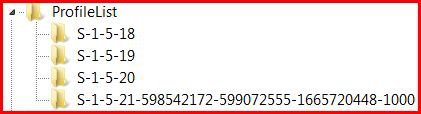
 cj thanx to your post you solved this problem for me. in fear n trembling first removed all profile entries without an image path. not a good idea as this disabled various functions (eg control panel and backup & restore). couldn't work out how to restore all the entries i removed to get back to square one (dragging or copying no good), until i realised that double clicking automatically restored them from where they were saved (ext hd) to their original location. i then decided to remove them one by one and luckily hit on the rogue one right away. what a performance
 beats me how this rogue profile was created in the first place and no warning from the os about the effect it would have