Pharaoh
New Member
I've gone way beyond the limits of customizing my system. I've had it with icons, pictures. Some things I like to just be in image but I've turned into someone that no one will understand and I'm not looking for anyone to. For me, it's all about simplicity.
So my deal is...
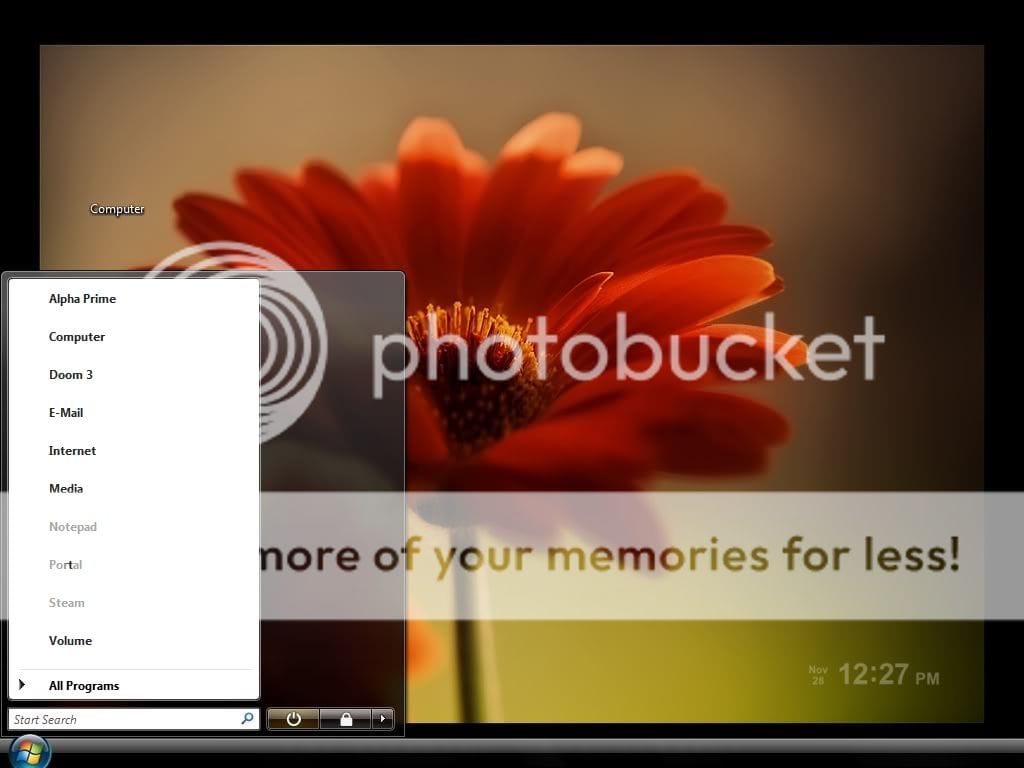
I want to REMOVE or HIDE the user picture on the Start menu in Vista.
Is there a way?
Here is my Start Menu now: (so if I could hide the user picture - my transformation would be complete) I know you're all going to think I'm totally weird for having it the way I do but I just like it. It's simple. I'm all too familiar with the registry but not enough that if what I'm asking for is in the registry somewhere, then I would just please ask to be told where so I can make the appropriate modifications. There has to be a way. So, thanks if anyone can help. Hope you had a great Thanksgiving!
So my deal is...
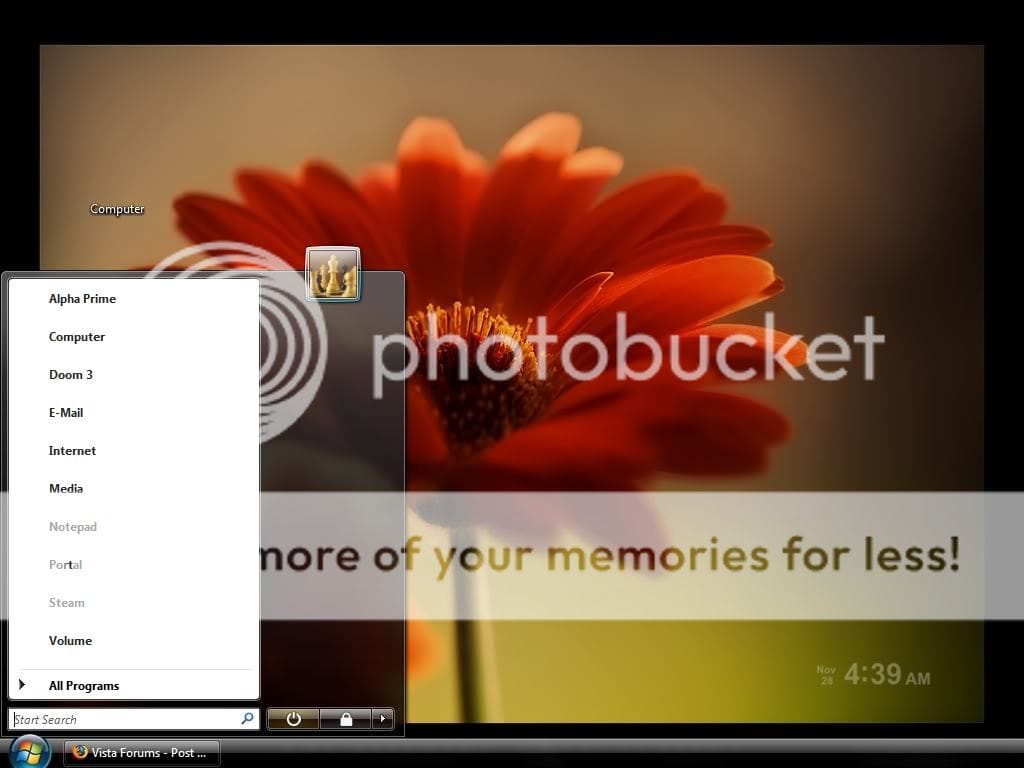
I want to REMOVE or HIDE the user picture on the Start menu in Vista.
Is there a way?
Here is my Start Menu now: (so if I could hide the user picture - my transformation would be complete)
I know you're all going to think I'm totally weird for having it the way I do but I just like it. It's simple. I'm all too familiar with the registry but not enough that if what I'm asking for is in the registry somewhere, then I would just please ask to be told where so I can make the appropriate modifications. There has to be a way. So, thanks if anyone can help. Hope you had a great Thanksgiving!
My Computer
System One
-
- Manufacturer/Model
- HP compaq nc6000 Business Notebook
- CPU
- Intel Pentium M 1.70 GHz
- Memory
- 1 GB
- Graphics card(s)
- ATI Radeon 9600 32 MB
- Screen Resolution
- 1024x768
- Internet Speed
- Cable 8 mbps