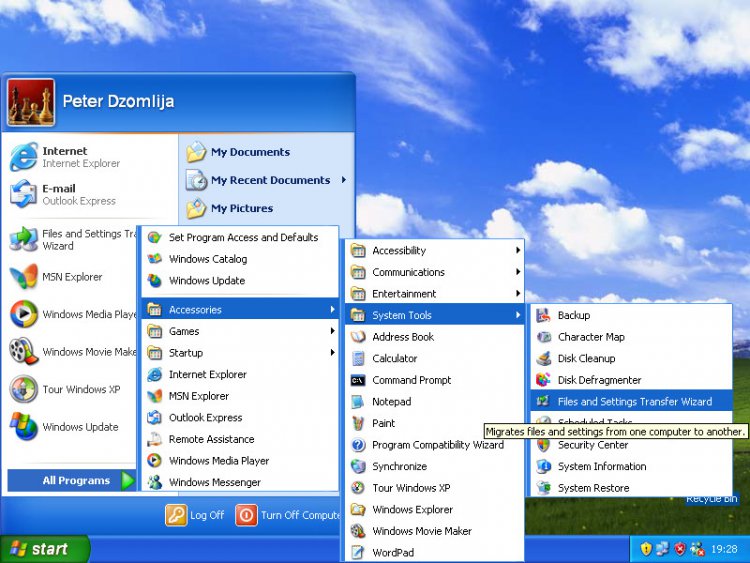
I recently purchased a new desktop running Vista Home Premium 64BIT SP1. I am upgrading from a six year old laptop running XP Home with Service Pack 3, and I needed to transfer my files so I could pass the laptop on to another family member. After asking around and doing a little research I purchased an easy transfer cable in an attempt to make the process quick and simple.
The problem is that the instructions for both the cable and Windows Easy Transfer program are practically non-existant. The directions for the cable said to install the software onto the XP machine (easy enough), and then connect the two computers with the cable, again, very simple. Then I was to follow the on screen instructions.
Instructions were as follows: "Windows automatically detects the connection".
That's it, no buttons to click, nothing to type in, no load screen, no scan, nothing. So I waited... and waited... and waited. Nothing happened.
So I unhooked the cable, disconnected both computers from the internet, disabled any and all firewalls, spyware software, antivirus software, anything that could possibly interfere with the connection. And I tried again... and again... and again.
Not Happy, not simple, not easy! Am I doing something wrong? Did I miss a step? Or is Vista really the problem everyone has been proclaiming it? :sa::sa::sa::sa::sa::sa::sa::sa:
The problem is that the instructions for both the cable and Windows Easy Transfer program are practically non-existant. The directions for the cable said to install the software onto the XP machine (easy enough), and then connect the two computers with the cable, again, very simple. Then I was to follow the on screen instructions.
Instructions were as follows: "Windows automatically detects the connection".
That's it, no buttons to click, nothing to type in, no load screen, no scan, nothing. So I waited... and waited... and waited. Nothing happened.
So I unhooked the cable, disconnected both computers from the internet, disabled any and all firewalls, spyware software, antivirus software, anything that could possibly interfere with the connection. And I tried again... and again... and again.
Not Happy, not simple, not easy! Am I doing something wrong? Did I miss a step? Or is Vista really the problem everyone has been proclaiming it? :sa::sa::sa::sa::sa::sa::sa::sa:
Last edited:


 I am upgrading from a six year old laptop running XP Home with Service Pack 3, and I needed to transfer my files so I could pass the laptop on to another family member. After asking around and doing a little research I purchased an easy transfer cable in an attempt to make the process quick and simple.
  The directions for the cable said to install the software onto the XP machine (easy enough), and then connect the two computers with the cable, again, very simple. Then I was to follow the on screen instructions.