![]() |
![]() | ![]() | ![]() | ![]() | ![]() | ![]() | ![]() |
| Welcome to Windows Vista Forums. Our forum is dedicated to helping you find solutions with any problems, errors or issues you are experiencing with Windows Vista. The Vista forum also covers news and updates and has an extensive Windows Vista tutorial section that covers a wide range of tips and tricks. |
| |||||||
![]() |
| |
| | #1 (permalink) |
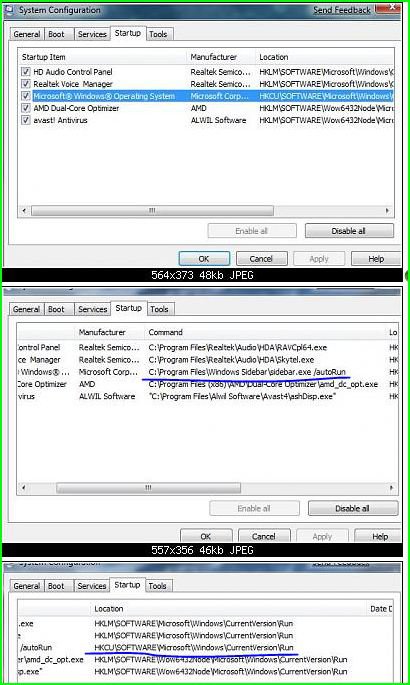
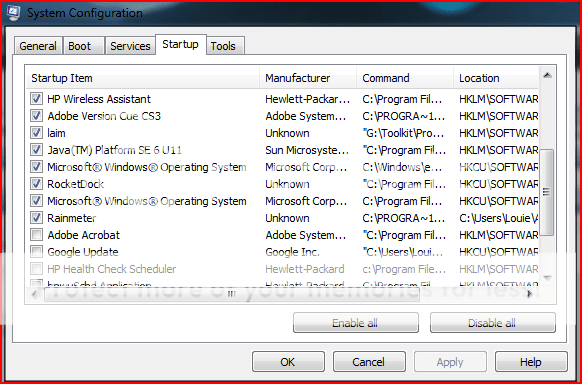
| Vista Home Premium 32bit SP 1 | Multiple "Windows Operating System" Startup Processes? So, I was getting bored and decided to follow up on some of the performance tweeking I've been doing. Anyway, I got a bit sidetracked and decided to go to the "Reboot Time" tread, which them prompted me to go ahead and diable some of my useless startup processes. Thing is, something strange kind of popped out at me... Why are there two "Microsoft Windows Operating System" processes when as far as I can tell from the reboot thread, people have 1? ![]() I'm assuming it isn't smart to randomly diable either, so I came here to ask. |
My System Specs![]() |
| | #2 (permalink) |
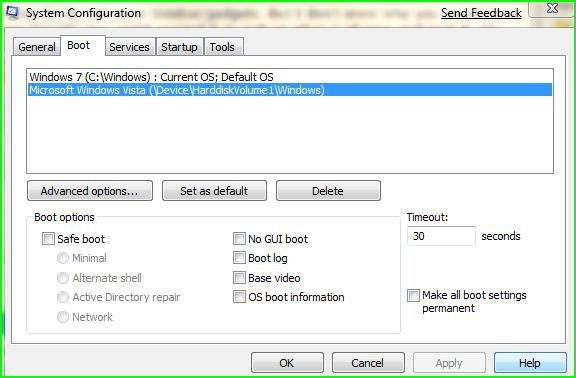
| Vista Ultimate SP2 x64 Windows 7 Ultimate x64 TECHNET | Re: Multiple "Windows Operating System" Startup Processes? It has to do with your Sidebar/gadgets. But I don't know why you would have two though. You might expand it to look at what it all says and post it. It's best not to start disabling services and startup items if you're not fully aware of what they do. If you want to speed up performance then I suggest reading thru Brinks tutorial on how to speed things up. Speed Up the Performance of Vista ![]() ![]() This tab would show your OS/OS's |
My System Specs![]() |
| | #3 (permalink) |
| Vista Home Premium 32bit SP 1 | Re: Multiple "Windows Operating System" Startup Processes? Yeah, I realize it's not smart to diable things which I'm uncertain about. I've already done most of things in that guide and disabled the processes I know don't serve any critical function. I'm just curious as to why there are two process for the same thing. Oh, and is there any way to actually REMOVE not just disable a startup process? I have a process there linked to a program on my flash drive... bit of an accident on my part I guess. EDIT: The location of the second process is C:\PRogram Files\Windows Media Player\WMPNSCFG.exe So, knowing that, what does it do? |
My System Specs![]() |
| | #4 (permalink) |
| Vista Ultimate 64bit SP2/ | Re: Multiple "Windows Operating System" Startup Processes? To delete them the easiest way is to download ccleaner and then go into tools then click on startup and you can delete the ones that are disabled. CCleaner - Download |
My System Specs![]() |
| | #5 (permalink) |
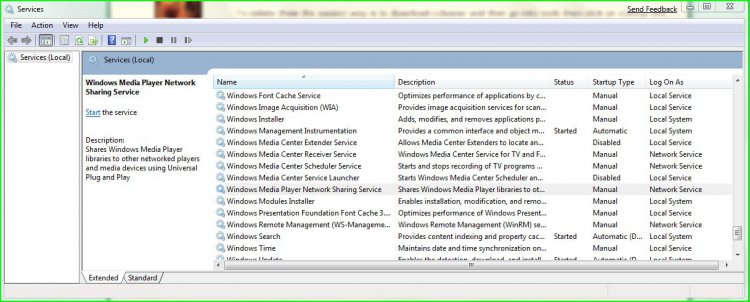
| Vista Ultimate SP2 x64 Windows 7 Ultimate x64 TECHNET | Re: Multiple "Windows Operating System" Startup Processes? That's the windows media player network sharing service. ![]() Windows Media Player Network Sharing Service: Windows Vista Service Details |
My System Specs![]() |
| | #6 (permalink) |
| VISTA HOME PREMIUM X64/ 7 x64 / 7x86 | Re: Multiple "Windows Operating System" Startup Processes? Hi, If you are not sharing media on a network - i.e. to other computers - or maybe an xbox, you don't that running. Open WMP click the Library tab >Media Sharing>untick Share My Media>click OK If it asks you to confirm turning off sharing , click Yes. Hope it helps SIW2 |
My System Specs![]() |
![]() |
| Thread Tools | |
| |
Similar Threads | ||||
| Thread | Forum | |||
| "Operating system not found" error | General Discussion | |||
| "unspecified error during System Restore" - Vista Operating Syste | Vista file management | |||
| ReadyDrive "Missing operating system" error | Vista hardware & devices | |||
| "Missing operating system" .......it was there a minut ago! | Vista installation & setup | |||
| Error at Boot: "Operating system not present" | Vista installation & setup | |||