Windows Vista Forums

My Home Premium 64 Bit Got ntdll.dll Problem!!!
  1. #1
    danxangel's Avatar

    Newbie
    Join Date : May 2009
    USA
    Posts : 6
    Home Premium 64bit
    Local Time: 01:25 AM
    usa us massachusetts

    My Home Premium 64 Bit Got ntdll.dll Problem!!!

    I've just got this Error for a few days and tried so many ways to solve it, but it seems to be useless.

    --------------------------------------------------------------------
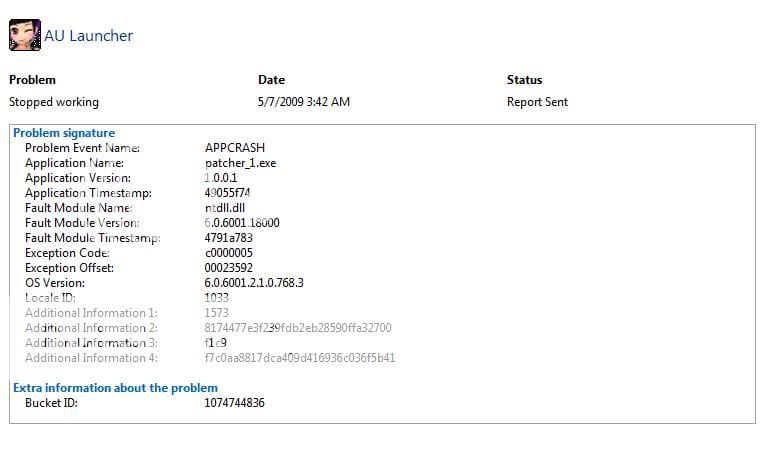
    Problem signature:
    Problem Event Name: APPCRASH
    Application Name: patcher_1.exe
    Application Version: 1.0.0.1
    Application Timestamp: 49055f74
    Fault Module Name: ntdll.dll
    Fault Module Version: 6.0.6001.18000
    Fault Module Timestamp: 4791a783
    Exception Code: c0000005
    Exception Offset: 00023592
    OS Version: 6.0.6001.2.1.0.768.3
    Locale ID: 1033
    Additional Information 1: 1573
    Additional Information 2: 8174477e3f239fdb2eb28590ffa32700
    Additional Information 3: f1c9
    Additional Information 4: f7c0aa8817dca409d416936c036f5b41
    --------------------------------------------------------------------

    On the first day, i tried to reinstall windows and install this software again. [ Still that error ]


    The next nay, i tried to install this software on my laptop. [ Still it ]

    And after checking CMD, i tried on both of mine. [ still it ]

    The last day, tried to download that software again and reinstall it. [ still the same ]

    i spent 3 days to find out what's going on! But nothing's gonna change or be better!

    I'm really confuse right now. Does anyone know how to solve this error ? Please help me!

      My System SpecsSystem Spec

  2. #2
    H2SO4's Avatar

    A bit of a numpty
    Join Date : Mar 2009
    Australia
    Posts : 1,241
    Win7x64
    Local Time: 12:25 AM
    australia


    Re: My Home Premium 64 Bit Got ntdll.dll Problem!!!

    Patcher_1.exe, whatever that may be, is likely buggy. NTDLL.DLL is just about the most important DLL in the entire operating system, and it has the job of preventing apps from doing silly things.

    In this case, the timestamp on patcher_1.exe is "Mon, 27 Oct 2008 06:28:04 UTC" (49055f74). Perhaps a newer version may contain a fix for the problem which causes this crash.

    Last edited by H2SO4; 05 May 2009 at 11:08 PM. Reason: fixing up meaning-altering word ommissions
      My System SpecsSystem Spec

  3. #3
    archie123's Avatar

    I Tunes hates Me


    Join Date : Jul 2008
    UK
    Posts : 1,831
    Win 7 Home Premium 64bit
    Local Time: 06:25 AM
    uk uk yorkshire


    Re: My Home Premium 64 Bit Got ntdll.dll Problem!!!

    so obviously the software your trying to install is trying to do silly things

      My System SpecsSystem Spec

  4. #4
    danxangel's Avatar

    Newbie
    Join Date : May 2009
    USA
    Posts : 6
    Home Premium 64bit
    Local Time: 01:25 AM
    usa us massachusetts

      Thread Starter

    Re: My Home Premium 64 Bit Got ntdll.dll Problem!!!

    Should i check my hard drive ? If sth's wrong, i could check it!?

      My System SpecsSystem Spec

  5. #5
    H2SO4's Avatar

    A bit of a numpty
    Join Date : Mar 2009
    Australia
    Posts : 1,241
    Win7x64
    Local Time: 12:25 AM
    australia


    Re: My Home Premium 64 Bit Got ntdll.dll Problem!!!

    Quote Originally Posted by danxangel View Post
    Should i check my hard drive ? If sth's wrong, i could check it!?
    There is no indication so far that the problem is anything but a bug in patcher_1.exe. You've tested it on multiple machines and from what I understand it is crashing the exact same way. Hence, while checking hard drives won't hurt, it's unlikely to help either.

    What is "patcher_1.exe" anyway? You mentioned you're downloading it from somewhere. If you can supply a link, I'd be curious to take a look.

      My System SpecsSystem Spec

  6. #6
    danxangel's Avatar

    Newbie
    Join Date : May 2009
    USA
    Posts : 6
    Home Premium 64bit
    Local Time: 01:25 AM
    usa us massachusetts

      Thread Starter

    Re: My Home Premium 64 Bit Got ntdll.dll Problem!!!

    Oh, this is the game which my little sister likes to play most. Btw, thanks for helping me ^^

    I dont know what's wrong with this one? Cause several months ago, it worked well.

    ------------------------------------------------
    Here's the link:

    http://downloadhcm.au.vtc.vn:2180/Au..._FULL_6060.exe

      My System SpecsSystem Spec

  7. #7
    H2SO4's Avatar

    A bit of a numpty
    Join Date : Mar 2009
    Australia
    Posts : 1,241
    Win7x64
    Local Time: 12:25 AM
    australia


    Re: My Home Premium 64 Bit Got ntdll.dll Problem!!!

    Quote Originally Posted by danxangel View Post
    Oh, this is the game which my little sister likes to play most. Btw, thanks for helping me ^^

    I dont know what's wrong with this one? Cause several months ago, it worked well.

    ------------------------------------------------
    Here's the link:

    http://downloadhcm.au.vtc.vn:2180/Au..._FULL_6060.exe
    I'm not sure I understand because you originally said "patcher_1.exe" crashes when you try to run it. How is that related to "Audition_FULL_6060.exe"?

    Also, just to confirm, all this stuff is fully legal, right?

      My System SpecsSystem Spec

  8. #8
    danxangel's Avatar

    Newbie
    Join Date : May 2009
    USA
    Posts : 6
    Home Premium 64bit
    Local Time: 01:25 AM
    usa us massachusetts

      Thread Starter

    Re: My Home Premium 64 Bit Got ntdll.dll Problem!!!

    yeah, that's the full version of the game, include patcher_1.exe.
    Patcher_1.exe is a game launcher, and that game is 2.16 gb total.
    when u set up the game, check the folder you will see the patcher_1.exe.

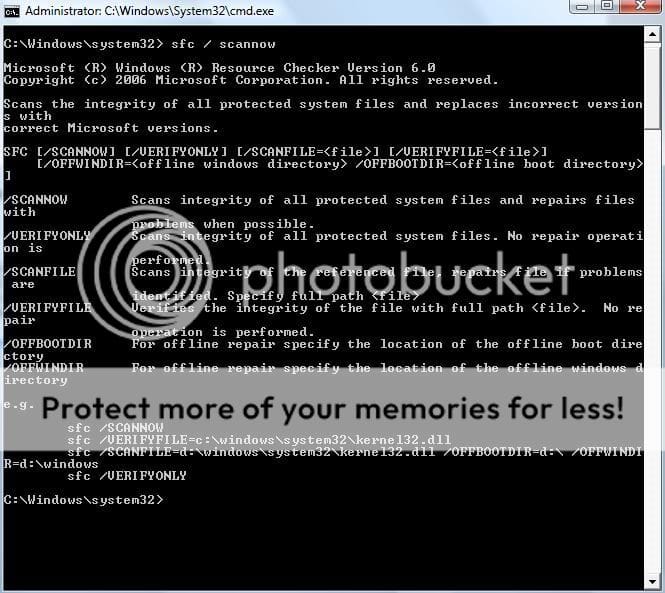
    By the way, this is the result when i check CMD. Patcher_1.exe and Patcher_2.exe

    ------------------------------------------------------

    sfc /SCANNOW
    sfc /VERIFYFILE=c:\windows\system32\kerne132.dll
    sfc /SCANFILE=d:\windows\system32\kerne132.dll /OFFBOOTDIR=d:\ /OFFWINDIR=d:\windows
    sfc /VERIFYONLY

    ------------------------------------------------------

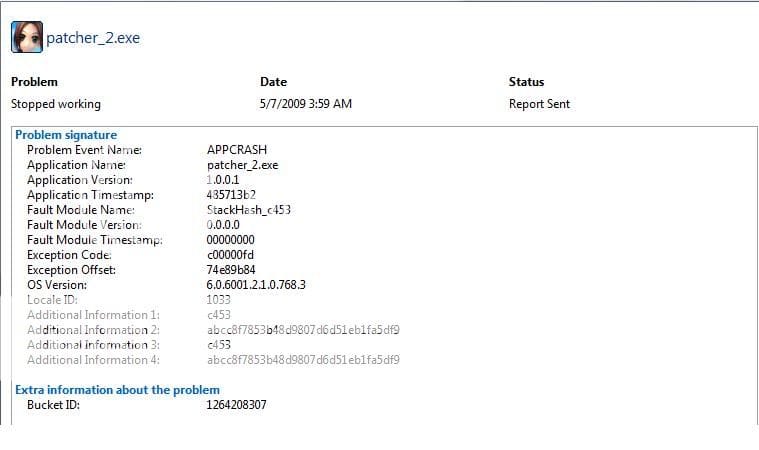
    And this is the patcher_2.exe error:

    Problem signature
    Problem Event Name: APPCRASH
    Application Name: patcher_2.exe
    Application Version: 1.0.0.1
    Application Timestamp: 485713b2
    Fault Module Name: StackHash_c453
    Fault Module Version: 0.0.0.0
    Fault Module Timestamp: 00000000
    Exception Code: c00000fd
    Exception Offset: 74e89b84
    OS Version: 6.0.6001.2.1.0.768.3
    Locale ID: 1033
    Additional Information 1: c453
    Additional Information 2: abcc8f7853b48d9807d6d51eb1fa5df9
    Additional Information 3: c453
    Additional Information 4: abcc8f7853b48d9807d6d51eb1fa5df9

    Extra information about the problem
    Bucket ID: 1264208307

    -------------------------------------------------------
    Sometime with patcher_2.exe, it got a problem BEX and the stackhash changed too. I dont really remember the other stackhash numbers.

    I have tried to turn off DEP too, but it didn't work.

    Notice :That game has 2 patchers.

    Last edited by danxangel; 07 May 2009 at 04:56 AM.
      My System SpecsSystem Spec

  9. #9
    H2SO4's Avatar

    A bit of a numpty
    Join Date : Mar 2009
    Australia
    Posts : 1,241
    Win7x64
    Local Time: 12:25 AM
    australia


    Re: My Home Premium 64 Bit Got ntdll.dll Problem!!!

    Sorry mate, 2+ GB is beyond the abilities of my humble internet pipe.

    The numbers in those errors you posted are not enough to allow for direct troubleshooting, but here's a few random thoughts:

    - The CMD screenshot shows sfc.exe complaining because it doesn't understand your syntax... you left a space between the slash (/) and the SCANNOW. Instead of "/SCANNOW" you typed "/ SCANNOW". If that was intentional (why?), don't worry about this point.

    - There's no default DLL called "kerne132.dll". It's KERNEL32.DLL - that's an 'L', not a '1'.

    - If you experience the same crash(es) on multiple machines, that greatly lessens the chance that file corruption is the cause. It would be highly improbable for two separate file systems to happen to be corrupted in precisely the same way.

    - It may be far faster to email the game vendor and to ask them for help. Otherwise, if you've got to troubleshoot by trial-and-error this could take a while.

      My System SpecsSystem Spec

  10. #10
    danxangel's Avatar

    Newbie
    Join Date : May 2009
    USA
    Posts : 6
    Home Premium 64bit
    Local Time: 01:25 AM
    usa us massachusetts

      Thread Starter

    Re: My Home Premium 64 Bit Got ntdll.dll Problem!!!

    I'm newbie at this thing. Anw, thanks for helping me, HSO4.

    Maybe i better choose a different game for her, this one really makes me tired ^^

      My System SpecsSystem Spec

My Home Premium 64 Bit Got ntdll.dll Problem!!! problems?

Similar Threads
Thread Thread Starter Forum Replies Last Post
ntdll.dll problem jarsek Vista General 1 28 Sep 2009
vista home and premium problem Lewis_ General Discussion 22 06 Jun 2008
ntdll.dll problem Niki116 Drivers 4 16 Apr 2008
Explorer.exe cpu Problem (ntdll.dll!RtIntegerToUnicodeString+0x67) Popupkiller Vista General 1 24 Dec 2007
Home Premium Activation Problem yodetdy Vista account administration 4 11 Feb 2007