
Hello All,
Yes, I'm a newbie to the forum and it is a tremendous site. I am so lost. I don't know where to post my question. So, please direct me. Many thanks, - Tim
I have a HP Pavillion M8150N with a quad core 2.4, (2)320 drives, upgraded to 4gbram (that was a waste) ... and ... its a great machine. I bought it 18 months ago and it fixed every problem I had with my old celeron 1.7 machine.
I bought a project pavillion M9040N desktop box with no hard drives. I bought an HP Restore Disc and moved my (1) unused 320 SATA drive from my 8150 to the other machine ... and expected to just restore vista and have a backup machine.
It wasn't quite that easy. After (20) tries, I <powered on>, <hit F10>, entered the setup program and made the HD the first device, made the CD the 3rd device, made the HD the first boot device, and set it to display the parameters as it loaded. I dont know if I said that right.
So then it displays the following and then ... stops .. hangs? ...
AMI Bios ...
Press F10 to run setup
Press ESC ...
Initializing ...
3072 ..
USB ...
SATA Port1 Samsung HD ...
SMART ok
Auto detect Sata 2
sata 2 CD ...
Auto detect USB device 1 generic
Auto detect USB device 2
Auto detect USB device 3
Auto detect USB device 4
04 USB Mass Storage devices found and configured
Thats it, then it stops scrolling or loading ...
Where do I go from here?
I have the restore disk in the CD.
I was expecting a prompt.
If I dont have the RESTORE CD in ... same result ... it hangs.
Thanks very much everybody.
Tim
Yes, I'm a newbie to the forum and it is a tremendous site. I am so lost. I don't know where to post my question. So, please direct me. Many thanks, - Tim
I have a HP Pavillion M8150N with a quad core 2.4, (2)320 drives, upgraded to 4gbram (that was a waste) ... and ... its a great machine. I bought it 18 months ago and it fixed every problem I had with my old celeron 1.7 machine.
I bought a project pavillion M9040N desktop box with no hard drives. I bought an HP Restore Disc and moved my (1) unused 320 SATA drive from my 8150 to the other machine ... and expected to just restore vista and have a backup machine.
It wasn't quite that easy. After (20) tries, I <powered on>, <hit F10>, entered the setup program and made the HD the first device, made the CD the 3rd device, made the HD the first boot device, and set it to display the parameters as it loaded. I dont know if I said that right.
So then it displays the following and then ... stops .. hangs? ...
AMI Bios ...
Press F10 to run setup
Press ESC ...
Initializing ...
3072 ..
USB ...
SATA Port1 Samsung HD ...
SMART ok
Auto detect Sata 2
sata 2 CD ...
Auto detect USB device 1 generic
Auto detect USB device 2
Auto detect USB device 3
Auto detect USB device 4
04 USB Mass Storage devices found and configured
Thats it, then it stops scrolling or loading ...
Where do I go from here?
I have the restore disk in the CD.
I was expecting a prompt.
If I dont have the RESTORE CD in ... same result ... it hangs.
Thanks very much everybody.
Tim


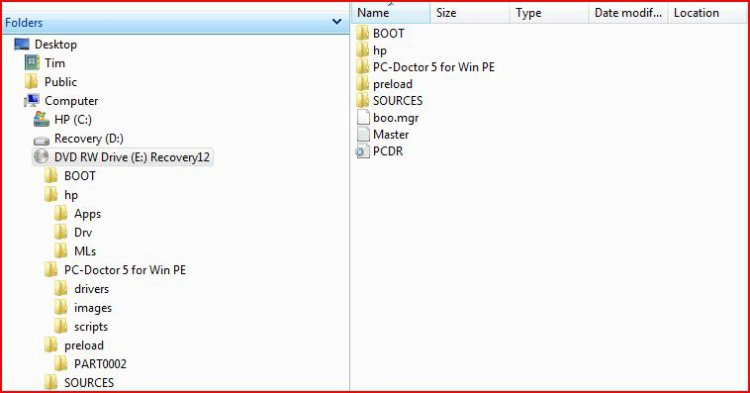
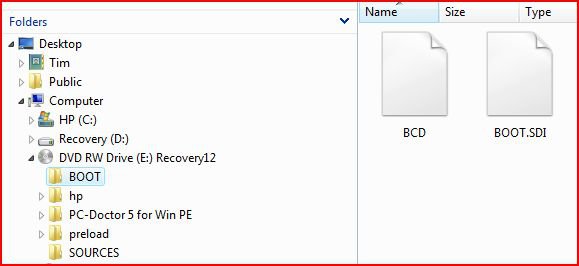
 .
.