

Services Display and System Configuration are having problems recognizing and displaying the Security Center service to the point where I can't alter its startup type. Instead of being displayed as Security Center, it shows up as wscsvc and is accompanied by an error (see below.)
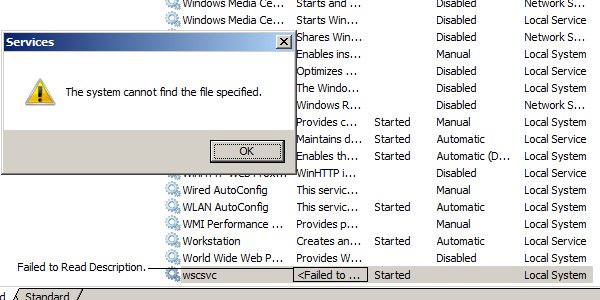
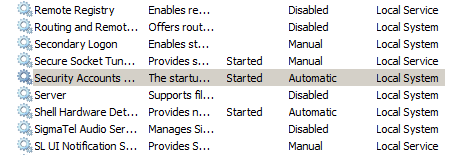
It is not displayed at all in System Configuration > Services. It also does not show up where it is supposed to in Service Display:
Any insight would be much appreciated.
It is not displayed at all in System Configuration > Services. It also does not show up where it is supposed to in Service Display:
Any insight would be much appreciated.
My Computer
System One
-
- Manufacturer/Model
- Dell Dimension 9200
- CPU
- Intel Core 2 Duo 2.66 GHz
- Memory
- 2.00 GB
- Graphics card(s)
- Nvidia 8600 GTS (Overclocked)
- Monitor(s) Displays
- Dell 2007 WFP 27 in LCD
- Screen Resolution
- 1680 x 1050
- Hard Drives
- One (72.8/455 GB)
- Mouse
- Razer Salmosa
- Keyboard
- Standard Dell Keyboard (Dusty)