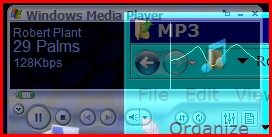
I have Windows Media Player 11, Vista Home Premium. Earlier today I decided to download a couple of new skins for the WMP from the Microsoft site, but once I'd downloaded them, I couldn't get them to open, and merely passing over their names with the mouse caused the program to stop functioning. I managed to remove the two skins, and now I just have two interfaces listed, the default one and Revert. Selecting Revert also causes the program to close down; I'd like to remove this name, but can't because I get the error message before I can click on remove.
Any ideas as to why this problem has surfaced, and how I can remove Revert? (couldn't find where it is stored using the search function). Thanks.
Florio
Any ideas as to why this problem has surfaced, and how I can remove Revert? (couldn't find where it is stored using the search function). Thanks.
Florio