
Hey all i recently downloaded nTune, as i heard about a feature that would allow me to "Fine Tune," (Under Advance Settings in the Nvida CP > Performance > Tune System ) my computer to give it better performance, which is a good thing as i don't know how to OC or "Tune" my computer myself. Also being a dell i thought that Ntune could possibly go around some of the lock features e.g OC the CPU.
However, waiting three hours for it to "Tune," i had no luck nothing had been changed or tuned?
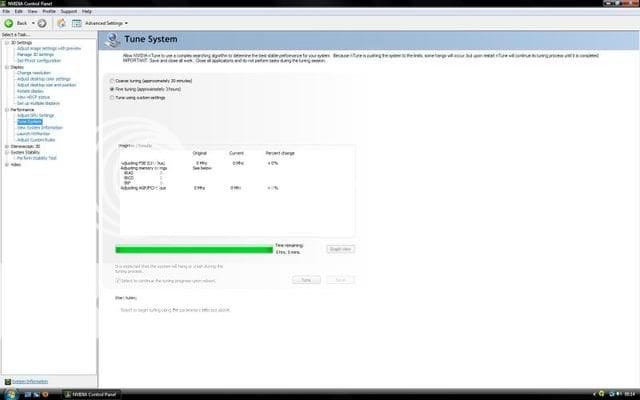
Could it be that it is a Dell therefore many of the features normally open are locked or that i need a Nvidia motherboard?
here are my PC Specs if that helps, thank you
Also here is an additional screenie
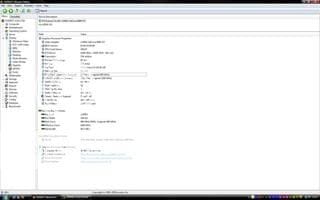
System Manufacturer: Dell Inc.
System Model: Vostro 410
BIOS: Phoenix - AwardBIOS v6.00PG
Processor: Intel(R) Core(TM)2 Quad CPU Q9450 @ 2.66GHz (4 CPUs), ~2.7GHz
Memory: 3070MB RAM (Actually 4 GB dumb 32 bit )
)
Manufacturer: NVIDIA
Chip type: GeForce 8800 GT
However, waiting three hours for it to "Tune," i had no luck nothing had been changed or tuned?
Could it be that it is a Dell therefore many of the features normally open are locked or that i need a Nvidia motherboard?
here are my PC Specs if that helps, thank you
Also here is an additional screenie
System Manufacturer: Dell Inc.
System Model: Vostro 410
BIOS: Phoenix - AwardBIOS v6.00PG
Processor: Intel(R) Core(TM)2 Quad CPU Q9450 @ 2.66GHz (4 CPUs), ~2.7GHz
Memory: 3070MB RAM (Actually 4 GB dumb 32 bit
)Manufacturer: NVIDIA
Chip type: GeForce 8800 GT
My Computer
System One
-
- Manufacturer/Model
- Dell Vostro 410
- CPU
- Intel(R) Core(TM)2 Quad CPU Q9450 @ 2.66GHz (4 CPUs), ~2.7
- Memory
- 4GB
- Graphics card(s)
- NVIDIA GeForce 8800 GT
- Sound Card
- Creative X-Fi Xtreme Music
- Monitor(s) Displays
- Dell E228WFP
- Screen Resolution
- 1680 x 1050 = 22"
- Hard Drives
- 640GB
- Internet Speed
- 20mb Cable

