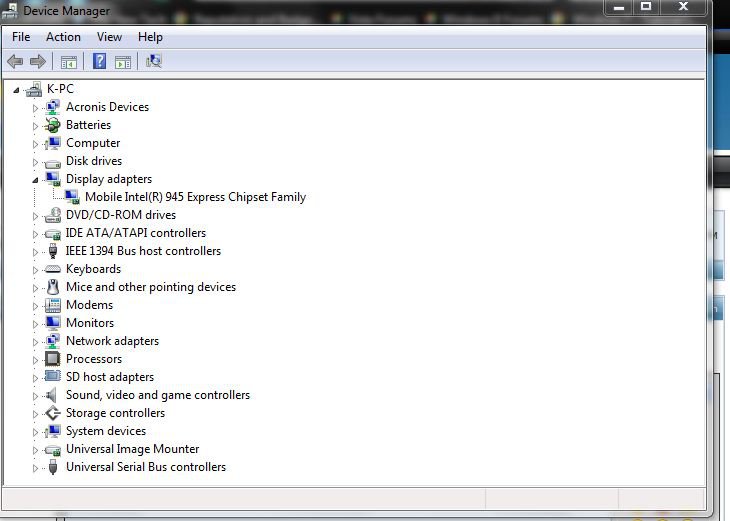
hey guys, heres the problem...
im running off the card now, its not detected inside my device manager tho...
if i try installing drivers the card isnt in the pc, or vista isnt 32bit... which it both is!!
this is EXTREMELY important to get done.. i have lots of coursework to do, in very little time. (2 days!!)
Right- here is my pc
Information and Instructions - IMEDIA X2416 - PB80146101 - iMedia - platform_amadeus_imedia - Desktop
Please help
i feel like im stuck in a dead end..i did try googling it. ;(
im running off the card now, its not detected inside my device manager tho...
if i try installing drivers the card isnt in the pc, or vista isnt 32bit... which it both is!!
this is EXTREMELY important to get done.. i have lots of coursework to do, in very little time. (2 days!!)
Right- here is my pc
Information and Instructions - IMEDIA X2416 - PB80146101 - iMedia - platform_amadeus_imedia - Desktop
Please help
i feel like im stuck in a dead end..i did try googling it. ;(
My Computer
System One
-
- CPU
- Q8200
- Memory
- 1GB
- Graphics Card(s)
- 8800GT Alpha Dog 1GB