Windows Vista Forums

Display glitch with 64bit home premium

  1. #1


    Junior Member
    Join Date : Nov 2009
    Posts : 15
    Vista Home Premium 64bit
    Local Time: 04:52 PM

    Display glitch with 64bit home premium

    A little background: was using XP 32bit since it's conception and decided to install 64bit vista home premium, since my current architecture can support it. I'm running a AMD Athlon 64 X2 Dual Core Processor 5600+ (2.8GHz), 2 GB of RAM, and an nVidia GeForce 8800 GTS (640MB Video Memory).

    nVidia Driver version: 191.07
    DirectX version: 10.0


    As you can probably discern from the screenshot below, I have a slight graphical glitch that seems to be causing little errors whenever anything is redrawn on my screen... Needless to say, this problems didn't exist when I was using XP. Can anyone give any suggestions on how I might narrow down what the problem is exactly?


    update edit: went into performance tab in the advanced system settings and tried best performance options, no change, glitch persists...

    Last edited by Tobei; 08 Nov 2009 at 10:38 PM.
      My System SpecsSystem Spec

  2. #2


    Junior Member
    Join Date : Nov 2009
    Posts : 15
    Vista Home Premium 64bit
    Local Time: 04:52 PM


      Thread Starter

    Re: Display glitch with 64bit home premium

    Here's what happened with "best appearance" settings under the advance system settings...


    And it only got worse from there. Back to the "best performance" settings, still sifting through other possible ways to fix this... again, if anyone has any ideas toss em up. Thanks.

      My System SpecsSystem Spec

  3. #3
    smarteyeball's Avatar

    Eye know, eye know


    Join Date : Oct 2007
    Australia
    Posts : 1,874
    7 Ultimate x64 : Vista x86 VM :W8 RP x64
    Local Time: 07:52 AM
    australia au queensland


    Re: Display glitch with 64bit home premium

    Quote Originally Posted by Tobei View Post
    nVidia Driver version: 191.07
    By all accounts, that is a bad driverset. I'd either try a previous version, or the newer beta version.

    Does the corruption occur in Safe Mode as well?

    If it does, then it's not drivers and is indicative of another problem.

      My System SpecsSystem Spec

  4. #4


    Junior Member
    Join Date : Nov 2009
    Posts : 15
    Vista Home Premium 64bit
    Local Time: 04:52 PM


      Thread Starter

    Re: Display glitch with 64bit home premium

    edit: *sigh* sadly the beta drivers haven't resolved the issue...

      My System SpecsSystem Spec

  5. #5
    skunksmash's Avatar

    im coming for cake


    Join Date : Jan 2008
    norfolk
    Posts : 2,254
    ultimate 64 SP1
    Local Time: 09:52 PM
    england uk essex


    Re: Display glitch with 64bit home premium

    Quote Originally Posted by Tobei View Post
    edit: *sigh* sadly this hasn't resolved the issue...
    following smarty's post...... does it happen in ''safe mode''..??

    are you monitoring your GPU temps..??


      My System SpecsSystem Spec

  6. #6


    Junior Member
    Join Date : Nov 2009
    Posts : 15
    Vista Home Premium 64bit
    Local Time: 04:52 PM


      Thread Starter

    Re: Display glitch with 64bit home premium

    haven't tried safe mode yet, waiting on windows update to finish up a few optionals then i'll try that and post my results. As to the GPU temps, haven't looked into it as I'm not overclocking anything and my chasis is well ventilated & clean.

      My System SpecsSystem Spec

  7. #7
    skunksmash's Avatar

    im coming for cake


    Join Date : Jan 2008
    norfolk
    Posts : 2,254
    ultimate 64 SP1
    Local Time: 09:52 PM
    england uk essex


    Re: Display glitch with 64bit home premium

    Quote Originally Posted by Tobei View Post
    haven't tried safe mode yet, waiting on windows update to finish up a few optionals then i'll try that and post my results. As to the GPU temps, haven't looked into it as I'm not overclocking anything and my chasis is well ventilated & clean.
    still.....the thermal contact may be worn out on the card & its giving a bad HSF connection to the core, this happened to the 8800GT i had, it had to be RMAed... the paste just perishes after a while.

    its certainly worth keeping an eye on the temps even if your not OCing.

      My System SpecsSystem Spec

  8. #8
    smarteyeball's Avatar

    Eye know, eye know


    Join Date : Oct 2007
    Australia
    Posts : 1,874
    7 Ultimate x64 : Vista x86 VM :W8 RP x64
    Local Time: 07:52 AM
    australia au queensland


    Re: Display glitch with 64bit home premium

    Quote Originally Posted by skunksmash View Post
    its certainly worth keeping an eye on the temps even if your not OCing.
    +1

    Is there any graphical corruption during the BIOS loading screen?

    Have you 'patched' any files for custom themes or anything like that?

      My System SpecsSystem Spec

  9. #9


    Junior Member
    Join Date : Nov 2009
    Posts : 15
    Vista Home Premium 64bit
    Local Time: 04:52 PM


      Thread Starter

    Re: Display glitch with 64bit home premium

    no, no graphical corruption outside of windows, and none in safe mode. i haven't patched any files or anything for any purpose. The only things i have installed is my fresh install of windows vista 64bit home premium, JMC (java mud client), google chrome and driver/windows updates.

      My System SpecsSystem Spec

  10. #10
    smarteyeball's Avatar

    Eye know, eye know


    Join Date : Oct 2007
    Australia
    Posts : 1,874
    7 Ultimate x64 : Vista x86 VM :W8 RP x64
    Local Time: 07:52 AM
    australia au queensland


    Re: Display glitch with 64bit home premium

    All indications certainly seem to point to software error, rather than hardware.

    After installing the drivers, did the WEI index need to be updated? (long shot)

    Was the glitch right there from the start - prior to installing those apps and updates?

    The fact that it's fine in Safe Mode which uses the default VGA driver still tends to suggest the video drivers. Have you tried disabling the Stereoscopic 3D option in the nvidia control panel? (another long shot)

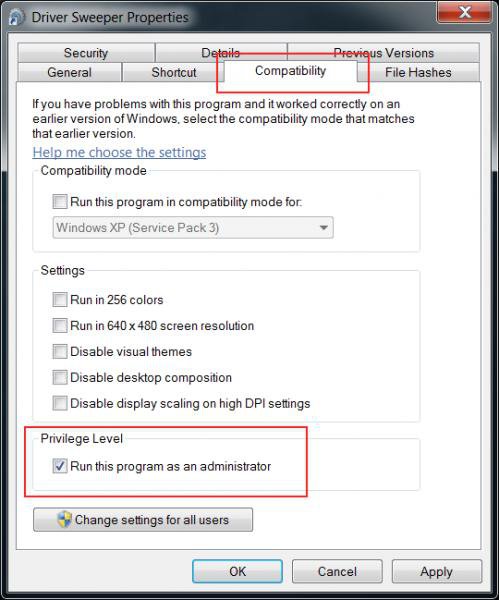
    Otherwise it may be worth uninstalling the beta driver, running driver sweeper in safe mode to clean any remnants and then installing one of the stable 186.xx series drivers.

      My System SpecsSystem Spec

Page 1 of 2 12 LastLast
Display glitch with 64bit home premium

Similar Threads
Thread Thread Starter Forum Replies Last Post
Upgrade from Home Premium 64bit to Ultimate 64bit - No 64bit Media ARJ188 Vista installation & setup 4 10 Jan 2009
Help with Java on Home Premium 64bit? Bigm2793 General Discussion 4 21 Dec 2008
Vista home premium 64bit arnel61 Drivers 0 14 Oct 2008
64bit home premium orestes General Discussion 2 24 Oct 2007
XP Pro 32-bit to Vista Home Premium 64Bit kryptik Vista installation & setup 2 30 Jun 2007