BleepingCrazy
Member
All free stuff (not necessarily 64-bit, but I have found them flawless with vista x64 and I'm sure most of you probably know these already)
- "Transparent" Tools -
- Desktop Icon Position/Restore (32-bit and 64-bit versions)
Restore your icon layout after updating your display driver, etc.
- ClipBoardPath (32-Bit)
As far as I'm concerned, this is much better than the default in vista. I use a lot of design programs and I need the file paths from inside viewers such as acdsee and this desplays nicely, whereas the default vista one can't be accessed.
- System Cleaners -
- CCleaner (32-Bit)
windows optimization and privacy tool
- Font Tools -
- TrueType Renamer (32-Bit)
although its nearly ten years old, this program is fantastic for anyone prefering to see the fonts real name. (it renames the selected font/folder contents)
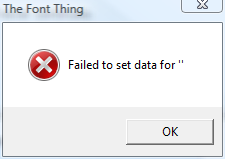
- The Font Thing (32-Bit)
just over 8years old but works like a charm, view all installed fonts or a specified directory of fonts and preview how those fonts will look with your custom text
- AMP Font Viewer
Supports OpenType, Type1 and Truetype fonts.
NB: "Run this program as an administrator"
- Text Tools -
- PureText (32-Bit)
tiny 28KB exe that removes text formating on the fly for those copy/paste situations (no install, just plug n play)
- Design Aids -
- Color Cop
a free multi-purpose color picker (generates colour values in rgb, html hex, etc)
- AUDIO -
- Screamer Radio (32-Bit)
Internet radio program with tons of station presets
- Internet -
- Mike Burgess' - "There's no place like 127.0.0.1"
this really is a must have on anyones pc IMHO. it blocks all of the crap on various sites. making it safer and more enjoyable. HOST file is updated regularly.
- HFS File Server (32-Bit)
share files with friends/family/work in real-time. turns your PC into a server until you turn it off. (I've shared files over 350mb with no probs)
If you know any other useful tools that are working flawlessly with vista x64 please post some info with a link and I'll add 'em to this post.
cheers!
- "Transparent" Tools -
- Desktop Icon Position/Restore (32-bit and 64-bit versions)
Restore your icon layout after updating your display driver, etc.
- ClipBoardPath (32-Bit)
As far as I'm concerned, this is much better than the default in vista. I use a lot of design programs and I need the file paths from inside viewers such as acdsee and this desplays nicely, whereas the default vista one can't be accessed.
- System Cleaners -
- CCleaner (32-Bit)
windows optimization and privacy tool
- Font Tools -
- TrueType Renamer (32-Bit)
although its nearly ten years old, this program is fantastic for anyone prefering to see the fonts real name. (it renames the selected font/folder contents)
- The Font Thing (32-Bit)
just over 8years old but works like a charm, view all installed fonts or a specified directory of fonts and preview how those fonts will look with your custom text
- AMP Font Viewer
Supports OpenType, Type1 and Truetype fonts.
NB: "Run this program as an administrator"
- Text Tools -
- PureText (32-Bit)
tiny 28KB exe that removes text formating on the fly for those copy/paste situations (no install, just plug n play)
- Design Aids -
- Color Cop
a free multi-purpose color picker (generates colour values in rgb, html hex, etc)
- AUDIO -
- Screamer Radio (32-Bit)
Internet radio program with tons of station presets
- Internet -
- Mike Burgess' - "There's no place like 127.0.0.1"
this really is a must have on anyones pc IMHO. it blocks all of the crap on various sites. making it safer and more enjoyable. HOST file is updated regularly.
- HFS File Server (32-Bit)
share files with friends/family/work in real-time. turns your PC into a server until you turn it off. (I've shared files over 350mb with no probs)
If you know any other useful tools that are working flawlessly with vista x64 please post some info with a link and I'll add 'em to this post.
cheers!
Last edited:
My Computer
System One
-
- CPU
- INTEL CORE 2 QUAD Q6600
- Motherboard
- ASUS P5K-E WIFI P35
- Memory
- 8GB DDR2 667MHZ KINGSTON
- Graphics card(s)
- Nvidia Geforce 8800GTS 512MB G
- Hard Drives
- 1 x Western Digital 500GB 16MB SATA2

 Ted
Ted