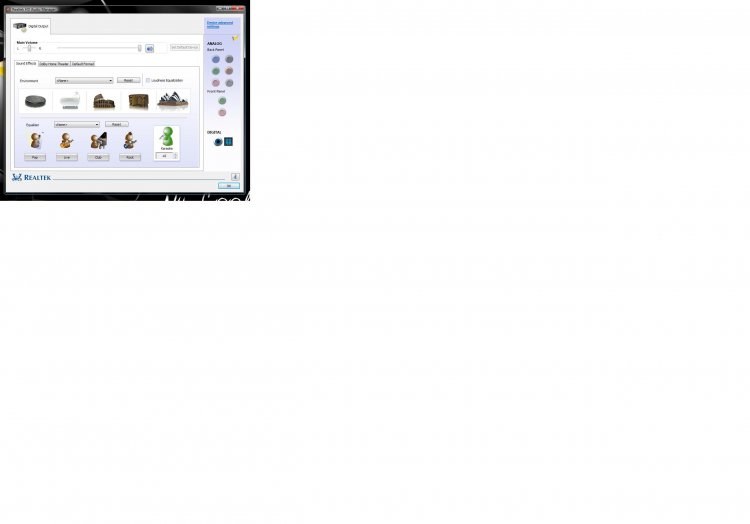
as what my topic mentioned about, my audio card is not working after i installed the latest realtek driver r2.00. and the realtek control panel shows something like the picture i attached in this tread. I hope someone would help me out. Appreciated very much!
My pc:
motherboard>Win fast N570SM2AA
I using the original sound card on the motherboard! I tried to uninstall and reinstalled it for many times but doesnt work at all! It still shows something like the picture.
Last question, will the computer auto shut down if low in memory?
According to the picture, it looks like you have made the digital TOSLINK as the default - change that.
And as for memory, well, Vista *does* have a virtual memory system in place....so, usually, no, and especially not before giving you multiple warnings about being low on memory. However, if one of your memory DIMMs fails while in use it could very well lead to a BSOD and a reboot....
SanDisk Ultra SDSSDHII-960G-G25 960 GB SATA III SSD (System)
Crucial MX100 CT256MX100SSD1 256GB SATA III SSD (User Tree)
2 * Seagate Barracuda 7200.12 ST31000528AS 1TB 7200 RPM SATA II Mech. HD
Seagate ST1500DL001-9VT15L Barracuda 7200.12 1.5 TB S
PSU
Thermaltake Black Widow TX TR2 850W 80+ Bronze Semi-Mod ATX
Case
ThermalTake Level 10 GT (Black)
Cooling
Corsair H100 (CPU, dual 140 mm fans on radiator) + Air (2 *
Keyboard
Logitech G15 (gen 2)
Mouse
Logitech MX Master (shared)
Internet Speed
AT&T Lightspeed Gigabit duplex
Operating System
Sabayon Linux (current, weekly updates, 5.1.x kernel)
Manufacturer/Model
Lenovo ThinkPad E545
CPU
AMD A6-5350M APU
Motherboard
Lenovo
Memory
8 GB
Graphics card(s)
Radeon HD (Embedded)
Sound Card
Conextant 20671 SmartAudio HD
Monitor(s) Displays
Lenovo 15" Matte
Screen Resolution
1680 * 1050
Hard Drives
INTEL Cherryvill 520 Series SSDSC2CW180A 180 GB SSD
thank you very much, but i cant change the setting in my volume setting because the computer cannot detect my speaker. I cant even make the speaker as my default speaker. Whats going wrong here? Or maybe should i try the latest r.2.01 version?
SanDisk Ultra SDSSDHII-960G-G25 960 GB SATA III SSD (System)
Crucial MX100 CT256MX100SSD1 256GB SATA III SSD (User Tree)
2 * Seagate Barracuda 7200.12 ST31000528AS 1TB 7200 RPM SATA II Mech. HD
Seagate ST1500DL001-9VT15L Barracuda 7200.12 1.5 TB S
PSU
Thermaltake Black Widow TX TR2 850W 80+ Bronze Semi-Mod ATX
Case
ThermalTake Level 10 GT (Black)
Cooling
Corsair H100 (CPU, dual 140 mm fans on radiator) + Air (2 *
Keyboard
Logitech G15 (gen 2)
Mouse
Logitech MX Master (shared)
Internet Speed
AT&T Lightspeed Gigabit duplex
Operating System
Sabayon Linux (current, weekly updates, 5.1.x kernel)
Manufacturer/Model
Lenovo ThinkPad E545
CPU
AMD A6-5350M APU
Motherboard
Lenovo
Memory
8 GB
Graphics card(s)
Radeon HD (Embedded)
Sound Card
Conextant 20671 SmartAudio HD
Monitor(s) Displays
Lenovo 15" Matte
Screen Resolution
1680 * 1050
Hard Drives
INTEL Cherryvill 520 Series SSDSC2CW180A 180 GB SSD