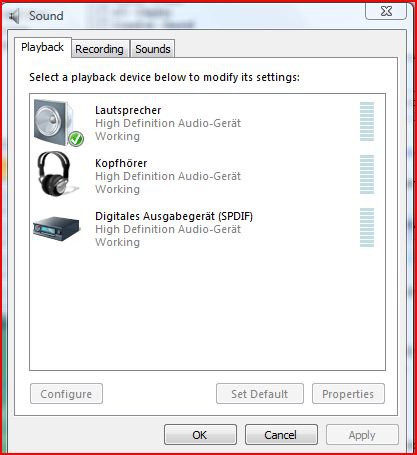
My GIGABYTE GA-M750SLI-DS4 motherboard (GIGABYTE - Product - Motherboard - Main Page with a built in HD audio board made by Realtek. According to the mfg website it uses the Realtek ALC889A codec.
My system setup is as follows:
AMD Phenom 9850 Quad Core Black processor.
2x 2GB RAM (utilizing 2 of the 4 available slots).
Windows Vista Home Premium 32 bit OS.
I am running the F5 version of the BIOS, as the F6 is glitchy and caused me CMOS problems initially. I intend to wait for F7 to see how that fares.
Here is my issue: I have researched in detail and have come down to this problem.
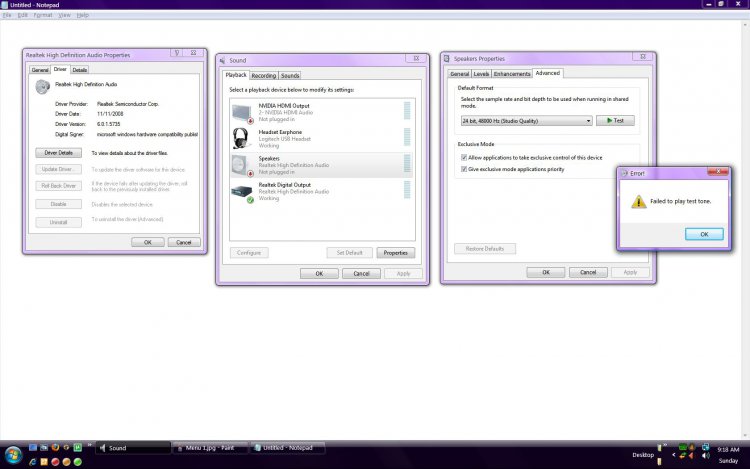
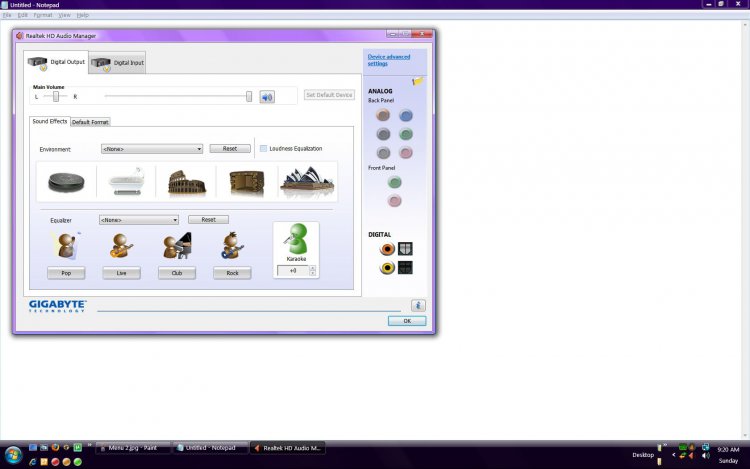
In the Realtek Device Chooser software screen the only option available to me is 'Realtek Digital Output'. The 'speakers' option and the 'NVIDIA HDMI Output' options are greyed out and completely unchangeable. I cannot modify or change anything listed in those options. As I do not own any HD audio equipment (nor do I intend on purchasing any in the near future), I cannot verify whether or not the HD audio features truly function. All of the analog jacks are completely greyed out, I show four jacks on the list but none of them display as usable, again completely greyed out. I own a set of Bose Companion III speakers, consisting of two satellite speakers for L and R sound and a subwoofer. All 3 of these are routed to a standard analog mini jack that I used on another machine with the standard green audio out port, and they function just fine. So I know they are not the problem either.
I CAN, however get a Logitech USB Headset to play sound. It functions through the Realtek software as it would be predicted. No issues there. However, it is sad when I cannot have even basic music playing in the room unless I am tethered to my machine. While it does not render my machine unusable, it is a considerable drawback.
Essentially I am able to get NO EXTERNAL AUDIO from this device. I am otherwise happy and impressed with the quality of the hardware on the motherboard but this is terribly depressing, as it seems my only option to get usable external audio is to sacrifice my SLI capability by plugging an audio card into my one remaining PCI slot.
I have downloaded various versions of both Realtek and GIGABYTE software/drivers in order to attempt to resolve this issue. I have removed the audio drivers completely and reinstalled with the most current on the Realtek site also, to no avail. I have researched various google results, including but not limited to forums, manufacturers websites and microsoft fixes, with no change. I am not an 'expert' at this type of troubleshooting but from what I can tell this seems to be a software related issue and not a hardware one. I am fully prepared to be wrong if it corrects my issue. I spent a pretty penny on this machine and would like to get it audible ASAP. If anyone knows of any ongoing issues I'd love to be informed, please let me know if there's any hope or whether I should just be satisfied with a mediocre graphical framerate and go buy the 40 dollar sound card.
Thanks!
My system setup is as follows:
AMD Phenom 9850 Quad Core Black processor.
2x 2GB RAM (utilizing 2 of the 4 available slots).
Windows Vista Home Premium 32 bit OS.
I am running the F5 version of the BIOS, as the F6 is glitchy and caused me CMOS problems initially. I intend to wait for F7 to see how that fares.
Here is my issue: I have researched in detail and have come down to this problem.
In the Realtek Device Chooser software screen the only option available to me is 'Realtek Digital Output'. The 'speakers' option and the 'NVIDIA HDMI Output' options are greyed out and completely unchangeable. I cannot modify or change anything listed in those options. As I do not own any HD audio equipment (nor do I intend on purchasing any in the near future), I cannot verify whether or not the HD audio features truly function. All of the analog jacks are completely greyed out, I show four jacks on the list but none of them display as usable, again completely greyed out. I own a set of Bose Companion III speakers, consisting of two satellite speakers for L and R sound and a subwoofer. All 3 of these are routed to a standard analog mini jack that I used on another machine with the standard green audio out port, and they function just fine. So I know they are not the problem either.
I CAN, however get a Logitech USB Headset to play sound. It functions through the Realtek software as it would be predicted. No issues there. However, it is sad when I cannot have even basic music playing in the room unless I am tethered to my machine. While it does not render my machine unusable, it is a considerable drawback.
Essentially I am able to get NO EXTERNAL AUDIO from this device. I am otherwise happy and impressed with the quality of the hardware on the motherboard but this is terribly depressing, as it seems my only option to get usable external audio is to sacrifice my SLI capability by plugging an audio card into my one remaining PCI slot.
I have downloaded various versions of both Realtek and GIGABYTE software/drivers in order to attempt to resolve this issue. I have removed the audio drivers completely and reinstalled with the most current on the Realtek site also, to no avail. I have researched various google results, including but not limited to forums, manufacturers websites and microsoft fixes, with no change. I am not an 'expert' at this type of troubleshooting but from what I can tell this seems to be a software related issue and not a hardware one. I am fully prepared to be wrong if it corrects my issue. I spent a pretty penny on this machine and would like to get it audible ASAP. If anyone knows of any ongoing issues I'd love to be informed, please let me know if there's any hope or whether I should just be satisfied with a mediocre graphical framerate and go buy the 40 dollar sound card.
Thanks!
Attachments
My Computer
System One
-
- CPU
- AMD Phenom Quad-Core 9850 'Black'
- Motherboard
- GIGABYTE GA-M750SLI-DS4
- Memory
- 4GB (2x2GB/4 slots) ADATA 1033
- Graphics card(s)
- GIGABYTE NVIDIA 9500GT
- Sound Card
- Built in: Realtek ALC889A codec
- Monitor(s) Displays
- DELL 2007 WFP
- Screen Resolution
- 1680x4050
- Hard Drives
- 1 Internal SATA - 195GB net 1 Internal IDE - 232GB net 1 External USB - 465GB net
- PSU
- 500W
- Case
- Standard Mid-ATX
- Cooling
- 1 CPU, 1 VID, 1PSU, 2 SIDE INFLO, 2 EXT REAR/TOP OUTFLO
- Mouse
- DELL garbage
- Keyboard
- Saitek Eclipse
- Internet Speed
- FiOp 1up/2down