![]() |
![]() | ![]() | ![]() | ![]() | ![]() | ![]() | ![]() |
| Welcome to Windows Vista Forums. Our forum is dedicated to helping you find solutions with any problems, errors or issues you are experiencing with Windows Vista. The Vista forum also covers news and updates and has an extensive Windows Vista tutorial section that covers a wide range of tips and tricks. |
| |||||||
![]() |
| |
| | #1 (permalink) |
| Vista Home Premium 64 bit | Tinny Sound from Laptop I'm not an audiophile but I would like to hear a full sound from the music coming out of my laptop with no external speakers. This is a new Dell Studio 1737 and the sound is very tinny and "blank" sounding". My old Dell Inspiron gave me great quality sound with no speakers. I thought I was purchasing a sound blaster card with my laptop. It turns out it was only sound blaster software. I have removed it and now the sound is a little better. Dell wants to sell me a soundblaster kit - X Fi Express card with wireless receiver. I don't need sound anywhere else in the house but coming out of my laptop. Does anyone know if this will do the job for me? thanks |
My System Specs![]() |
| | #2 (permalink) |
| Vista 32 win 7 7600 32 bit | Re: Tinny Sound from Laptop PC its either a driver or a config issue. can you go into device manager (type that in search) go to the audio/sound tab and sevice you device is listed and insatalled correcty. If it either is not there or has a yellow triangle on it the driver is not installed correctly If this is ok then its probably a donfig issue. let us know the results ken |
My System Specs![]() |
| | #3 (permalink) |
| Vista Home Premium 64 bit | Re: Tinny Sound from Laptop Thanks for that reply. I checked the device manager and found no triangles . The devices listed are: IDT High Definition Audio CODEC - working properly and Intel(R) High Definition Audio HDMI - working properly. I haven't touched a configsys in years and probably wouldn't know what to touch. Thanks |
My System Specs![]() |
| | #4 (permalink) |
| Vista 32 win 7 7600 32 bit | Re: Tinny Sound from Laptop Thanks for that reply. I checked the device manager and found no triangles . The devices listed are: IDT High Definition Audio CODEC - working properly and Intel(R) High Definition Audio HDMI - working properly. I haven't touched a configsys in years and probably wouldn't know what to touch. Thanks could you use the built in snipping tool (type snipping insearch) to make a screenshot of the sound control panel. to upload it use the attachment icon (shaped like a paperclip) in the reply form thanks ken |
My System Specs![]() |
| | #5 (permalink) |
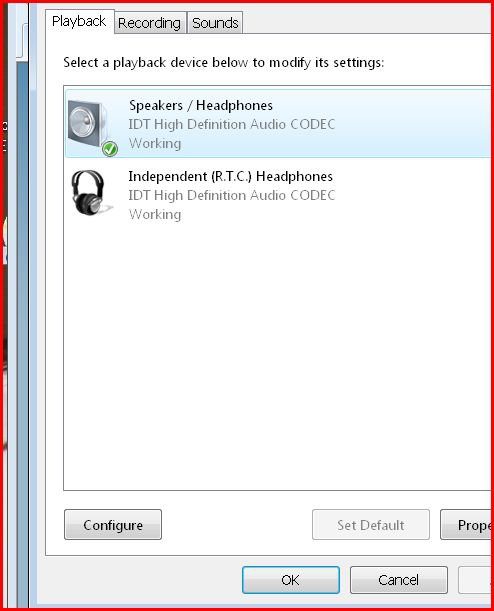
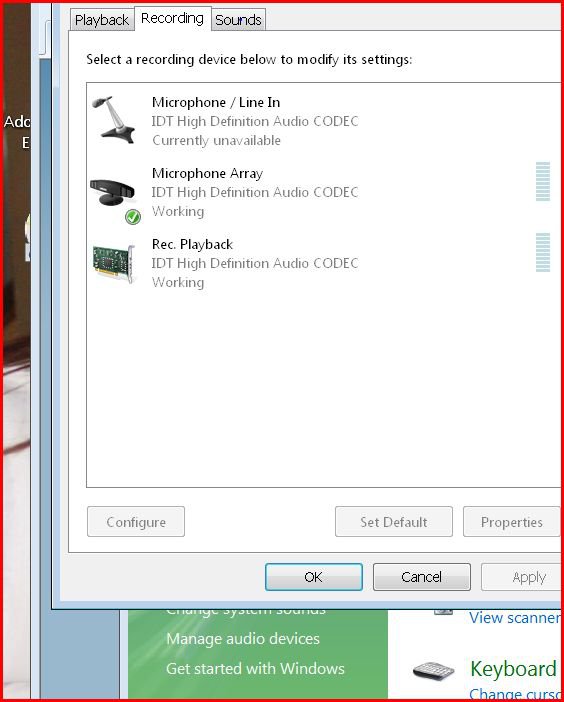
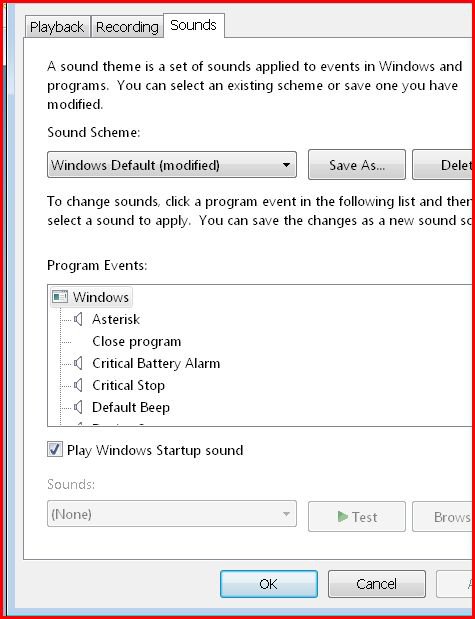
| Vista Home Premium 64 bit | Re: Tinny Sound from Laptop I found the snipping tool. Where do I find the sound control panel? |
My System Specs![]() |
| | #6 (permalink) |
| Vista 32 win 7 7600 32 bit | Re: Tinny Sound from Laptop |
My System Specs![]() |
| | #7 (permalink) |
| Vista Home Premium 64 bit | Re: Tinny Sound from Laptop |
My System Specs![]() |
| | #8 (permalink) |
| Vista 32 win 7 7600 32 bit | Re: Tinny Sound from Laptop PC Under speakers>configure> there may be adjustments for room size, boost, etc. check to see what you can change ken |
My System Specs![]() |
| | #9 (permalink) |
| Vista Home Premium 64 bit | Re: Tinny Sound from Laptop I have no external speakers. The only configuration is for additional speakers or surround set ups. The tinkling sound that comes from my laptop speakers during that configuration tests sounds ok. but that is not the sound I get when I play my iTunes. If I connect speakers directly to my laptop the sound is great. But short of adding speakers will the sound blaster X Fi express card make any difference or is adding speakers (wirelessly) my only option? |
My System Specs![]() |
| | #10 (permalink) |
| Vista 32 win 7 7600 32 bit | Re: Tinny Sound from Laptop PC do the headphones sound the same or are they oK? |
My System Specs![]() |
![]() |
| Thread Tools | |
| |
Similar Threads | ||||
| Thread | Forum | |||
| Re: tinny issue with video card | Vista General | |||
| tinny issue with video card | Vista General | |||
| no sound on laptop | Vista music pictures video | |||
| Laptop Sound card + Vista - NO SPEAKERS!! + NO SOUND | Vista hardware & devices | |||
| Sound on a Laptop | Vista hardware & devices | |||