panais
Power User
Nothing spectacular.
Just a little trick,maybe helpful if you use WD often.
Try this…
On Notification Area* point ur mouse UNDER any icon and double click. (Under the icon Not on the icon).
Result: The Windows Defender Appears.
For me works fine when I double click under NOD32 or Logitech set point icon.
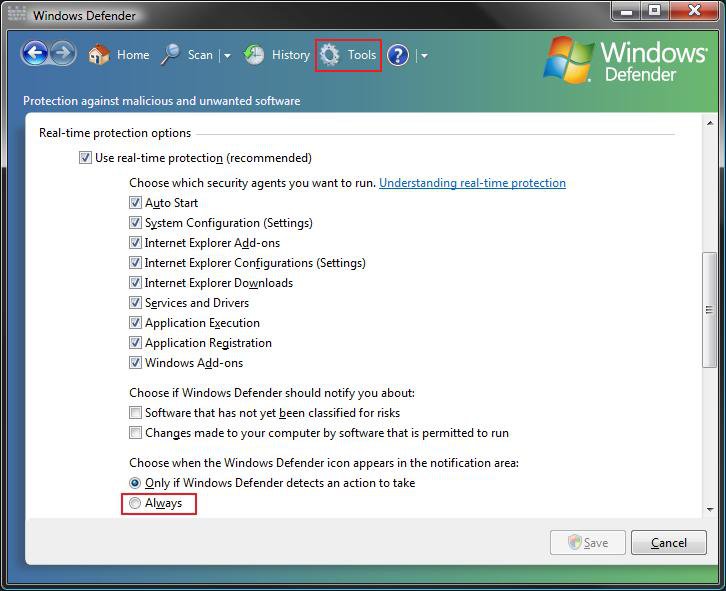
(Of course you don’t need this if you allways have WD icon on notification area*)
I personally use this trick because i hate to have a dozen of icons on my notification area so i disable\remove them.
*Notification Area It's that area over there on the right side of the Taskbar where the clock is located.
If this works for you with any way please infor me.

------------------------------------------------
Εχω ανακαλυψει τυχαια ενα κολπακι,τιποτα σπουδαιο αλλα ισως χρησιμο σε καποιον που χρισιμοποια συχνα τον wd.
Απλα πατω 2 φορες κατω απο μια εικονα στο notification area (εκει που ειναι το ρολοι) κανω διπλο κλικ δηλαδης, και εμφανιζεται ο windows defender.
χωρις να εχω εικονα του wd εκει.
Για μενα προσωπικα ειναι καλο γιατι εχω φυγει σχεδον ολες τις εικονες απο το notification area (δεν μου αρεσει να εχω εκει ενα σορο εικονες)
Σε μενα ειδικα δουλευει οταν πατησω κατω απο την εικονα του nod32 η του logitech setpoint ανειγει ο windows defender.
Just a little trick,maybe helpful if you use WD often.
Try this…
On Notification Area* point ur mouse UNDER any icon and double click. (Under the icon Not on the icon).
Result: The Windows Defender Appears.
For me works fine when I double click under NOD32 or Logitech set point icon.
(Of course you don’t need this if you allways have WD icon on notification area*)
I personally use this trick because i hate to have a dozen of icons on my notification area so i disable\remove them.
*Notification Area It's that area over there on the right side of the Taskbar where the clock is located.
If this works for you with any way please infor me.
------------------------------------------------
Εχω ανακαλυψει τυχαια ενα κολπακι,τιποτα σπουδαιο αλλα ισως χρησιμο σε καποιον που χρισιμοποια συχνα τον wd.
Απλα πατω 2 φορες κατω απο μια εικονα στο notification area (εκει που ειναι το ρολοι) κανω διπλο κλικ δηλαδης, και εμφανιζεται ο windows defender.
χωρις να εχω εικονα του wd εκει.
Για μενα προσωπικα ειναι καλο γιατι εχω φυγει σχεδον ολες τις εικονες απο το notification area (δεν μου αρεσει να εχω εκει ενα σορο εικονες)
Σε μενα ειδικα δουλευει οταν πατησω κατω απο την εικονα του nod32 η του logitech setpoint ανειγει ο windows defender.
Last edited:
My Computer
System One
-
- Manufacturer/Model
- Custom Built by me.
- CPU
- Intel Core 2 Quad Q6600
- Motherboard
- Gigabyte GA-X38-DS4
- Memory
- KINGSTON HYPERX DDR2 4GB (2X2GB) PC6400 800MHZ DUAL CHANNEL KIT
- Graphics card(s)
- SAPPHIRE RADEON HD4890 OC 1GB GDDR5
- Sound Card
- 2/4/5.1/7.1-channel Realtek High Definition
- Monitor(s) Displays
- Samsung LE40A656F1 1080p 100Hz LCD HD TV 50,000:1
- Screen Resolution
- 1366x768 in Desktop,1920x1080p in gaming and video
- Hard Drives
- C:\WD VelociRaptor 150 GB,10,000 RPM D:\WESTERN DIGITAL WD15EADS 1.5TB CAVIAR GREEN SATA2 E:\WESTERN DIGITAL WD15EADS 1.5TB CAVIAR GREEN SATA2 No Raid.Copy Paste Is The Safest Way.
- PSU
- Seasonic 700W 80plus
- Case
- A-Case Twin Engine BB
- Cooling
- 3 thermaltake smart case fan II + 1 arctic cooling fan
- Mouse
- Wirelles Logitech Laser Mouse MX620
- Keyboard
- Wireless Logitech LX710
- Internet Speed
- ADSL 4000plus
- Other Info
- F:\Sony high speed sata Dvd Rewriter KINGSTON HYPER X FAN +Cordless Rumblepad 2






 Ted
Ted