![]() |
![]() | ![]() | ![]() | ![]() | ![]() | ![]() |
| Welcome to Windows Vista Forums. Our forum is dedicated to helping you find solutions with any problems, errors or issues you are experiencing with Windows Vista. The Vista forum also covers news and updates and has an extensive Windows Vista tutorial section that covers a wide range of tips and tricks. |
| | |||||||
| |
Folder Size | |||||||||||||
| |||||||||||||
| | |||||||||||||
| 01-30-2008 | |
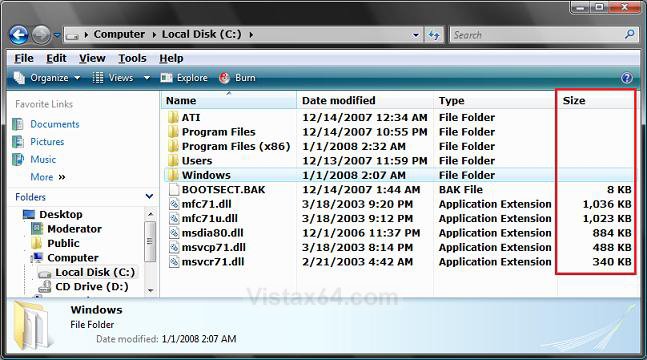
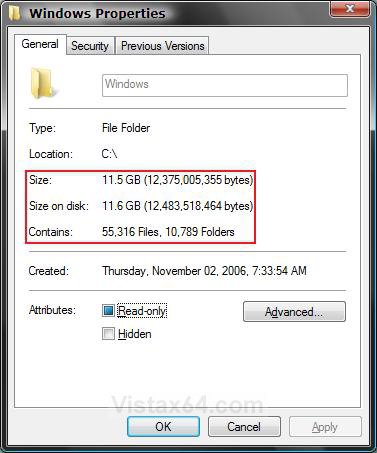
| | Re: Folder Size An earlier contributer....."Valek Hawke" <ValekHawke@discussions.microsoft.com> wrote in message news:9A7D765F-1AD5-4B28-903D-EDE3700CC4B9@microsoft.com... wrote > You know, I'm sure this question has probably been asked and answered > elsewhere, but for some reason my search queries don't seem to be doing > too > well. The question I have is this: Is it possible to get Windows Explorer > in > Windows Vista Ultimate to show the total size of a folder in the Details > view? It shows it for Compressed Folders (.zip) and individual files, why > in > God's name can't or won't it show a cumulative total for all of the > individual files that are saved in a particular folder? I don't want to > have > to use any third-party software to do this. This is functionality that > should > have been a part of Windows since 3.1 IMHO. And I whole heartedly agree: Surely the microsoft gurus could leave it to the owner of the computer to choose whether or not he or she would like to see the folder size displayed as is the file size. In these times of information overload it is easy to loose large files and subfolders among the many unspecified folders on our computer Is there not a fix for this erroneous shortfall available to those of us that would like to order our folders by size to easily optimise our disk space usage. |
| My System Specs |
| 01-30-2008 | |
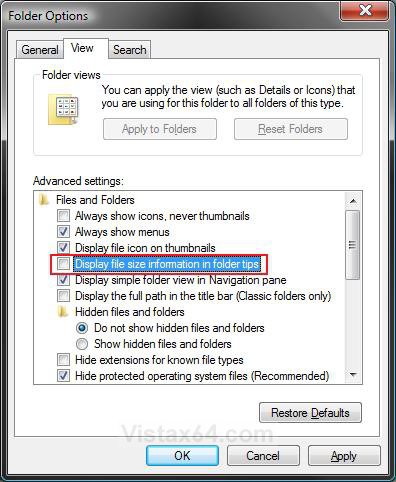
| | Re: Folder Size Hi jakrusl, Welcome to Vista Forums. ![]() Unfortunately, not without using a 3rd party Windows Explorer substitute. ![]() I will definitely be keeping my eyes out for anything new that may allow this with some hack or change in Vista, but I believe that it is one of those things that is just to hard coded. I would be nice to have it as a Folder Option to check or uncheck. Sorry, ![]() Shawn |
| My System Specs |
| 02-08-2008 | |
| | Re: Folder Size
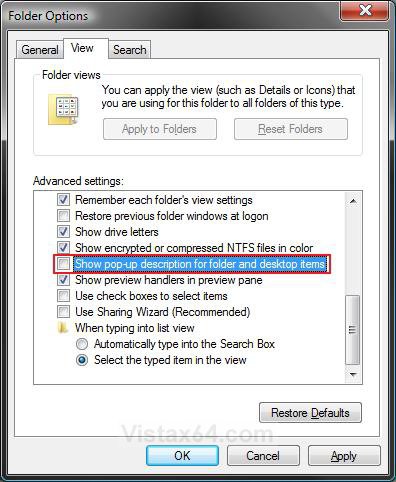
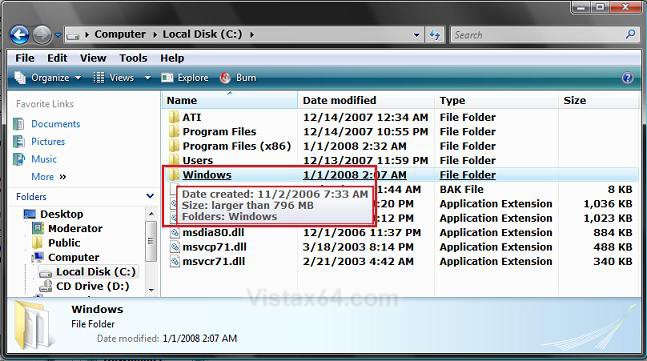
Quote: Originally Posted by Brink NOTE: This was done on purpose. On large content folders, it can take a few seconds to gather the size information for it. Now image that mulitplied by how many folders are in the window (EX: C:\Windows\System32). It could make navigating Windows Explorer an extremely slow nightmare. But if it was done for that reason, let the ones who don't object to any sluggishness resulting have it as an option like a 9x/XP Powertoy rather than built-in. |
| My System Specs |
| 02-08-2008 | |
| | Re: Folder Size Hi cpemma, Yes, Vista has changed the way that functions. I agree with you. It would be nice to have a option to turn the Folder size on or off in the Size column like. Shawn |
| My System Specs |
| 04-08-2008 | |
| | Re: Folder Size I have a problem with my windows after I upgraded to SP1. It seems that the General tab is missing after I right-clicked on a folder and selected properties. The only tabs available are Security, Sharing and Customize. As such, I can't view the size of the folder and am not able to set it as hidden or read-only. This happens to all folders (even the ones on desktop) but not to files. ![]() Any help will be much appreciated. |
| My System Specs |
| 04-08-2008 | |
| | Re: Folder Size Hi mdshaman, Welcome to Vista Forums. ![]() Sorry it took so long to reply, but I was trying to find a solution for this strange problem. I could not find anything on the net on this. ![]() Have you tried a restart to see if it was just a fluke? You might see if running a sfc /scannow command can find and fix the problem. You can see how here if needed. System Files - SFC Command Hope this helps, Shawn |
| My System Specs |
| 04-11-2008 | |
| | Re: Folder Size Hi, I have exactly the same problem as mdshaman on a laptop I'm borrowing while abroad. Have you managed to fix the problem? I'm running Windows Vista Home Premium 32bit with SP1 installed. |
| My System Specs |
| 04-11-2008 | |
| | Re: Folder Size Hi Jeffrey, Sorry nothing yet. You might try running the sfc /scannow command to see if that can fix it. I would also post this question in the Vista General newsgroup to see if someone there may have ran across this too. Sorry, ![]() Shawn |
| My System Specs |
| 04-12-2008 | |
| | Re: Folder Size Im having the exact same problem??? Saw it today, its every folder??? You 2 guys who had this issue, have you used vlite to alter youre Vista DVD´s somehow??? Maybe its vlite?? Or what else could it be? Please if anyone knows an answer, please tell us? |
| My System Specs |
| Tutorial Tools | |
| |
| Similar topics to: Folder Size | ||||
| Tutorial | Category | |||
| folder size | General Discussion | |||
| Folder Size | Vista General | |||
| Folder Size in Size Column | Vista file management | |||
| Folder Size | Vista General | |||
| Folder size? | Vista General | |||