
How to Add User Accounts Netplwiz to the Control Panel in Vista
 Information
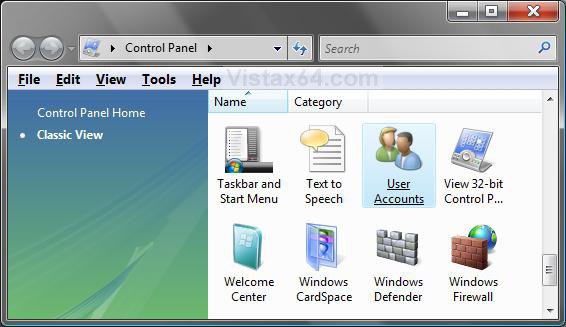
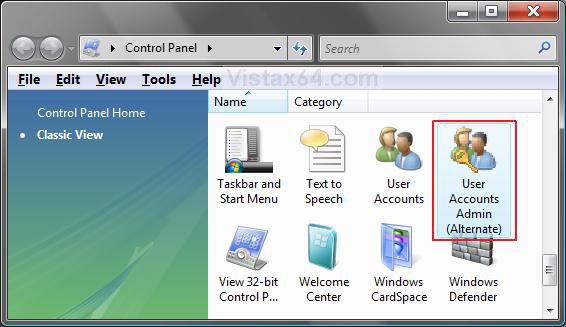
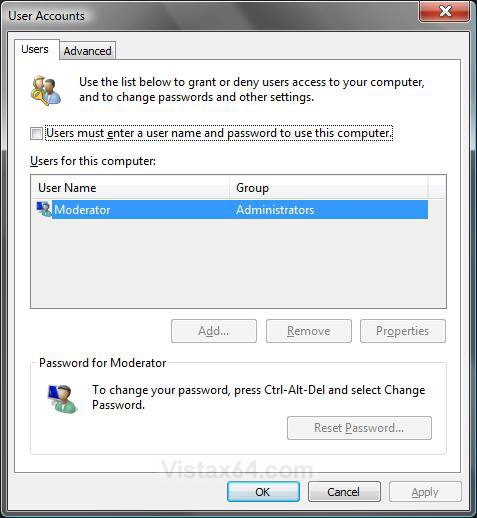
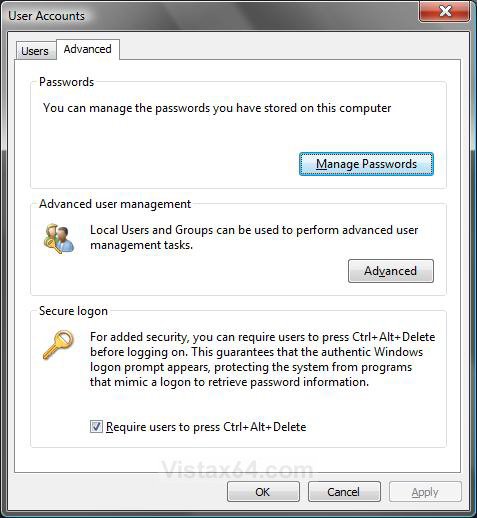
This will show you how to add the User Accounts Alternate icon, also known as netplwiz or control userpasswords2, to the Control Panel in Vista.
EXAMPLE: Before and After User Accounts Alternate in Control Panel
EXAMPLE: User Accounts Alternate (ntplwiz or control userpasswords2)NOTE: This is what the shortcut above will open.
Here's How:
1. To Remove User Accounts Alternate
A) Click the download button below to download the file below.
Remove_User_Account_Alternate.reg

B) Go to step 3.
2. To Add User Accounts Alternate
A) Click the download button below to download the file below.
Add_User_Account_Alternate.reg
3. Click on Save, and save the .reg file to the Desktop.
4. Right click on the downloaded .reg file and click on Merge.
5. Click on Run, Continue (UAC), Yes, and then OK when prompted.
6. When done, you can delete the downloaded .reg file if you like.
That's it,Shawn
Related Tutorials
- How to Change a Icon in the Control Panel in Vista
- How to Hide a Control Panel Icon in Vista
- How to Only Show Specified Control Panel Icons in Vista
- How to Manage Stored User Names and Passwords in Vista
- How to Enable or Disable Secure Logon in Vista
- How to Logon Automatically at Startup in Vista
- How to Change a User Account Type in Vista
- How to Force Control Panel Home or Classic View in Vista
Attachments
Last edited: