
How to Fix "Favorites" Empty in Vista Windows Explorer
 Information
This will show you how to fix the Favorite Links section in the Windows Explorer Navigation pane when it is empty or missing shortcuts.
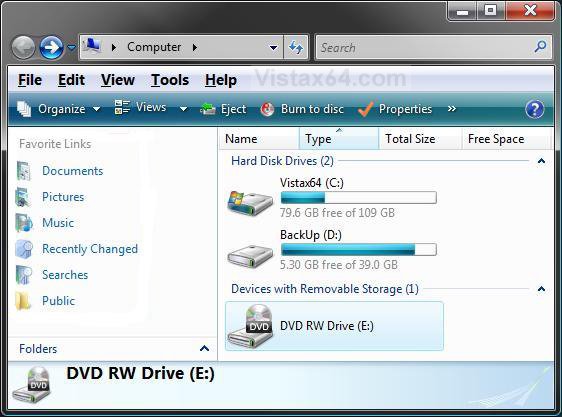
EXAMPLE: The Default Favorite Links
EXAMPLE: Favorite Links Empty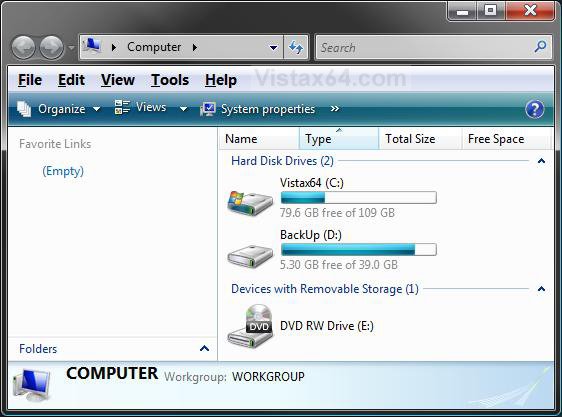
 METHOD ONE
NOTE: This method is for when there are missing default shortcuts in Favorite Links due to them being deleted.
1. Right click on a empty area in the Favorite Links section and click on Restore Default Favorite Links. (See screenshot below)
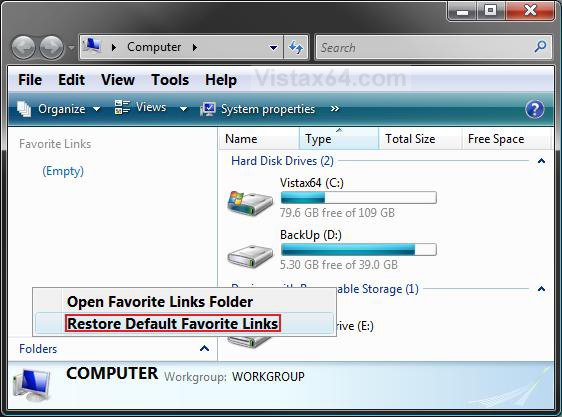
2. Your missing default shortcuts should be restored. If not, proceed to METHOD TWO.
METHOD TWO NOTE: This method is for when you tried to remove the shortcut arrow overlay using the wrong XP method of deleting IsShortcut in the registry.
Option One NOTE: This will add IsShortcut back to the registry to restore the shortcut arrow and fix Favorite Links.
1. Click on the download button below to download the file below.
Restore_Favorite_Links.reg

2. Click on Save, and save the .reg file to the Desktop.
3. Right click on the dowloaded .reg file and click on Merge.
4. Click on Run, Continue (UAC), Yes, and then OK when prompted.
5. Log off and log on, or restart the computer to apply the changes.
6. When done, you can delete the .reg file (on Desktop).
Option Two NOTE: This is the manual way of OPTION ONE above.
1. Open the Start Menu.
2. In the white line (Start Search) area, type regedit and press Enter.
3. Click on Continue in the UAC prompt.
4. In regedit, go to: (See screenshot below)
NOTE: The first letter of lnkfile is a L.
HKEY_CLASSES_ROOT\lnkfile
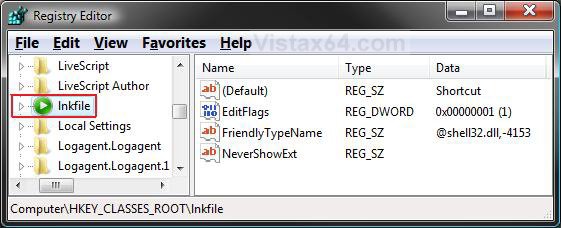
5. In the right pane, right click on a empty area and click on New and String Value. (See screenshot above)
6. Type IsShortcut and press Enter. (See screenshot below)
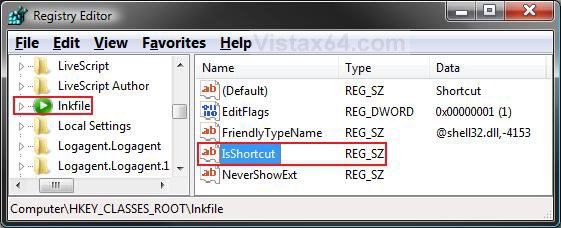
7. Close regedit.
8. Logoff and logon, or restart the computer to apply the changes.
Option Three NOTE: This will allow you to use a program to restore IsShortcut to restore Favorite Links, then be able to remove or change the shortcut arrow any way you like using the proper method for Vista.
1. Use the program to restore the shortcut arrow first, then you can remove or make any changes you like to the shortcut arrow.
NOTE: For how, see: How to Remove or Change the Shortcut Arrow in Vista
That's it,
Shawn
Related Tutorials
Attachments

Last edited by a moderator: