
How to Enter UAC Credentials on Secure Authentic Vista Logon Screen
 Information
This will show you how to increase UAC Credentials privacy and security.
 Warning
This will only work if you have access to Gpedit.msc (Group Policy). The Vista Home Basic and Home Premium editions do not have this feature.
 Note
NoteYou may need to do this too: http://www.vistax64.com/tutorials/166991-user-account-control-require-password.html
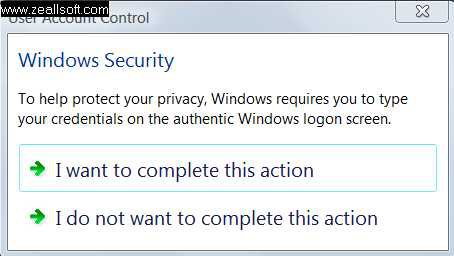
EXAMPLE: When you follow this tutorial, UAC will ask for credentials like this. . .
Here's How:
Step One:
First, you will need to open the Local Group Policy Editor.
Step Two:
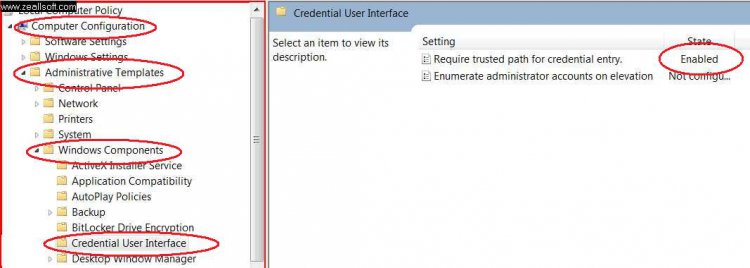
Second, Click Computer Configuration, Administration Templates, Windows Components, Credential User interface. If you cannot see these tabs, scroll down to Steps Two & Three Screenshot.
Step Three:
Third, Set Require trusted path for credential entry to enabled.
Steps Two & Three Screenshot
Step Four:
Close the Group Policy Editor, you will now have to enter your credentials on a logon screen for added security!
 End Of Tutorial!
 Attachments

Last edited by a moderator: