Windows Vista Forums
Vista Forums Home Join Vista Forums Windows 7 Forum Vista Tutorials Tags
Welcome to Windows Vista Forums. Our forum is dedicated to helping you find solutions with any problems, errors or issues you are experiencing with Windows Vista. The Vista forum also covers news and updates and has an extensive Windows Vista tutorial section that covers a wide range of tips and tricks.

Go Back   Vista Forums > Vista Forums > Tutorials

Vista - Favorites Favicon Icons - Reset

Comment
 

Favorites Favicon Icons - Reset

How to Reset the Favorites Favicon Icons in Vista
Published by Brink
09-08-2008

How to Reset the Favorites Favicon Icons in Vista
Information
  This will show you how reset the favicons in the Favorites website links by wiping them out so that they will reload again the next time you visit the website so that they will display correctly again. The Favorites folder is at: C:\Users\(user name)\Favorites.
NOTE
  A favicon is a small unique 16x16 pixels .ico (icon) file that appears in the Internet Explorer address bar and added Favorites links from that particular website.

Favicons are stored in the Temporary Internet Files folder at:
NOTE: This is a hidden protected operating system file. To see how to unhide it, see Option Two step 4 here: How to Hide or Show Hidden Files and Folders in Vista

C:\Users\(User Name)\AppData\Local\Microsoft\Windows\Temporary Internet Files
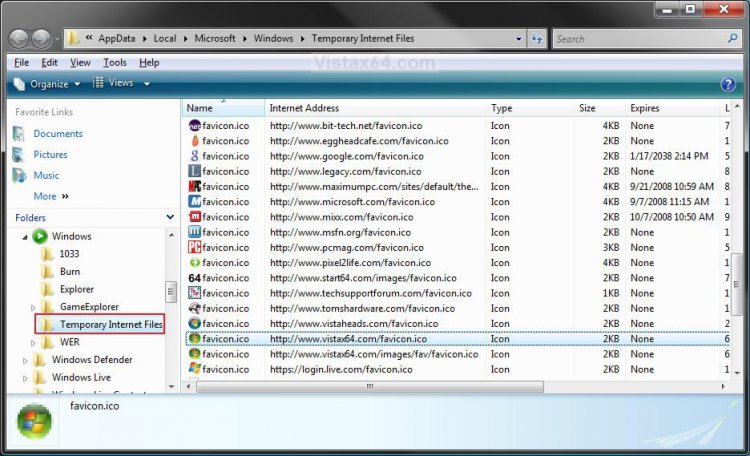


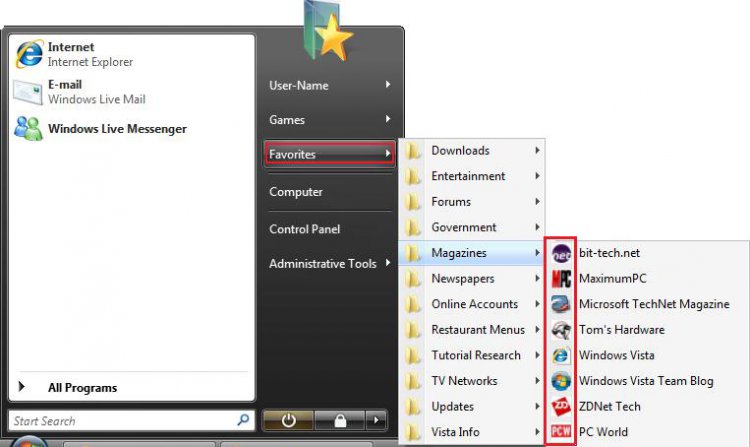
RELATED LINKS:EXAMPLE: Favorites Favicons from the Start Menu
start_menu_favorites.jpg
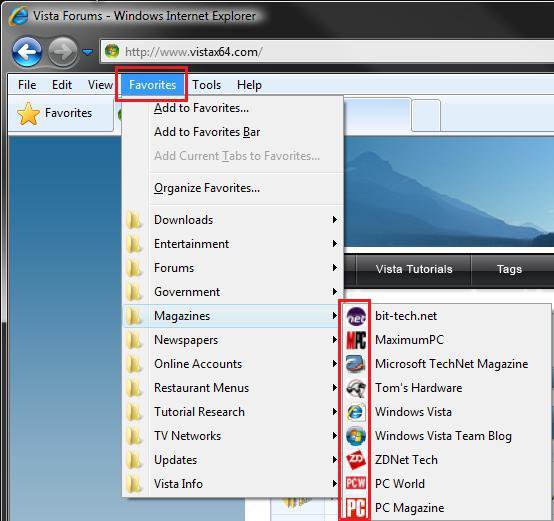
EXAMPLE: Favorites Favicons from Internet Explorer
ie_favorites.jpg

Here's How:
1. Close the Favorites folder and all Internet Explorer windows if open.

2. Open the Control Panel. (Classic View)

3. Click on the Internet Options icon.

4. Under the Browsing History section, click on the Delete button. (See screenshot below)
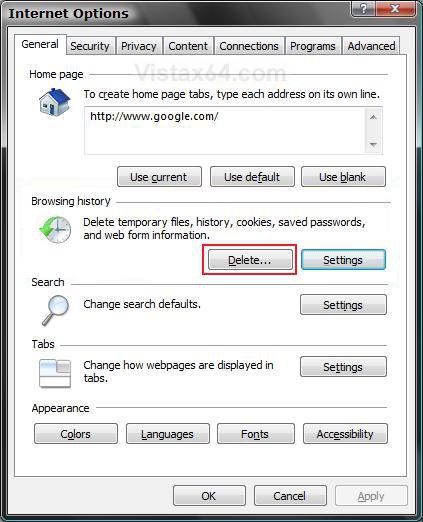
internet_options.jpg
5. For Internet Explorer 7 -
A) Click on the Temporary Internet Files Delete Files button. (See screenshot below)
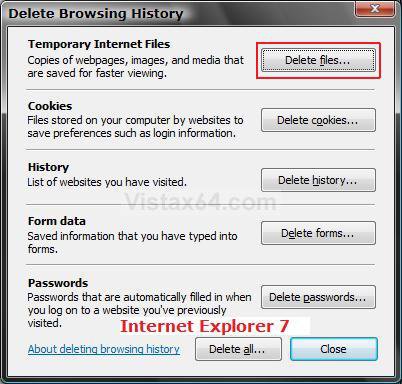
ie7_delete.jpg
B) Go to step 7.
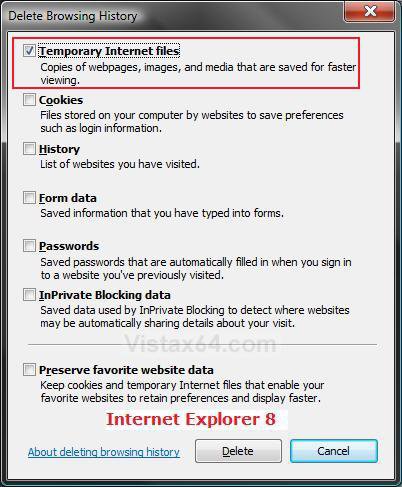
6. For Internet Explorer 8 -
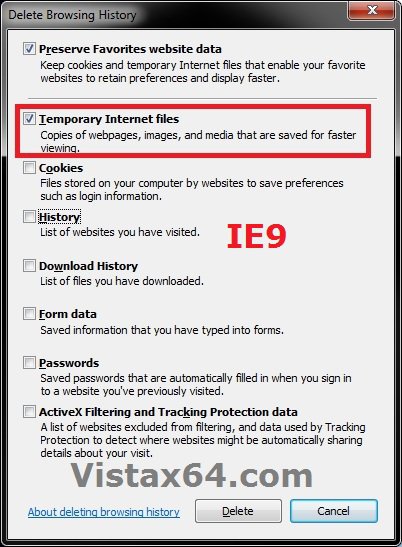
A) Check the Temporary Internet files box and click on the Delete button. (See screenshot below)
ie8_delete.jpg
7. Click on OK. (See screenshot below step 4)

8. The Favorites favicons are now reset. You can now open Internet Explorer to start letting them reload as you visit each website again.
That's it,
Shawn

Published by
Brink's Avatar
Administrator

Join Date: Apr 2007
Location: Texas, USA
Posts: 25,919
Rep Power: 150
Brink has a reputation beyond reputeBrink has a reputation beyond reputeBrink has a reputation beyond reputeBrink has a reputation beyond reputeBrink has a reputation beyond reputeBrink has a reputation beyond reputeBrink has a reputation beyond reputeBrink has a reputation beyond reputeBrink has a reputation beyond reputeBrink has a reputation beyond reputeBrink has a reputation beyond repute

Tutorial Tools

Applies to
All Vista Versions
64 Bit & 32 Bit

Old 09-08-2008  
nizaradil


Vista Home Premium


Re: Favorites Favicon Icons - Reset

good work Shawn;

thanx

My System SpecsSystem Spec
Old 09-08-2008  
Brink


Vista x64 Ultimate SP2, Windows 7 Ultimate x64


Re: Favorites Favicon Icons - Reset

Your welcome Nizaradil.

Shawn
My System SpecsSystem Spec
Comment

Tutorial Tools


Similar Threads
Tutorial Category
Notification Icons - Reset Tutorials
IE Favorites Icons missing Network & Sharing
Pixelated Icons... (Need help to reset) Vista General
Favorites list icons Vista General
Tab icons are not the same as Favorites. Vista General


Vista Forums is an independent web site and has not been authorized,
sponsored, or otherwise approved by Microsoft Corporation.
"Windows Vista", the Start Orb, and related materials are trademarks of Microsoft Corp.
© Designer Media Ltd
Tutorial powered by GARS 2.1.8m ©2005-2006

1 2 3 4 5 6 7 8 9 10 11 12 13 14 15 16 17 18 19 20 21 22 23 24 25 26 27 28 29 30 31 32 33 34 35 36 37 38 39 40 41 42 43 44 45 46