
How to Customize the Welcome Center Manufacturer Information
 Information
If you're running Vista and do not disable Welcome Center at start-up, then this will show you how to customize it.
If you have purchased your computer and your operating system is integrated with it, your manufacturer's information might already be modified or created by your manufacturer.
If you have purchased your computer and your operating system is integrated with it, your manufacturer's information might already be modified or created by your manufacturer.
For example, I have here a DELL logo:
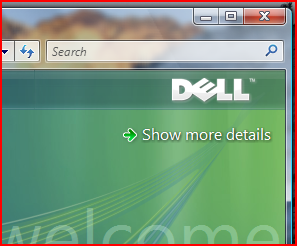
And I change it to something like this:
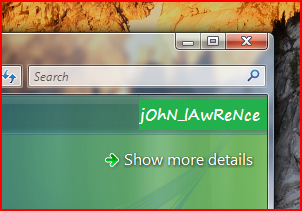
LOL...
To do that, simply:
1. Click on Start-->Computer-->Local Disk (C: -->Windows-->System32-->oobe-->info
2. In the Info folder, right click the file OOBE.xml and choose open with WordPad.
Then you'll see this:
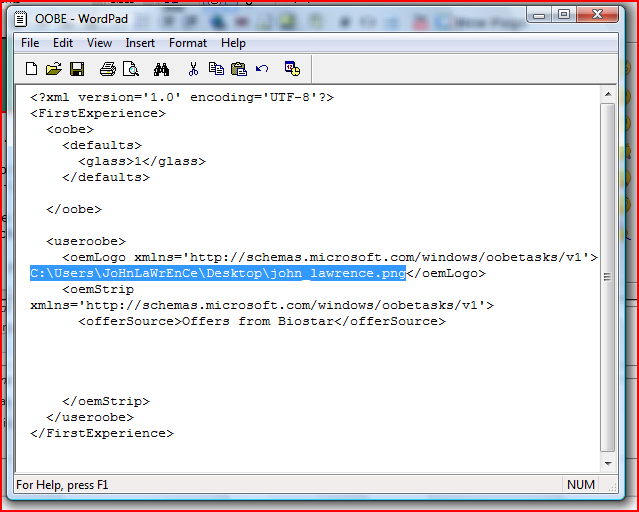
3. Find :
Code:
<oemLogo xmlns='http://schemas.microsoft.com/windows/oobetasks/v1'>C:\YOUR_IMAGE_LOCATION_HERE!</oemLogo>4. Change the C:\YOUR_IMAGE_LOCATION_HERE! with your image location.
e.g if the image is located in your Pictures folder.
that should be: C:\Users\USER_NAME\Pictures\PICTURE_NAME.png
5. Then save it.
 Note
NoteYour image must be .PNG format.
Backup OOBE.xml first, so if you messed up, you can revert.
If you don't want a custom logo, but you want a manufacturer logo of others, then you can download some images by some manufacturers:
Click HERE! to download
Backup OOBE.xml first, so if you messed up, you can revert.
If you don't want a custom logo, but you want a manufacturer logo of others, then you can download some images by some manufacturers:
Click HERE! to download
Attachments
Last edited by a moderator:

