
How to Enable or Disable "Highlight Newly Installed Programs" in Vista Start Menu
 Information
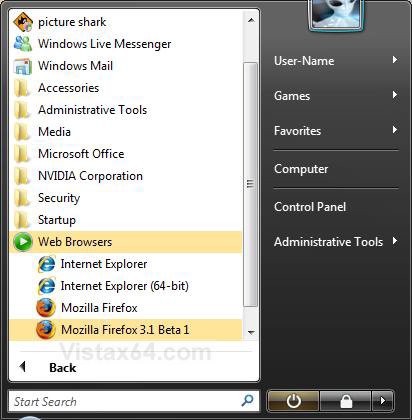
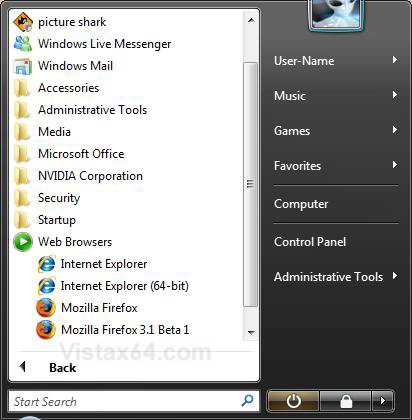
This will show you how to enable or disable the option to have newly installed programs to be highlighted in the Start Menu. This option is enabled by default in Vista.
NOTE: For example, the Firefox beta version below was just recently installed on my system.
Here's How:
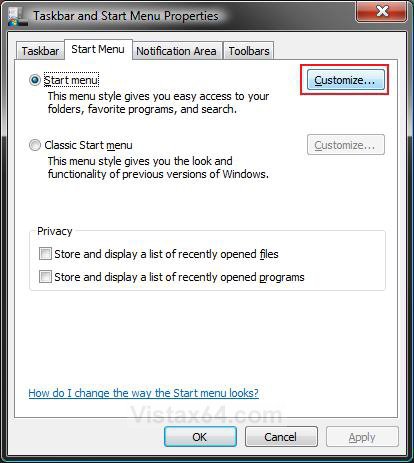
1. Right click on the Start button and click on Properties.
2. Click on the Customize button. (See screenshot below)
3. To Enable Highlight Newly Installed Programs
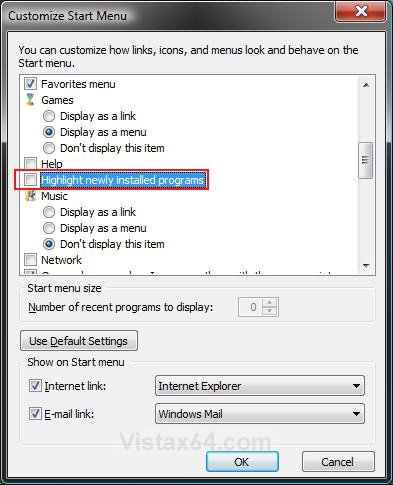
A) Check the Highlight newly installed programs box. (See screenshot below step 4)
B) Click on OK.
C) Go to step 5.
4. To Disable Highlight Newly Installed Programs
A) Uncheck the Highlight newly installed programs box. (See screenshot below)
B) Click on OK.
5. Click on OK. (See screenshot below step 2)
That's it,Shawn
Attachments
Last edited: