Windows Vista Forums
Vista Forums Home Join Vista Forums Windows 7 Forum Vista Tutorials Tags
Welcome to Windows Vista Forums. Our forum is dedicated to helping you find solutions with any problems, errors or issues you are experiencing with Windows Vista. The Vista forum also covers news and updates and has an extensive Windows Vista tutorial section that covers a wide range of tips and tricks.

Go Back   Vista Forums > Vista Forums > Tutorials

Vista - You have files waiting to be burned to disc - Stop Message

Comment
 

You have files waiting to be burned to disc - Stop Message

How to Stop the "You have files waiting to be burned to disc" Message
Published by Brink
11-22-2008

How to Stop the "You have files waiting to be burned to disc" Message

Information
  If you have the You have files waiting to be burned to disc Notification Area balloon message at every startup or log on of Vista, or just want to stop files waiting to be burned to disc, then this will show you how to stop this by clearing the Temporary Burn Cache folder.
NOTE
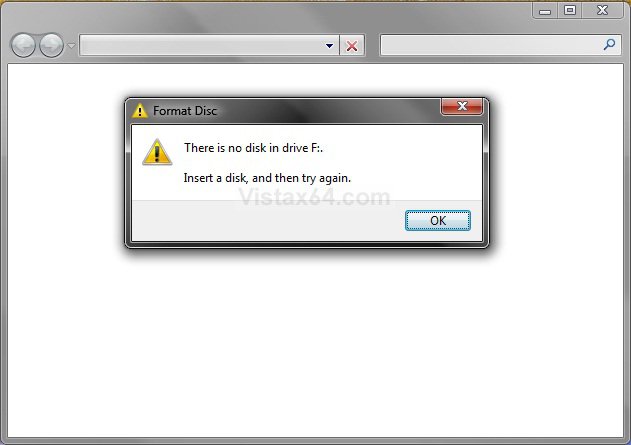
  Unless you place a blank CD or DVD in the CD/DVD drive, you usually will also have a blank window when you click on the To view the files now, click this balloon link.
RELATED LINK:EXAMPLE: You have files waiting to be burned to disc Notification Area balloon message

notification.jpg
EXAMPLE: To view the files now, click this balloon - Blank Window
blank_window.jpg

OPTION ONE:
From Computer Window
1. Open the Start menu, and click on the Computer button.

2. Right click on the CD or DVD drive and click on Delete temporary files.

3. Click on Yes to confirm deletion.

OPTION TWO:
From the Temporary Burn Folder
1. Open the Start Menu.
A) In the search line, type shell:cd burning and press Enter. (See screenshot below)

B) Go to step 3.
OR

2. Open Folder Options, and Select (dot) Show hidden files and folders.
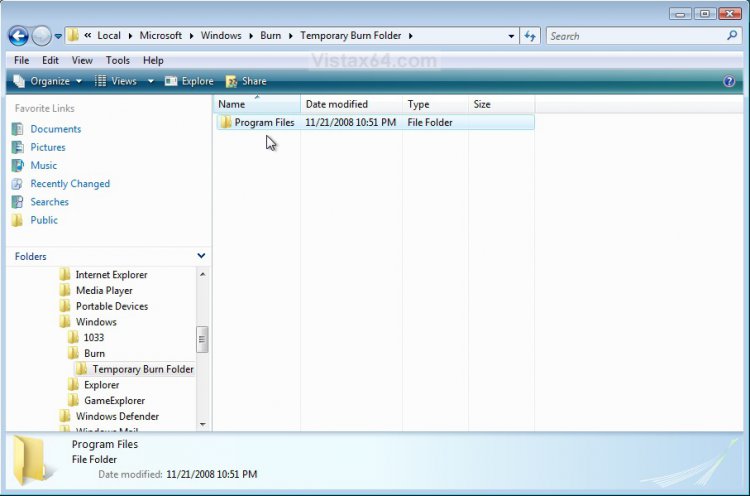
A) In Windows Explorer, navigate to: (See screenshot below)
C:\Users\(user name)\AppData\Local\Microsoft\Windows\Burn\Temporary Burn Folder
3. Delete the entire contents in the Temporary Burn Folder. (See screenshot below)
NOTE: Everything in this folder is waiting to be burned to disc. In this example, I have the entire contents of the Program Files folder waiting to be burned to disc that needs to be deleted to stop that pesky You have files waiting to be burned to disc message.
folder-2.jpg
4. If you did step 2, then in Folder Options, select (dot) Do not Show hidden files and folders.

5. Close the Temporary Burn Folder window.
That's it,
Shawn

Published by
Brink's Avatar
Administrator

Join Date: Apr 2007
Location: Texas, USA
Posts: 25,934
Rep Power: 150
Brink has a reputation beyond reputeBrink has a reputation beyond reputeBrink has a reputation beyond reputeBrink has a reputation beyond reputeBrink has a reputation beyond reputeBrink has a reputation beyond reputeBrink has a reputation beyond reputeBrink has a reputation beyond reputeBrink has a reputation beyond reputeBrink has a reputation beyond reputeBrink has a reputation beyond repute

Tutorial Tools

Applies to
All Vista Versions
64 Bit & 32 Bit

Comment

Tutorial Tools


Similar Threads
Tutorial Category
Need to delete files waiting to be burned. Vista General
Files waiting to be burned to cd, seems complicated? Vista file management
files waiting to be burned Vista performance & maintenance
On logon balloon : "you have files waiting to be burned to disc" Vista General
Files Waiting to be Burned Vista General


Vista Forums is an independent web site and has not been authorized,
sponsored, or otherwise approved by Microsoft Corporation.
"Windows Vista", the Start Orb, and related materials are trademarks of Microsoft Corp.
© Designer Media Ltd
Tutorial powered by GARS 2.1.8m ©2005-2006

1 2 3 4 5 6 7 8 9 10 11 12 13 14 15 16 17 18 19 20 21 22 23 24 25 26 27 28 29 30 31 32 33 34 35 36 37 38 39 40 41 42 43 44 45 46