
How to Update or Refresh the WEI Score in Vista
 Information
This will show you how to update or refresh the Windows Experience Index (WEI) base score in Vista to help measure the capability of your computer.
 Note
NoteThe Windows Experience Index measures the capability of your computer's hardware and software configuration and expresses this measurement as a number called a base score. A higher base score generally means that your computer will perform better and faster than a computer with a lower base score, especially when performing more advanced and resource-intensive tasks.
Each hardware component receives an individual subscore. Your computer's base score is determined by the lowest subscore. For example, if the lowest subscore of an individual hardware component is 2.6, then the base score is 2.6. The base score is not an average of the combined subscores.
Each hardware component receives an individual subscore. Your computer's base score is determined by the lowest subscore. For example, if the lowest subscore of an individual hardware component is 2.6, then the base score is 2.6. The base score is not an average of the combined subscores.
 Tip
TipIn Vista the WEI score ranges from 1.0 to 5.9.
 Warning
You will need to update your WEI score after you have installed Vista to have the Aero features work.
Here's How:
1. Open the Control Panel (Classic view).
A) Click on the Performance Information and Tools icon.
B) Go to step 5.
OR
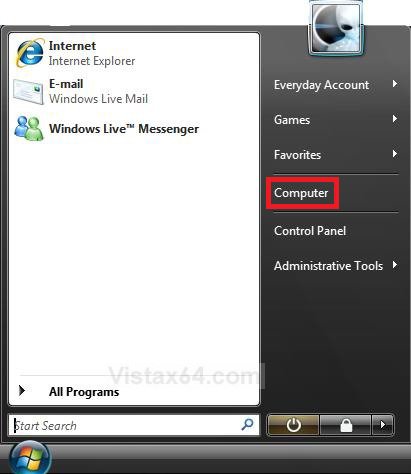
2. Open the Start Menu.
3. Right click on the Computer button, and click on Properties. (See screenshot below)
NOTE: You could also just press the Windows Key + Pause/Break key to open System Properties.
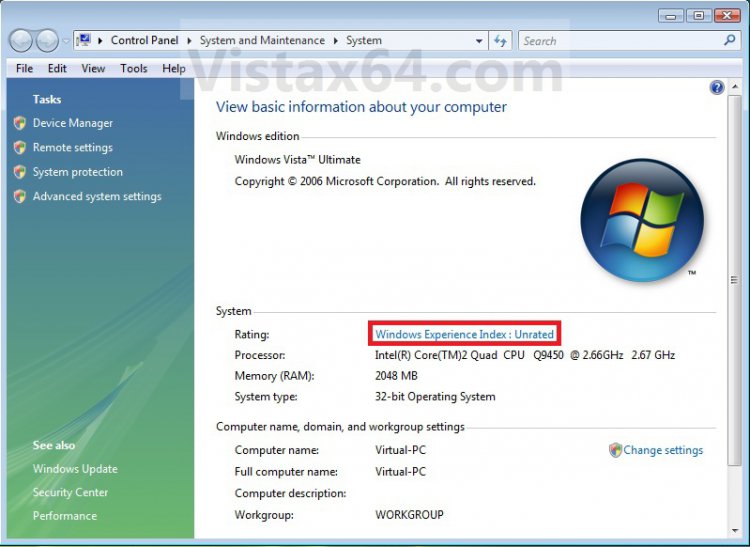
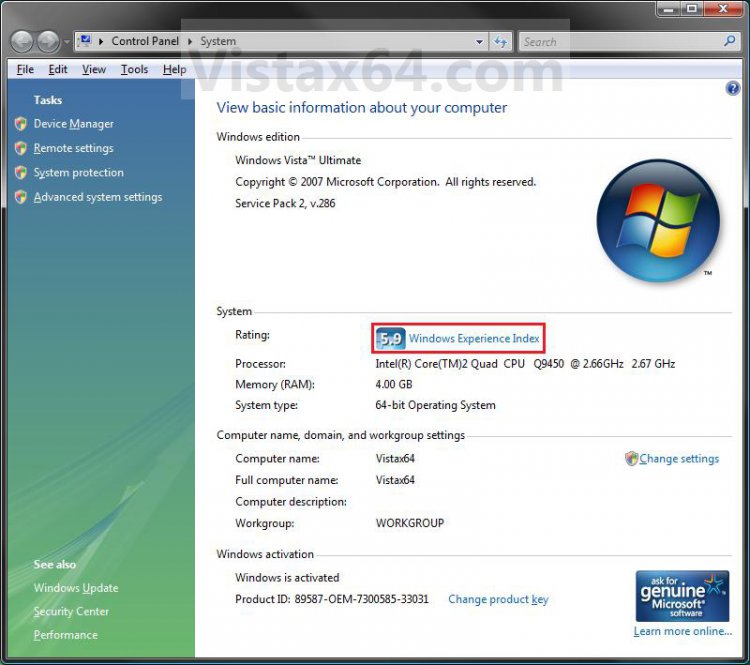
4. Click on the Windows Experience Index: Unrated, Windows Experience Index, or Your Windows Experience Index needs to be refreshed link. (See screenshots below)
NOTE: The left screenshot is to score the WEI for the first time, and the right screenshot is to just update the WEI.
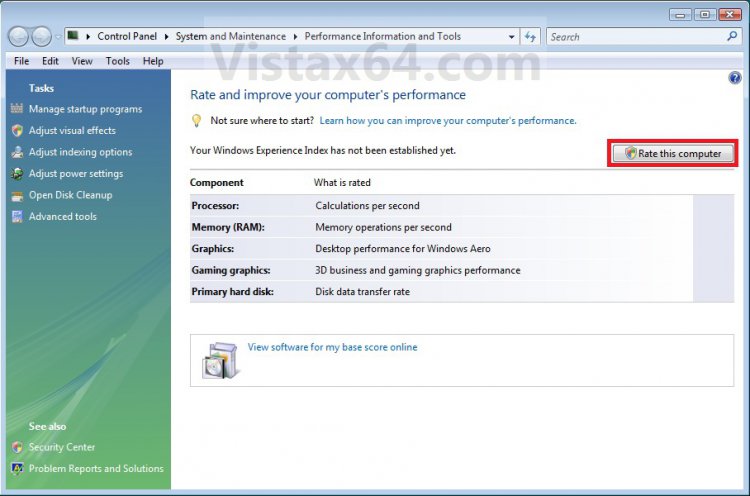
5. Click on the Rate this computer button, Update my score link, or Refresh Now button. (See screenshots below)
NOTE: The left screenshot is to score the WEI for the first time, the middle screenshot is to just update the WEI, and the right screenshot is to refresh the WEI usually after a change in the hardware or certain drivers (ex: video).
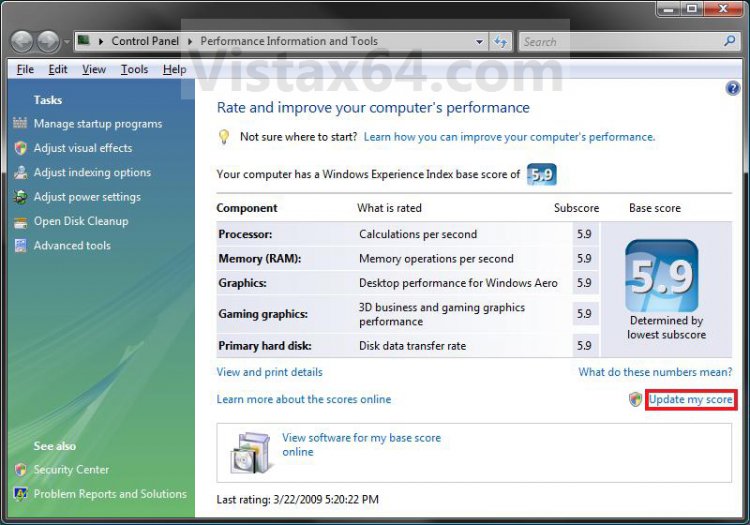
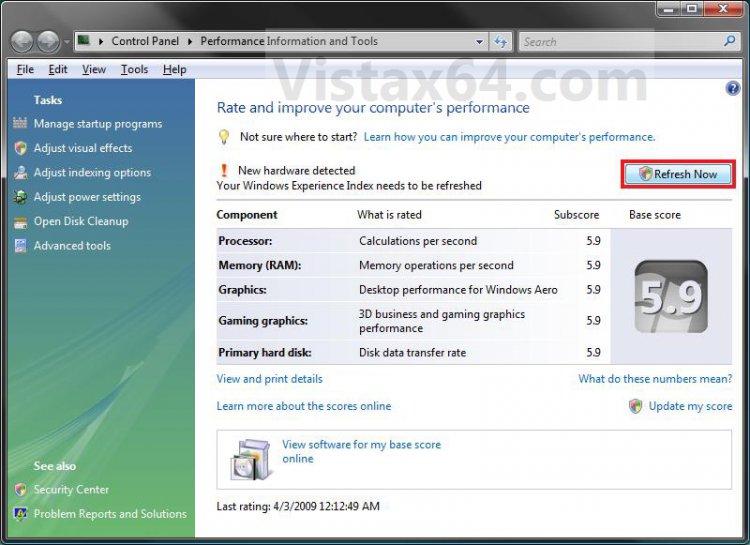
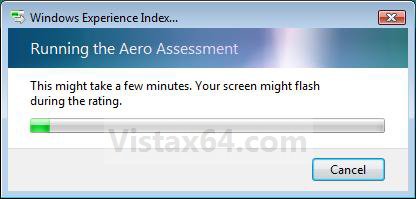
6. You will now see this status window. (See screenshot below)
NOTE: To get the best score possible while the WEI is updating, it is best to let the computer sit idle with nothing else opened or running in the background.
7. When finished you will see your updated WEI base score. (See left screenshot below step 5)
That's it,Shawn
Attachments

Last edited: