
How to Delete the Windows.old Folder in Vista
 Information
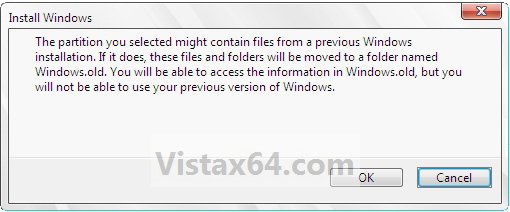
If you performed a custom installation (not a upgrade installation), without formatting the drive for a clean install, and selected to install Vista on the same partition of the previous Windows installation, then this will show you how to delete the Windows.old folder generated during installation.
 Note
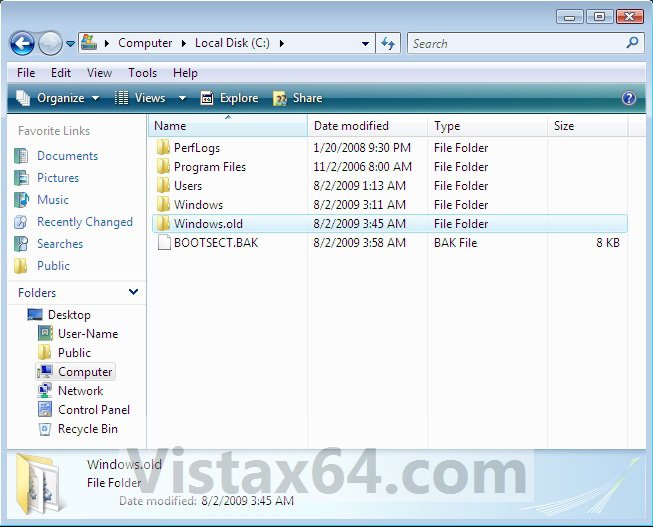
NoteThe C:\Windows.old folder contains folders and files from the previous Windows installation.
 Tip
TipFor how to restore a computer to a previous Windows installation after you install Windows Vista, see: How to restore a computer to a previous Windows installation after you install Windows Vista
 Warning
You will need to do this while logged on to an administrator account.
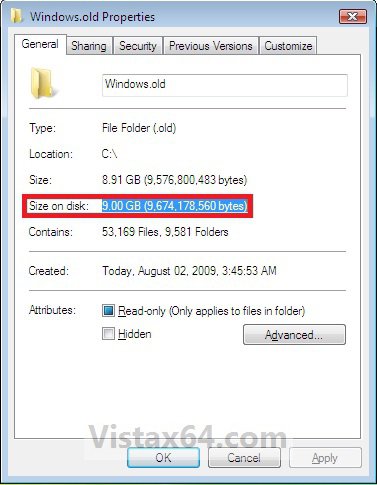
EXAMPLE: Windows.old Folder
NOTE: Notice how much space this folder uses.
Here's How:
1. Open Disk Cleanup.
2. Select on the Files from all users on this computer option. (See screenshot below)
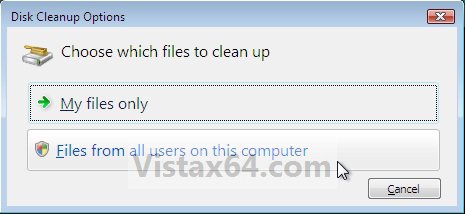
3. If prompted by UAC, then click on Continue.
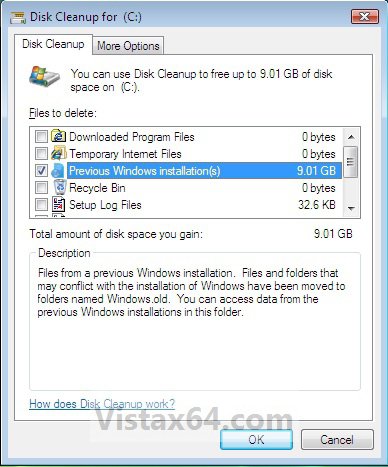
4. Check the Previous Windows installations box, and click on OK. (See screenshot below)
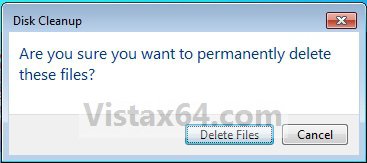
5. Click on Delete Files. (See screenshot below)
6. When Disk Cleanup finishes, the C:\Windows.old folder will be deleted.
That's it,Shawn
Attachments
Last edited: