
How to Change the Vista Default Folder Icon
 Information
This will show you how to change all of the default yellow folder icons in Windows Explorer to any custom icon that you want instead in Vista.
User Folder icons will not be affected by this.
User Folder icons will not be affected by this.
 Note
NoteIf you have thumbnails turned on, then only empty folders will have the new icon displayed in Windows Explorer when the folder view is set to anything other than Small icons, Details, or List. Otherwise the folders will have a thumbnail preview icon when the folder is not empty instead. When the folder view is set to Small icons, Details, or List, then all folders will display the new icon since they are small icons.
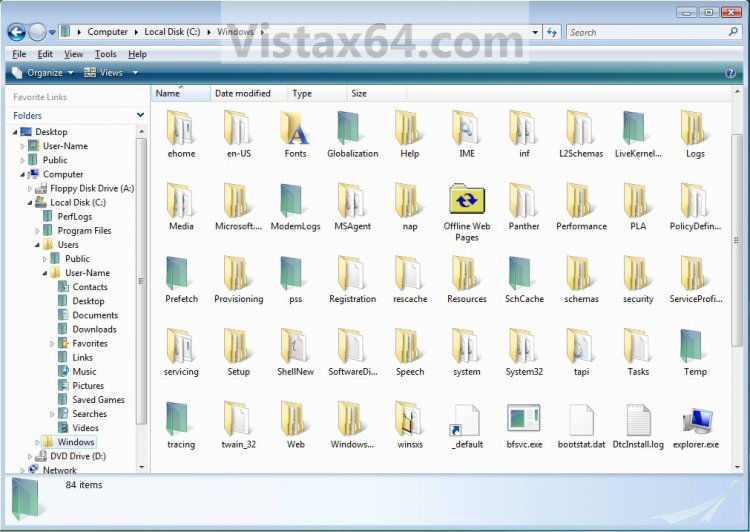
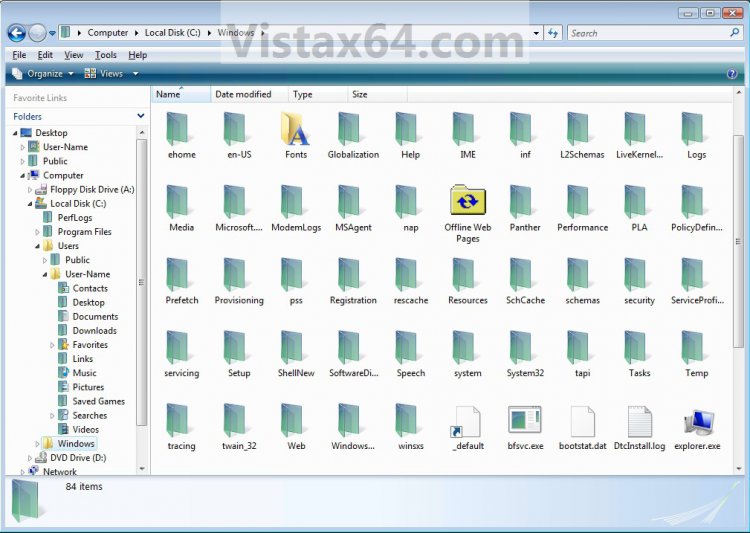
If you have thumbnails turned off, then all folders will have the new icon display no matter what the folder view is set to in Windows Explorer.
 Warning
- You can only do this while logged in to a administrator account.
- This will affect all user account folder icons on the computer.
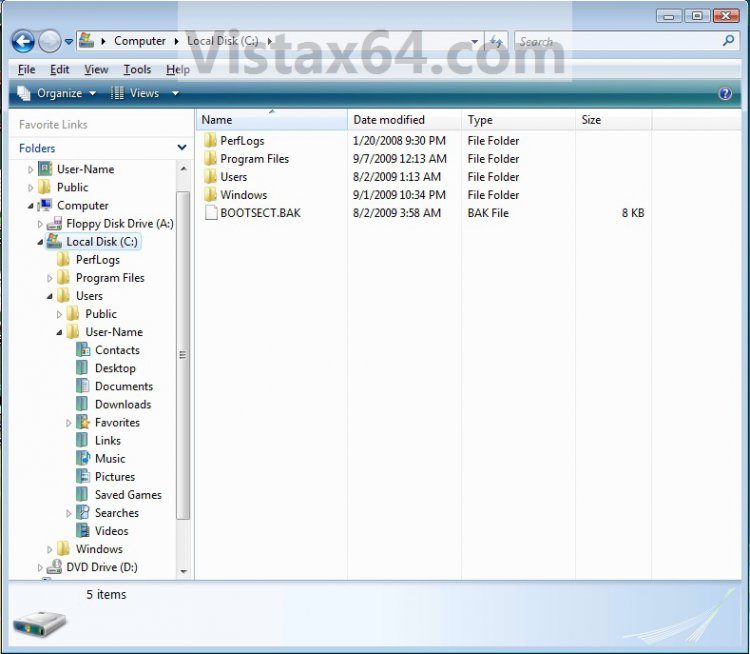
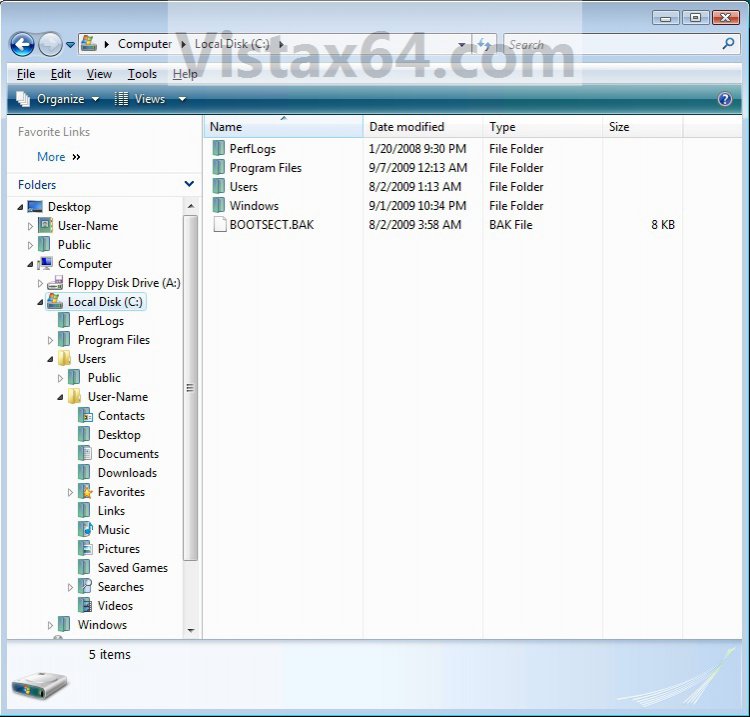
NOTE: This is Windows Explorer with the default folder icon (left screenshot) and a custom folder icon (right screenshot). This is with the folder view is set to Details.
 OPTION ONE
1. Open the Start Menu, then type regedit in the search line and press Enter.
2. If prompted by UAC, then click on Continue.
3. In regedit, navigate to: (See screenshot below)
Code:
[/INDENT]
[INDENT]HKEY_LOCAL_MACHINE\SOFTWARE\Microsoft\Windows\CurrentVersion\Explorer[/INDENT]
[INDENT]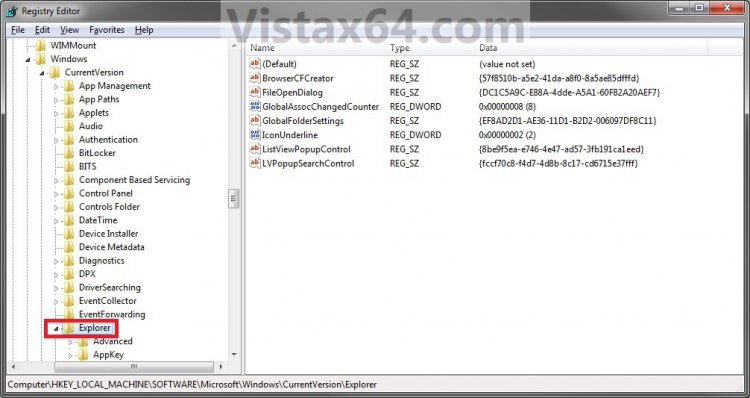
4. In the left pane, right click on the Explorer key and click on New and Key. (See screenshot above)
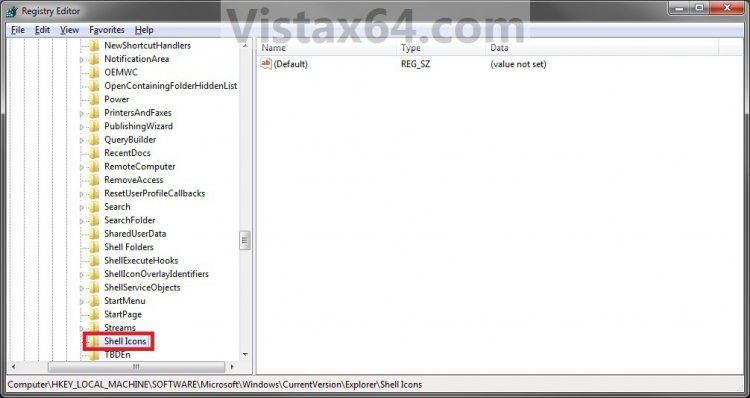
5. Type Shell Icons and press Enter. (See screenshot below)
NOTE: If Shell Icons is already here, then you can skip steps 4 and 5.
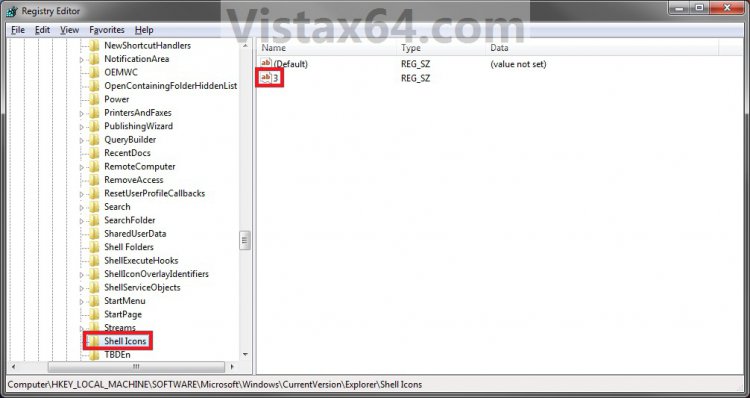
6. In the right pane of Shell Icons, right click on a empty space and click on New and String Value. Type 3 and press enter. (See screen shot below)
 ]
]
7. Right click on 3 and click on Modify. (See screenshot above)
8. Type in the full path of the icon that you want to use as the new folder icon.
NOTE: You must use a 256x256 pixel icon for it to display properly in all icon sizes in Windows Explorer. If you change the icon's location (path), then you must also change the location here in step 8 as well for the folder to still display that icon in Windows Explorer.
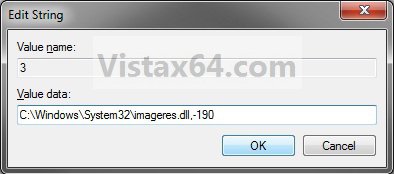
9. The registry will now look similar to this with your icon path under the Data column in the right pane instead. (See screenshot below)
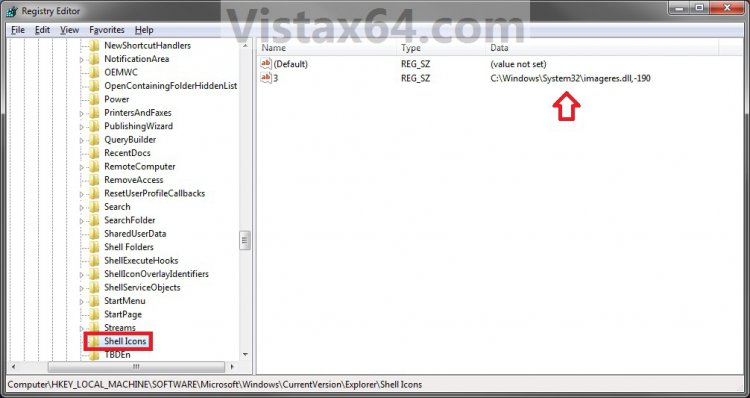
10. Close Regedit.
11. Log off and Log on, or restart the computer to apply the new folder icon.
Option Two NOTE: This option assumes that you did OPTION ONE above to change the default folder icon.
1. Open the Start Menu, then type regedit in the search line and press Enter.
2. If prompted by UAC, then click on Continue.
3. In regedit, navigate to: (See screenshot below)
Code:
HKEY_LOCAL_MACHINE\SOFTWARE\Microsoft\Windows\CurrentVersion\Explorer\Shell Icons
4. In the right pane of Shell Icons, right click on 3 and click on Delete. (See screenshot above)
5. Click on Yes. (See screenshot below)

6. Close Regedit.
7. Log off and Log on, or restart the computer to restore the default yellow folder icon.
That's it,Shawn
Related Tutorials
- How to Change the Open Folder Icon in Vista
- How to Change a Folder Icon in Vista
- How to Change a Shortcut Folder or File Icon in Vista
- How to Change a Icon in the Control Panel in Vista
- How to Change a Drive Icon in Vista
- How to Change a File Extension Type Icon in Vista
- How to Restore and Change a Desktop Icon in Vista
Attachments

Last edited by a moderator:


