
How To Uninstall Windows Live Essentials
 Warning
You Will need to be an Administrator to do this
 Information
This will show you how to uninstall any one or all of the Windows Live Essentials programs below:
- Windows Live Messenger - Windows Live Messenger will be turned off soon, Microsoft is recommending users to transfer to Skype (Download Skype on your computer - Mac, Windows, Linux - Skype)]
- Windows Live Mail
- Windows Live Family Safety
- Windows Live Photo Gallery
- Windows Live Writer
- Windows Live Sync
- Windows Live Movie Maker
 Tip
TipTo download Windows Live Essentials 2011, then please see Windows Live Essentials 2011 for more information.
Here's How:
1. Open the Start Menu and click on the Control Panel button.
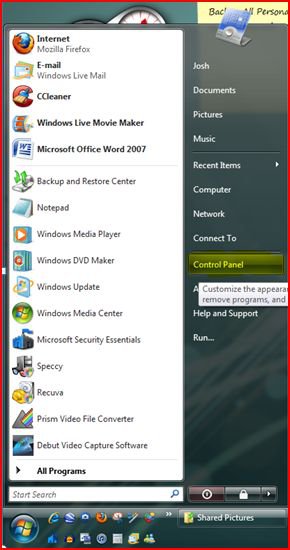
2. This will open up the Control Panel Window. When that opens Mouse Click on Uninstall a Program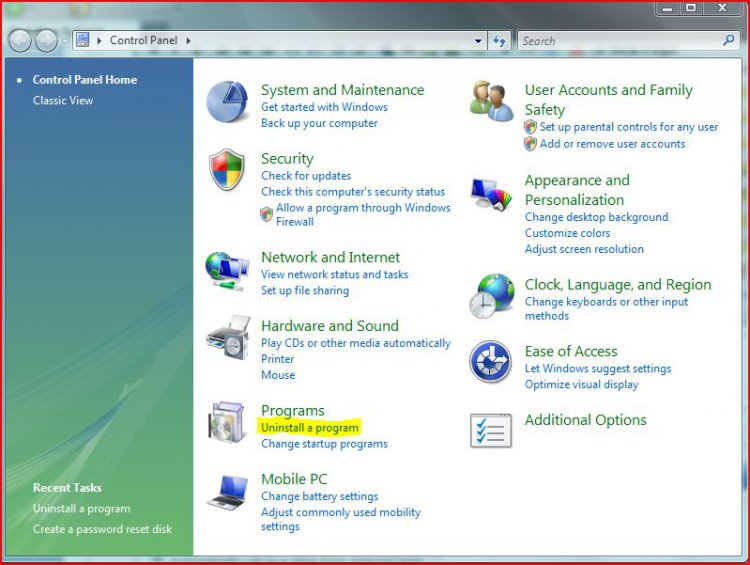
3. Scroll down and click on Windows Live Essentials, then click on Uninstall/Change.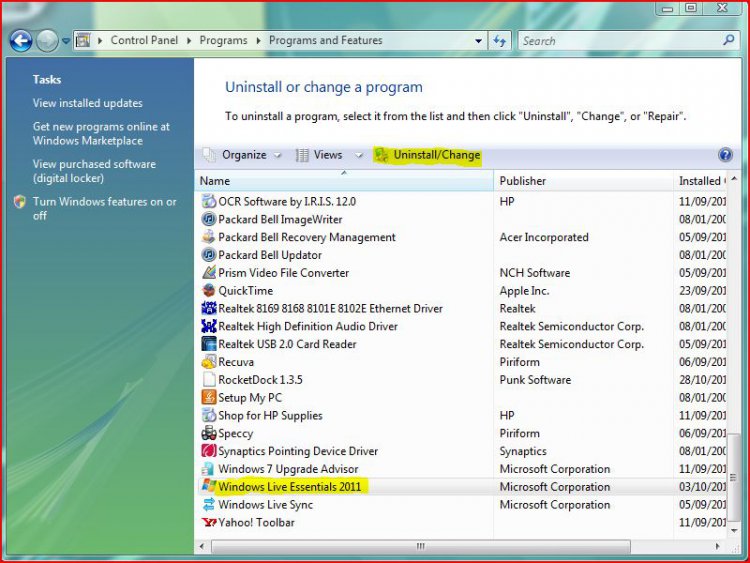
4. If prompted by UAC, then click on Yes (Windows 7) or Continue (Vista).5. Select Remove One or More Windows Live Programs.
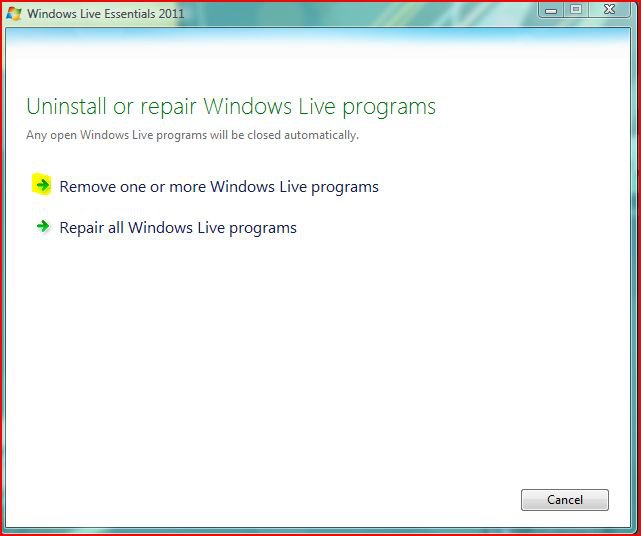
6. Check the box for the Windows Live Essentials programs that you would like to uninstall.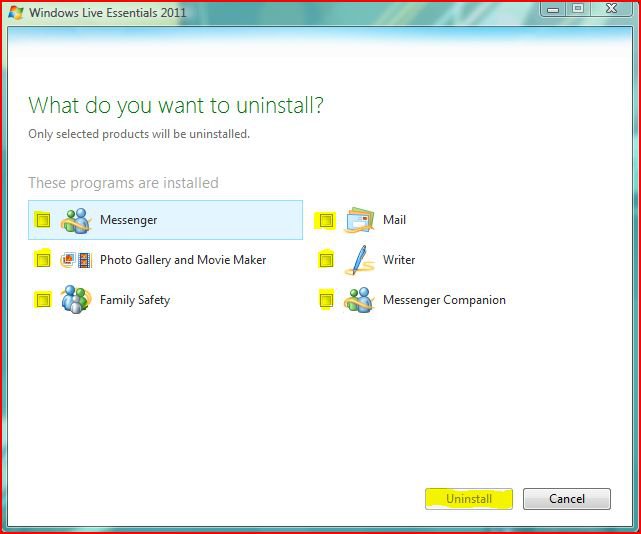
7. When finished uninstalling, restart your computer and you should have successfully uninstalled the selected programs.Thats it,
Josh
Attachments

Last edited by a moderator: