Windows Vista Forums
Vista Forums Home Join Vista Forums Windows 7 Forum Vista Tutorials Tags
Welcome to Windows Vista Forums. Our forum is dedicated to helping you find solutions with any problems, errors or issues you are experiencing with Windows Vista. The Vista forum also covers news and updates and has an extensive Windows Vista tutorial section that covers a wide range of tips and tricks.

Go Back   Vista Forums > Vista Forums > Tutorials

Vista Tutorial - Boot screen

Comment
 
Old 05-01-2007  
Brink
Administrator


Join Date: Apr 2007
Vista x64 Ultimate SP2, Windows 7 Ultimate x64


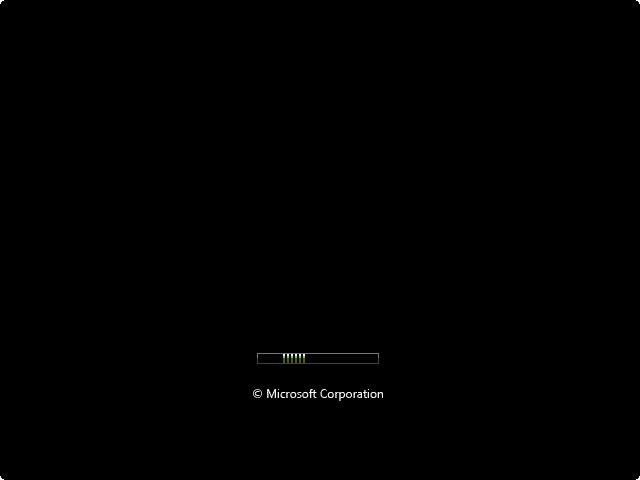
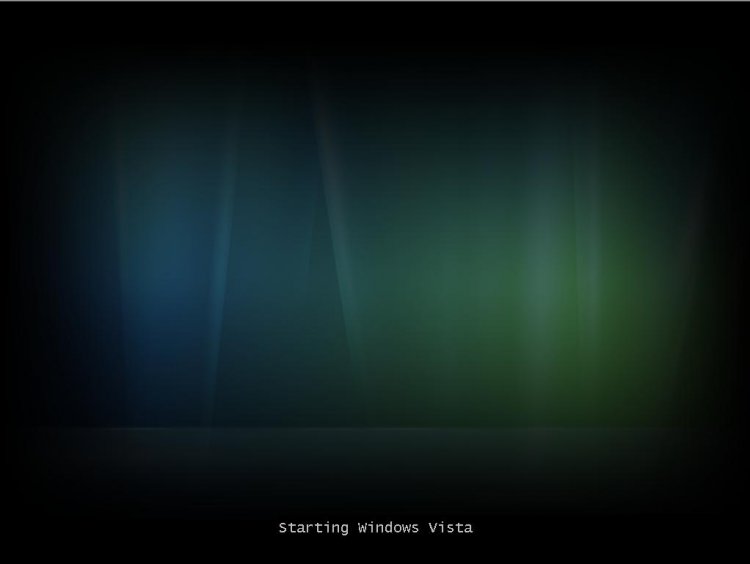
Boot screen

How to Enable the Hidden Aurora Boot Screen in Vista
...

My System SpecsSystem Spec
Old 06-18-2007  
Brink
Administrator


Join Date: Apr 2007
Vista x64 Ultimate SP2, Windows 7 Ultimate x64


Re: Boot screen

madmonkey,

I don't know for this one. Since it is a laptop, it might be related with Mobility Center. ?? I don't have Mobility Center or see the same as you on resume, so it's almost impossible for me to hunt for it to. You might Google each .exe.mui you suspect and see if you find the right one. Please post it here if you do find it.

Shawn

Update Edit:
This is a normal part of the hibernation process. When Vista wakes up from hibernation, this is the screen that will show as it first starts up and loads memory back from disk. I do not know of a way to change this screen yet though.
Sorry.


Last edited by Brink; 07-26-2007 at 04:39 PM..
My System SpecsSystem Spec
Old 08-07-2007  
Worshaw
Newbie


Join Date: Aug 2007
Vista


Re: Boot screen

well it seems that you got that all good but can we do it with logon screens
My System SpecsSystem Spec
Old 08-07-2007  
Brink
Administrator


Join Date: Apr 2007
Vista x64 Ultimate SP2, Windows 7 Ultimate x64


Re: Boot screen

Hi Worshaw,

Welcome to the forum.

Why certainely we can.

How to Change the Logon Screen in Vista

Shawn
My System SpecsSystem Spec
Old 02-27-2008  
cpemma
Member


Join Date: Feb 2008
Home Premium 32 SP1


Re: Boot screen

A few comments I picked up here;
Quote:
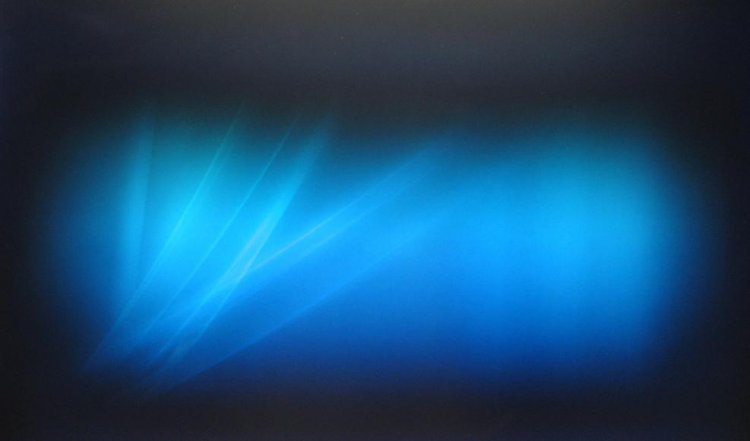
it appears that in SP1, the aurora image has been changed to the same flare used in the “resume from hibernation” splash, with the text “Starting Windows Vista” also removed. This flare is far more consistent with the background image presented during log-in.
Quote:
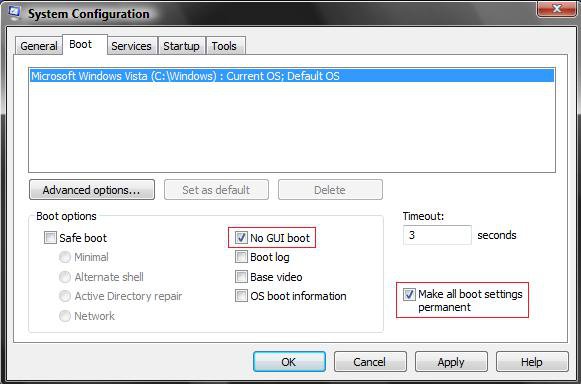
“Why doesn’t Microsoft enable /NOGUI by default?”

I remember Microsoft saying that the NOGUI boot has a longer boot time than the plain boot screen and they wanted to make boot up as fast as possible out of the box.

Another comment I’ve heard from someone as Microsoft in regards to not using a typical boot screen with the Windows logo and a Microsoft logo was that they were trying to push bios creators and other hardware makers from putting their logo on boot ups to create a cleaner looking and faster boot up.

Just what I’ve heard over time.
Quote:
...the /NOGUI switch isn’t on by default because it’s a no GUI boot screen, i.e. ABSOLUTELY NO GUI!! e.g. you schedule a CHKDSK for the next boot and that switch is on, you will not see any progress on screen and just that PNG because NOGUI means absolutely no GUI. some people will call you and tell you their system has frozen during startup
I'll have to test the last point as I sometimes do a boot defrag with O&O.
My System SpecsSystem Spec
Old 02-27-2008  
Brink
Administrator


Join Date: Apr 2007
Vista x64 Ultimate SP2, Windows 7 Ultimate x64


Re: Boot screen

Hi cpemma,

I can verify that you will not see what is happening if you changed the default boot screen until you change it back temporarily.

Shawn
My System SpecsSystem Spec
Old 03-27-2008  
hawkwind
Member


Join Date: Mar 2008
32bit Vista Premium


Hi, i have just completed this but i still have the aurora screen at boot. The only difference there whilst doing this was winload.exe.mui that i download did not have the option to unblock when right clicking on the file. Everything else went exactly as per instruction. I added it to the en-us folder which i assume is correct although i installed with english uk settings when i installed Vista, could this have something to do with it??

Looking again i can see a winload.exe.mui inside C:\Windows\System32\Boot\en-US along with winresume.exe.mui
My System SpecsSystem Spec
Old 03-27-2008  
Brink
Administrator


Join Date: Apr 2007
Vista x64 Ultimate SP2, Windows 7 Ultimate x64


Re: Boot screen

Hi hawkwind,

Do you have a C:\Windows\System32\Boot\en-UK folder? If so, place the new winload.exe.mui file in there instead using the tutorial instructions.

Shawn
My System SpecsSystem Spec
Old 03-27-2008  
hawkwind
Member


Join Date: Mar 2008
32bit Vista Premium


Re: Boot screen

Hi Brink, no only a C:\Windows\System32\Boot\en-US folder
I installed into the
c:\windows\system32\EN-us

There is no en.uk folder anywhere as far as i can see.
My System SpecsSystem Spec
Old 03-27-2008  
Brink
Administrator


Join Date: Apr 2007
Vista x64 Ultimate SP2, Windows 7 Ultimate x64


Re: Boot screen

hawkwind,

I just did a test on my computer, and it only shows the Aura screen to. It seems like the SP1 has prevented this from working for now. I'll have to do some further tests to see if I can find out what they changed to prevent it.

Sorry,
Shawn
My System SpecsSystem Spec
Old 03-27-2008  
hawkwind
Member


Join Date: Mar 2008
32bit Vista Premium


Re: Boot screen

Hi, it looks as though this folder C:\Windows\System32\Boot\en-US folder may have been created when sp1 was installed?
My System SpecsSystem Spec
Comment

Tutorial Tools


Similar Threads
Tutorial Category
black screen after boot screen General Discussion
Boot Screen General Discussion
Black screen on boot up Vista General
Boot Screen Vista installation & setup
boot-password shown at boot login screen Vista account administration


Vista Forums is an independent web site and has not been authorized,
sponsored, or otherwise approved by Microsoft Corporation.
"Windows Vista", the Start Orb, and related materials are trademarks of Microsoft Corp.
© Designer Media Ltd
Tutorial powered by GARS 2.1.8m ©2005-2006

1 2 3 4 5 6 7 8 9 10 11 12 13 14 15 16 17 18 19 20 21 22 23 24 25 26 27 28 29 30 31 32 33 34 35 36 37 38 39 40 41 42 43 44 45 46