Vista Forums
Vista Forums Home Join Vista Forums Donate Vista Tutorials Tags

Welcome to Vista Forums we are your forum to discuss Windows Vista x64 and x86 systems. Whether you need help or just want to post an idea you have on Vista, this is the forum for you.
Register at Vista forums...the world biggest Windows Vista resource Join Vista Forums Now

Go Back   Vista Forums > Vista Forums > Tutorials

Vista Tutorial Categories Network & Internet Tutorials File & Folder Settings Tutorials Taskbar & Start Menu Tutorials Performance & Maintenance Tutorials General Tips Tutorials Programs & Features Tutorials Context Menu Tutorials Shortcut Tutorials Security & System Tools Tutorials Parental Controls Tutorials User Account Tutorials Hardware & Drivers Tutorials Appearance & Personalization Tutorials Backup & Restore Tutorials Music, Photo, Video and Media Tutorials Power Management Tutorials

Command Prompt

Update your Vista Drivers Update Your Drivers Now!!
Poll: Did this Tutorial help and work for you?
Poll Options
Did this Tutorial help and work for you?

Comment
 
Tutorial Tools Display Modes
<!-- google_ad_section_start -->Command Prompt<!-- google_ad_section_end -->
Command Prompt
A List of Commands for Vista and How to Use them
Published by Brink
05-29-2007

A List of Commands for Vista and How to Use them
Information
  These are commands that you use in the command prompt in Vista.
WARNING
  Some commands will not run unless they are used in an elevated command prompt. For how, see: How to Open a Elevated Command Prompt in Vista
RELATED LINKS:
EXAMPLE: Command Prompt Window
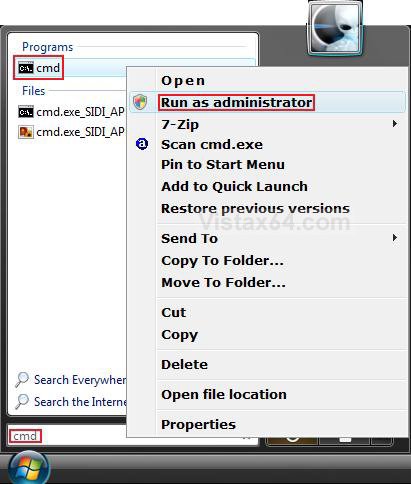
NOTE: You can open a command prompt by typing cmd in the Start Menu Search box and pressing Enter.
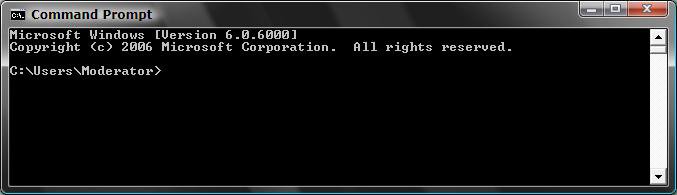
Name:  Command_Prompt.jpg
Views: 1917
Size:  17.9 KB

Here's How:
1. Go to the link below for a list of Vista commands:
NOTE: The list will have a description of what the command does. Click on the listed command to see how to use it.

http://itsvista.com/topic/commands/
That's it,
Shawn

Published by
Brink's Avatar
Administrator
Join Date: Apr 2007
Location: Texas, USA
Posts: 16,597
Rep Power: 150
Brink has a reputation beyond reputeBrink has a reputation beyond reputeBrink has a reputation beyond reputeBrink has a reputation beyond reputeBrink has a reputation beyond reputeBrink has a reputation beyond reputeBrink has a reputation beyond reputeBrink has a reputation beyond reputeBrink has a reputation beyond reputeBrink has a reputation beyond reputeBrink has a reputation beyond repute

Tutorial Tools
Show Printable Version Show Printable Version
Email this Page Email this Page

Applies to
All Vista Versions
64 Bit & 32 Bit

Comment

Tags
command, general tips, prompt

Tutorial Tools
Display Modes


Update your Vista Drivers Update Your Drivers Now!!

Similar Threads
Tutorial Tutorial Starter Category Comments Last Post
No command prompt dheller02 Vista General 1 03-16-2008 08:42 PM
Command prompt "COPY" command not working in brand new Windows Vis CMD COPY command not working in Vista Vista file management 7 02-05-2008 03:20 PM
command prompt help Brad Vista General 2 01-12-2008 07:22 PM
DVD Command Prompt john Vista installation & setup 4 03-20-2007 12:36 PM
Command Prompt Here Brad Palmer Vista General 4 02-19-2007 09:17 PM


Vistax64.com is an independent web site and has not been authorized,
sponsored, or otherwise approved by Microsoft Corporation.
"Windows Vista", the Start Orb, and related materials are trademarks of Microsoft Corp.
© Designer Media 2005-2008
Tutorial powered by GARS 2.1.8m ©2005-2006