How to Change Power Button Settings for the Start Menu and Case in Vista
 Information
This will show you how to change the function of the Computer Case and Start menu power buttons to either Do nothing, Sleep, Hibernate, or Shutdown when you press or click it.
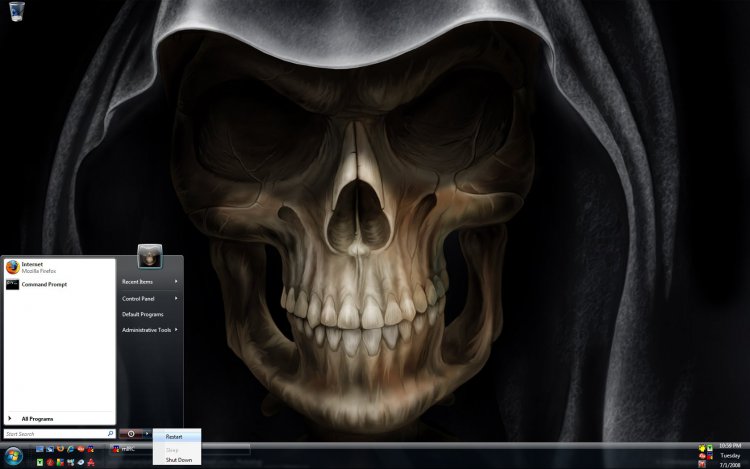
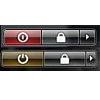
EXAMPLE: Normal Start Menu Power buttons
SHUTDOWN ------- SLEEP or HIBERNATE


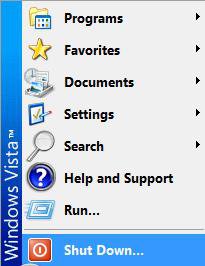
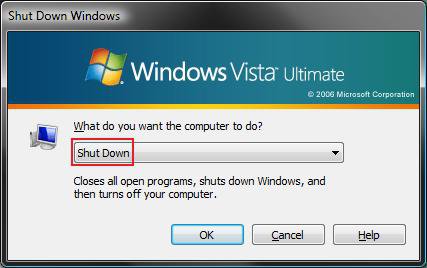
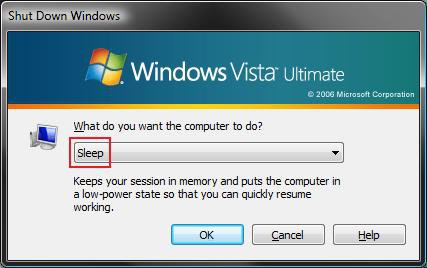
EXAMPLE: Classic Start Menu Shutdown buttonNOTE: This will not change what the Shutdown button says in the Classic Start menu, but it will change what the default action (Sleep or Shutdown) is for the Shutdown window after you click on Shutdown.
Here's How:
1. Open the Control Panel (Classic View)
2. Click on the Power Options Icon.
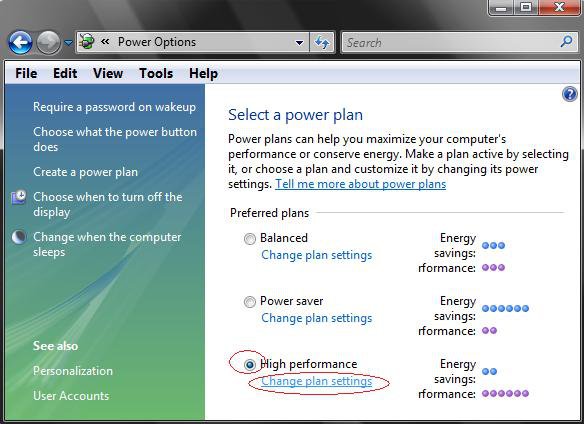
3. Click on the Change plan settings under the Power Plan you have dotted. (See screenshot below)
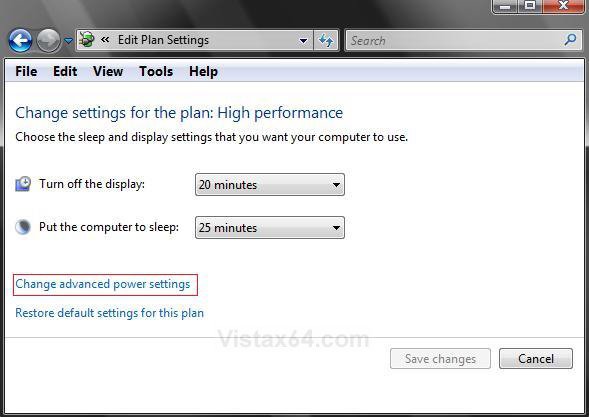
4. Click on Change advanced power settings. (See screenshot below)
5. Click on Change settings that are currently unavailable. (See screenshot below)
6. Click on Continue in the UAC prompt.
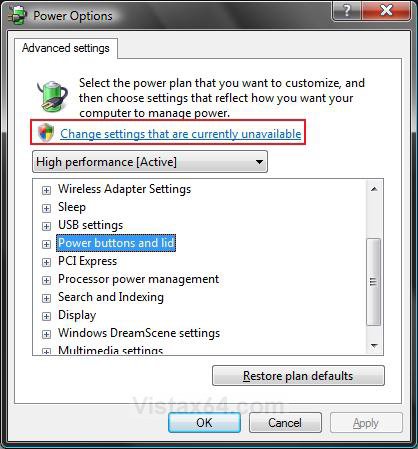
7. Click + for Power buttons and lid. (See screenshot below step 9)
8. For the Computer Case Power Button
A) Click + for Power button Action
B) Click on Setting: and click on the drop down arrow.
C) Choose the action you want the Case Power Button to do when pressed.
NOTE: Your options will be Do nothing, Sleep, Hibernate, or Shut down.
9. For the Start Menu Power Button
NOTE: See the examples at the top of the tutorial.
A) Click + for Start menu power button.
B) Click on Setting: and click on the drop down arrow.
C) Click on the action you want the Start menu power button to do when clicked on.
NOTE: Your options will be Sleep, Hibernate (not for Classic), or Shut down.
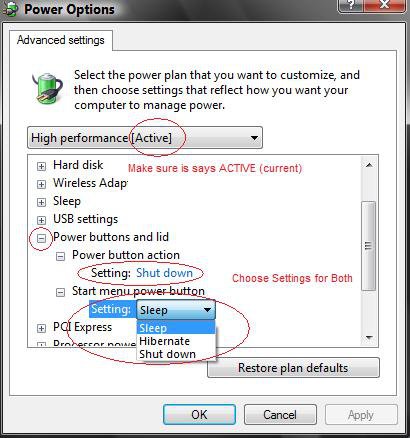
NOTE: Make sure that your power plan is shown under the title bar. It is easy to accidentally change it with the mouse scroll wheel.
10. Click on OK.
11. Close window from step 4 above.
That's it,Shawn
Related Tutorials
- How to Troubleshoot a Vista Sleep Mode Problem and Find a Solution
- How to Disable or Enable Password Protection on Wakeup in Vista
- How to Remove or Show the Start Menu Shutdown Options in Vista
- How to Create a Shutdown Computer Shortcut in Vista
- How to Create a Hibernate Shortcut in Vista
- How to Display Small or Large Icons in the Vista Start Menu
- How to Enable or Disable the Taskbar and Start Menu Properties Window in Vista
- How to Enable or Disable Windows Update Start Menu Power Button Alert in Vista
- How to Add or Remove Install Updates and Shut Down to the Vista Start Menu
- How to Create a Sleep Shortcut on the Desktop in Vista
- How to Shutdown, Restart, Switch User, Log Off, Sleep, or Lock Vista from the Keyboard
- How to Changed the Return to Sleep Timeout for a Unattended Wake Up in Vista
- How to Remove or Restore the Vista Log On Shutdown Options
Attachments
Last edited: