
How to Fix the New Folder Context Menu Item in Vista
 Information
If when you right click on the desktop or in a User folder and click on New and Folder it does not work, then this will show you how to fix the Folder menu item so it will create a new folder again.
 Tip
Tip- If you also cannot rename a normal file or folder and not just a New Folder, then also see: Cannot Rename or Move a File or Folder in Vista Fix
- If New is also missing from the context menu, then see: How to Restore or Remove New from the Context Menu in Vista
- If you are missing other or all New menu items, then to restore them, see: How to Restore Missing Default New Context Menu Items in Vista
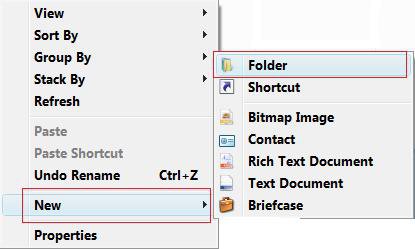
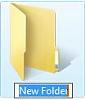
EXAMPLE: New Folder in the Context Menu and a New Folder
NOTE: You see this context menu only when you right click on a empty space on the desktop and in a nonsystem folder (Ex: C:\Users) Windows Explorer window. If you right on a empty space in a system folder (Ex: C:\Program Files, C:\Windows, etc...} Windows Explorer window, you will only see Folder in the New menu.
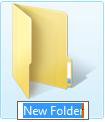
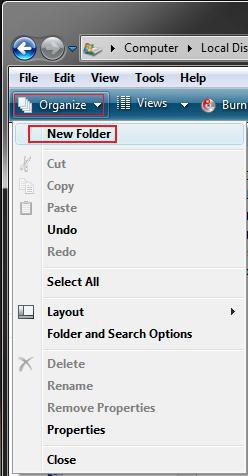
EXAMPLE: New Folder in the Organize Toolbar ButtonNOTE: This is the Organize toolbar button in Windows Explorer.
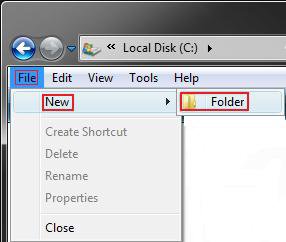
EXAMPLE: New Folder in the File MenuNOTE: This in the Windows Explorer Menu bar. It is not availale in the Computer window though.
Here's How:
1. Click on the download button below to download the NewFolderFix.reg file.

2. Right click on the downloaded NewFolderFix.reg file and click on Merge to add it to your registry.
3. Click on the Run button in the Security Warning prompt.
4. Click on Continue in the UAC prompt.
5. Click on Yes in the confirmation prompt.
6. Click on OK in the success prompt.
7. Log off and log on, or restart the computer to apply the fix.
8. When done, you can delete the NewFolderFix.reg on the desktop if you would like to.
NOTE: If the problem still persists, then do a System Restore using a restore point dated before the problem.
That's it,Shawn
Related Tutorials
- How to Open and Change Folder Options in Vista
- How to Add and Remove a New Menu Item in Vista
- Cannot Rename or Move a File or Folder in Vista Fix
- How to Restore or Remove New from the Context Menu in Vista
- How to Restore Missing Default New Context Menu Items in Vista
- How to Fix the New Shortcut Context Menu Item in Vista
Attachments
Last edited:


