![]() |
![]() | ![]() | ![]() | ![]() | ![]() | ![]() | ![]() |
| Welcome to Windows Vista Forums. Our forum is dedicated to helping you find solutions with any problems, errors or issues you are experiencing with Windows Vista. The Vista forum also covers news and updates and has an extensive Windows Vista tutorial section that covers a wide range of tips and tricks. |
| |||||||
![]() |
| |
| | |
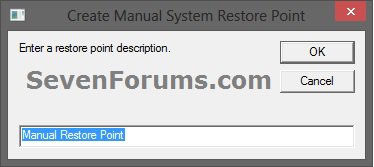
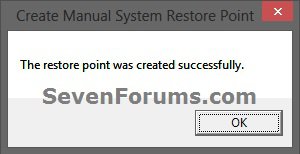
| Vista x64 Ultimate SP2, Windows 7 Ultimate x64 | System Restore Point - Shortcut How to Make a Create System Restore Point Shortcut in Vista |
My System Specs![]() |
| | |
| Vista Home Premium 32-bit | System Restore Points are life savers. I create them before every single change, no matter what it is. Of course I created one right after installing my new, currently most favorite shortcut! Steph |
My System Specs![]() |
| | |
| Home premium 32 | Re: System Restore Point - Shortcut Thanks Brink. Working perfectly now |
My System Specs![]() |
| | |
| Vista x64 Ultimate SP2, Windows 7 Ultimate x64 | Re: System Restore Point - Shortcut Your welcome beauparc. I'm glad to hear that it is working for you now. ![]() Thank you for the feedback. Shawn |
My System Specs![]() |
| | |
| Vista Ultimate 32bit | Re: System Restore Point - Shortcut Does anyone else get an error if they cancel the restore point operation? |
My System Specs![]() |
| | |
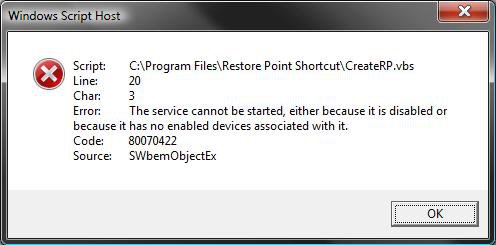
| Vista x64 Ultimate SP2, Windows 7 Ultimate x64 | Re: System Restore Point - Shortcut Hi Djt0707, You can click OK to clear the error and cancel the restore point creation. It is a part of the shortcut that I do not know how to prevent. NOTE: If you close or click Cancel instead, you will get a error message. Just click OK after the error and it will close without creating a restore point. Hope this helps, Shawn |
My System Specs![]() |
| | |
| Vista x64 Ultimate SP2, Windows 7 Ultimate x64 | Re: System Restore Point - Shortcut Updated to have the shortcut work even better. Shawn |
My System Specs![]() |
| | |
| XP-Pro-SP3-32bit, Vista Ultimate-64bit | Hello to the group! I was referred to this forum by the owner of another technical forum. So far, so good. I just have one problem with the "Create Restore Point" script as given earlier in the forum. To be ultimately useful, the script should be able to run from a batch file or Startup folder without operator intervention. In XP, I set such an automatically running script in my customers "Startup" folder, to that they get a new restore point every day when they first start up their PC. Heck, I even set it up that way on my own PC. ![]() I've seen way too many PC's with NO restore points being made for weeks on end. Then something happens when I need to take the PC back maybe just a few hours or a day or two....and #%$@#&, there's NO restore point to go back to. Having the script run automatically from the Startup folder takes care of that little problem. There's always a fresh Restore Point when I need one. I test so many pieces of software every week, that I rely heavily on my restore points to "Back UP" when something doesn't work properly. ![]() The script as presented in this thread is a great little script, but, it forces operator intervention. Not good! I've found that the one I used for XP, works just fine for Vista as well. The writer was somewhat of a jokester and every point is labeled "Hacked The Registry". Well, it does stand out among the other restore points, so I just left it that way. ![]() I'd gladly post the text of the script here.....but I'm not sure that would be appropriate. Thanks guys, for a great site! ![]() The Shadow |
My System Specs![]() |
| | |
| Vista x64 Ultimate SP2, Windows 7 Ultimate x64 | Re: System Restore Point - Shortcut Hi The Shadow, You can post the script if you would like to. An alternative is always welcomed. Since System Restore creates a restore point of it's own once a day on a schedule, which can be changed in Task Scheduler, I posted this one so people could easily create a restore point manually as needed. That's all. I'm glad that you like the site. ![]() Shawn |
My System Specs![]() |
| | |
| XP-Pro-SP3-32bit, Vista Ultimate-64bit | Hi The Shadow, You can post the script if you would like to. An alternative is always welcomed. Since System Restore creates a restore point of it's own once a day on a schedule, which can be changed in Task Scheduler, I posted this one so people could easily create a restore point manually as needed. That's all. I'm glad that you like the site. ![]() Shawn Well you know us "Old Timers",,,, we're kind of creatures of habit and sometimes march to a different drummer. ![]() If just one Beer will kill your thirst, Two Beers will make you feel good. ![]() I guess I just don't trust the Task Scheduler to give me the Restore Point I need, when I need it. And the task scheduler will give me just one Restore Point a day, even though I may restart my PC six times a day and test six different programs, that can screw up my PC. Also, I'm not your average bear.....I run my computer a bit differently than most. ![]() I actually back it (C: ) up with Ghost 2003 at least once a week, and sometimes twice or more, depending on what I'm doing. From my DOS boot floppy disk, CD or Flash Drive, I can run NTFS4DOS and then run several batch files that delete my Pagefile, old restore points and all temp files and other garbage files, before I actually run Ghost. On my PC, that eliminates about 3 gigs of pure crap from ever going into my Ghost Backup Image File. So, all those extra Restore Points that I'm making get the axe during the Backup process. You don't need restore points when you've got an entire backup of C: , "In the Can". Anyway, since you said it's OK, here's my script to force a Restore Point. Set SRP=GetObject("winmgmts:\\.\root\default:Systemrestore") CSRP=SRP.CreateRestorePoint("Hacked the registry", 0, 100) I thought the "Hacked the registry" comment, from the writer of the script, was kind of cute, so I just left it in. ( No, I'm not the original author! )That comment inside of quotes and in Blue, can be edited to what ever you like. Besides, putting this script in my root directory and a shortcut to it in my "Startup" folder, I made another shortcut to it and put that in my 'Quick Launch Toolbar' so I can make a "Quickie" Restore Point whenever I want to with just one click of my mouse. NO Operator Intervention Required! It's a bit shorter than the other script. And even though written for Windows XP, it appears to run OK on Vizduh. Most systems, anyways. Thanks again guys! The Shadow ![]() |
My System Specs![]() |
| | |
| Vista x64 Ultimate SP2, Windows 7 Ultimate x64 | Re: System Restore Point - Shortcut Thank you The Shadow for posting the script. I'm sure people will find it useful. LOL, I make so many backups it's not even funny with all of the experimenting I do. Shawn |
My System Specs![]() |
![]() |
| Tutorial Tools | |
| |
Similar Threads | ||||
| Tutorial | Category | |||
| System Restore Task - Change Automatic Restore Point Schedule | Tutorials | |||
| System Restore error (create restore point), event ID: 8193 | Vista General | |||
| System Restore Not Saving Restore Point | Vista General | |||
| System restore hasn't held a restore point since I installed Vista | Vista General | |||
| Deleting System Restore Point | Vista General | |||