
How to Change Registered Owner and Organization Information in Vista, Windows 7, and Windows 8
 Information
This tutorial will show you how to change the registered owner and organization information in Vista, Windows 7, and Windows 8.
You must be logged in as an administrator to be able to do the steps in this tutorial.
You must be logged in as an administrator to be able to do the steps in this tutorial.
 Note
NoteThis can be handy if you bought a used or store bought computer and they have their information there instead of what you wanted.
This will not change the C:\Users\(User Name) folder name. The only way to do this is to either create a new Administrator account and delete the old one, or reinstall Vista.
This will not change the C:\Users\(User Name) folder name. The only way to do this is to either create a new Administrator account and delete the old one, or reinstall Vista.
Here's How:
1. Press the Windows + R keys to open the Run dialog, type regedit, and press Enter.
2. If prompted by UAC, then click/tap on Continue (Vista) or Yes (Windows 7/8).
3. In regedit, navigate to the location below. (see screenshot below)
HKEY_LOCAL_MACHINE\SOFTWARE\Microsoft\Windows NT\CurrentVersion
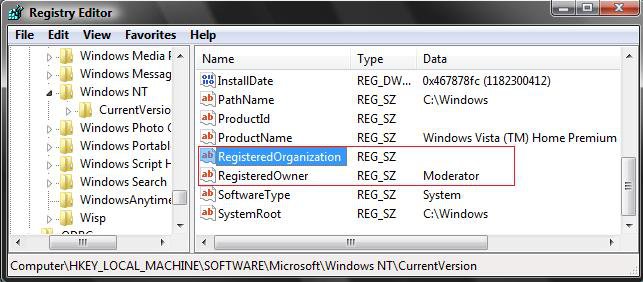
4. To Change the Registered Owner
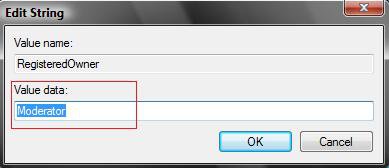
A) In the right pane of CurrentVersion, double click/tap on RegisteredOwner to modify it. (See screenshot above)
B) Type in the information you want, and click/tap on OK to apply. (See screenshot below)
5. To Change the Registered Organization
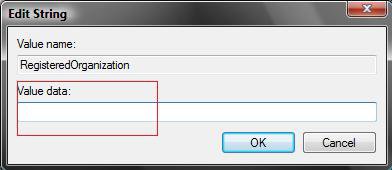
A) In the right pane of CurrentVersion, double click/tap on RegisteredOrganization to modify it. (See screenshot below step 4)
B) Type in the information you want, and click/tap on OK to apply. (See screenshot below)
6. Close regedit.
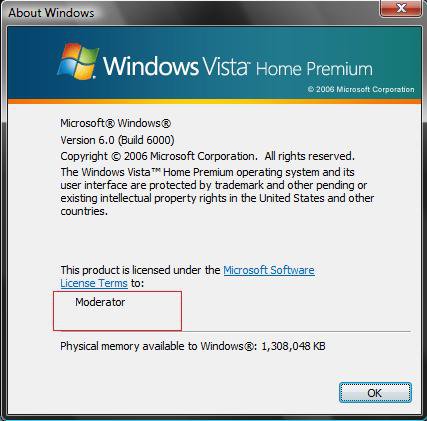
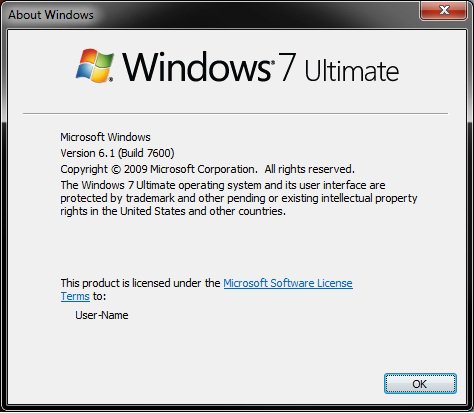
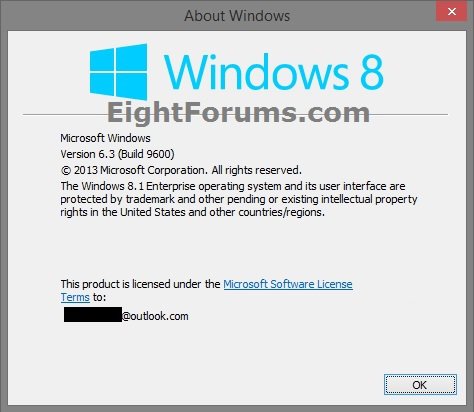
7. To Confirm the Change
A) For how, see:
NOTE: I only have a registered owner name, no organization. It would be under the name if I did.
- How to See About Windows in Vista
- How to Open About Windows in Windows 7
- How to View System Information about your PC in Windows 8 and 8.1
That's it,
Shawn
Related Tutorials
- How to Change the Computer Name in Vista
- How to Create or Remove a Custom Title Bar in Internet Explorer 7
- How to Add a Logo and Support Information to Vista
- How to Add and Change the "System" OEM Support Information in Windows 7
- How to See the About Windows in Vista
- How to Open About Windows in Windows 7
- How to View System Information about your PC in Windows 8 and 8.1
- How to See System Information in Vista
- How to Change a User Account Name in Vista
- How to Set a Default User Logon Picture for All Users in Vista and Windows 7
Attachments

Last edited by a moderator:

