
How to Change a Windows Explorer Folder Type Template in Vista
 Information
Vista has six default folder templates you can choose and change for the type of file folders you have in a Windows Explorer window. By default Vista will automatically assign a Folder Type Template to the Explorer window according to what type of files it contains.
Vista will only use the default Folder Templates for external devices each time you open them since Vista will not remember the folder view settings when you turn off or remove the external media.
Vista will only use the default Folder Templates for external devices each time you open them since Vista will not remember the folder view settings when you turn off or remove the external media.
 Note
NoteYou may need to reset Windows Explorer folder view settings to make Vista remember the folder template and view changes you make. For how, see: File and Folder Settings - Windows Explorer Folder View settings
EXAMPLE #1 All Items template:
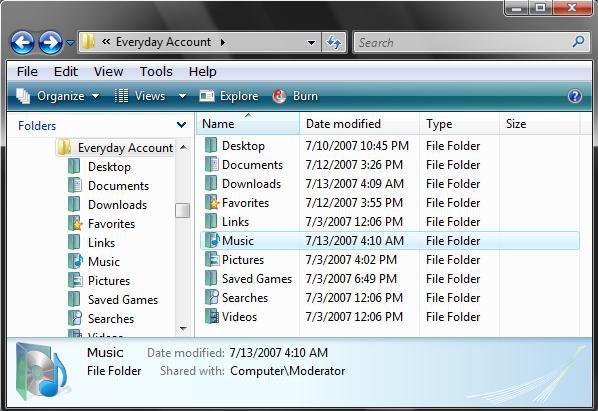
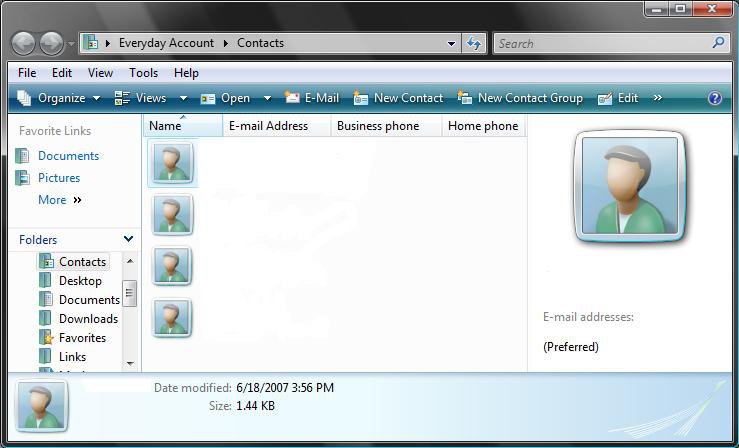
EXAMPLE #2 Contacts template:NOTE: Only available in the C:\Users\(user name)\Contacts folder.
EXAMPLE #3 Documents template: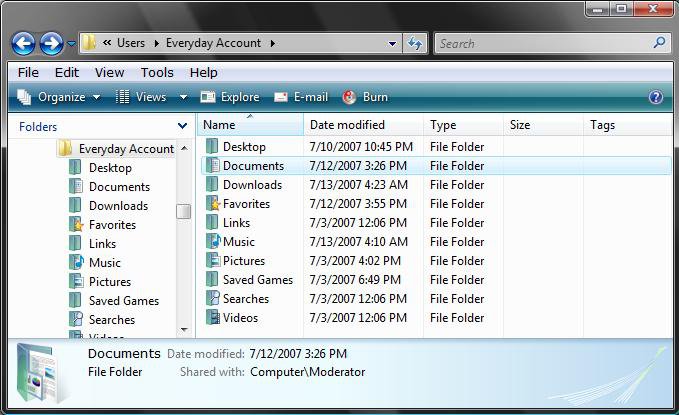
EXAMPLE #4 Pictures and Videos template: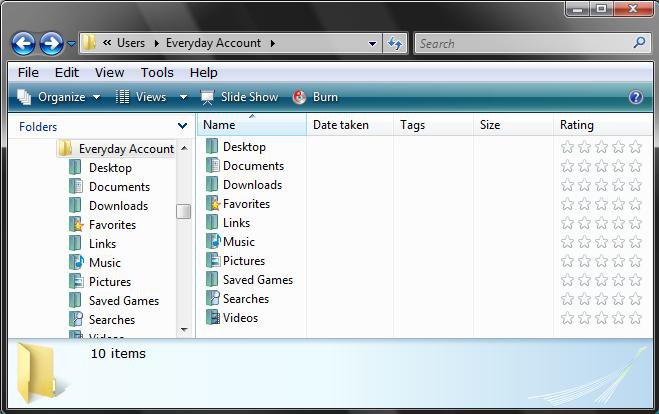
EXAMPLE #5 Music Details template: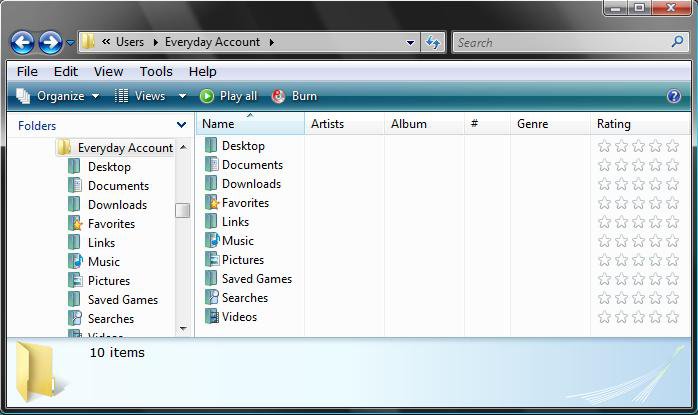
EXAMPLE #6 Music Icons template: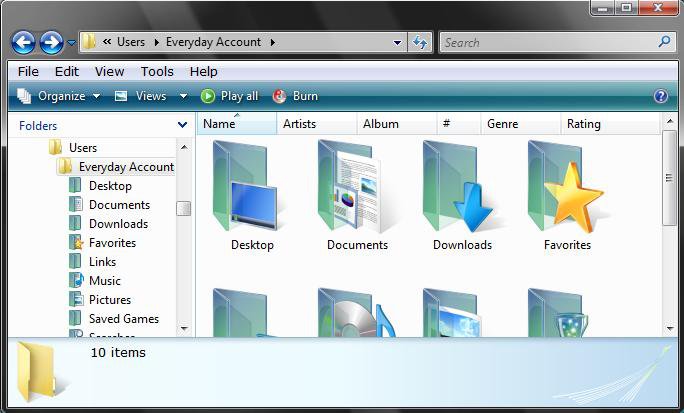
Here's How:
1. Open a Explorer window that you want to change the folder type template for.
NOTE: To change the root directory (Computer or Local Disk C: ) template, open the Users folder in Local Disk C: . The changes in Users will be applied to the root directory as well. Be sure to also do the Apply to All Folder Type Templates section below, or it will not apply to the Computer or Local Disk C: location.
2. If you want to change all the folders templates in the current window then:
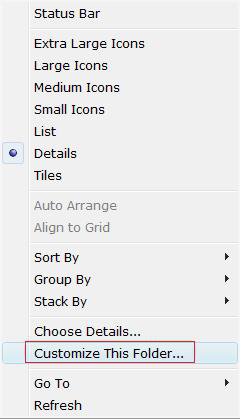
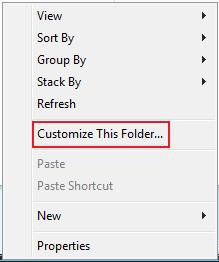
A) Click on View or right click in a empty area of the window.
B) Click on Customize This Folder. (See screenshots below)
3. If you want to change just a single folder template in the current window then:
A) Right click on the folder.
B) Click on Properties.
4. Click on the Customize tab. (See screenshot below)
NOTE: Check Also apply this template to all subfolders if you want to change the templates for the subfolders in this folder as well.
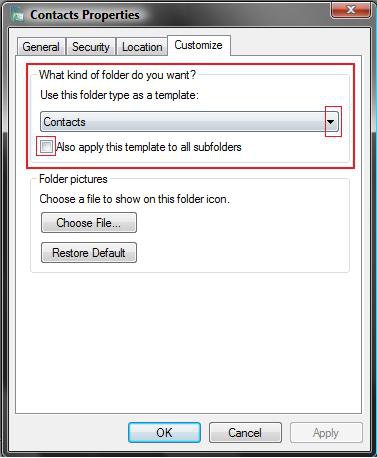
5. Click on the drop down menu and choose a template. (See screenshot below)
NOTE: See the template screenshots at top.
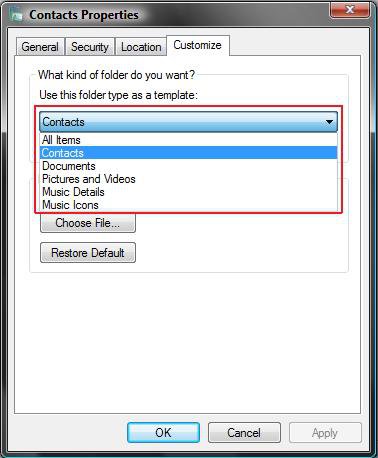
6. Click on OK to apply and close properties window.
7. Your template has been applied.
 Option
  Note
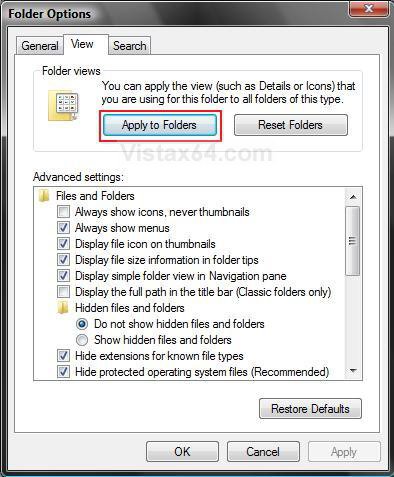
NoteThis is to apply the changes made to all windows of the same folder template as the current Windows Explorer window.
 Warning
You must open Folder Options from within the same Windows Explorer window that you are changing or it will not work.
1. Click on Tools on the Menu bar and click on Folder Options.
2. Click on the View tab. (See screeshot below)
3. Check Remember each folder's view settings.
NOTE: If unchecked, Vista will ignore custom view settings for every folder and have every folder open using default settings instead. Only, uncheck this setting to force all folders to stop using display settings you have specified.
4. Click on Apply.
5. Click on the Apply to Folders button.
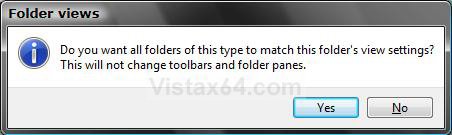
6. Click on Yes to the confirmation prompt. (See screenshot below)
7. Click on OK. (See screenshot above)
That's it,
Shawn
Related Tutorials
- How to Back Up and Restore Your Folder View Settings in Vista, Windows 7, and Windows 8
- How to Reset Windows Explorer Folder View Settings to Make Vista Remember
- How to Change a Default Open Window Size for a Shortcut in Vista
- How to Change Windows Explorer Default Open Location
- How to Use the Windows Explorer Address Bar in Vista
- How to Enable or Disable the Menu Bar in Vista
- How to Change the Windows Explorer Columns and Sort Order in Vista
- How to Turn the Preview Pane On or Off in Vista
- How to Turn the Navigation Pane On or Off in Vista
- How to Change the Sort Order for Numbers in File and Folder Names in Vista
- How to Hide or Show File Names in Vista
- How to Enable or Disable Full Row Select in Vista Windows Explorer
- How to Restore the Missing "New Contact" and "New Contact Group" Button in Vista Contacts Folder
- How to Disable Auto Arrange in Vista Windows Explorer to have Free Sorting
Attachments

Last edited by a moderator:


