
How to Open and Use the DirectX Diagnostic Tool in Vista and Windows 7
 Information
DirectX Diagnostic Tool helps you troubleshoot issues with the DirectX suite of multimedia technologies that come with Vista and Windows 7.
For more information and what to look for, see:
Microsoft Help and How-to: Run DirectX Diagnostic Tool
and
Diagnosing basic problems with DirectX
For more information and what to look for, see:
Microsoft Help and How-to: Run DirectX Diagnostic Tool
and
Diagnosing basic problems with DirectX
 Tip
TipThis can be handy if you're having trouble getting game animation or a movie to run properly, you should run DirectX Diagnostic Tool to see if it can help you find the source of the problem.
 Note
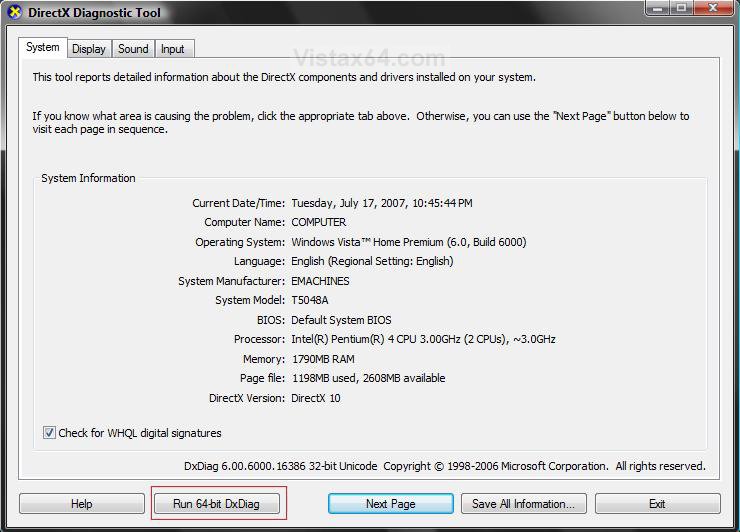
NoteIf you have the 64-bit Vista or Windows 7, then the DirectX Diagnostic Tool will have a extra Run 64-bit DxDiag button where the 32-bit Vista and Windows 7 will not. It does the same thing, but for the 64-bit versions only.
Here's How:
1. Open the Start Menu, then type dxdiag in the search box and press Enter.
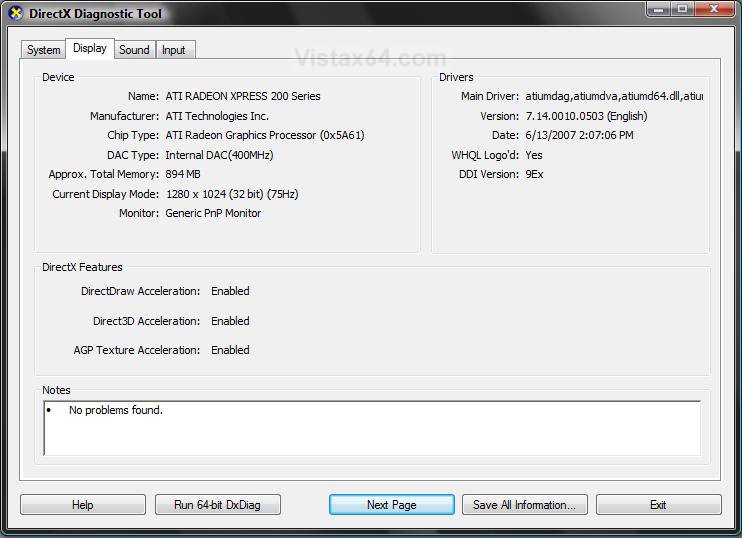
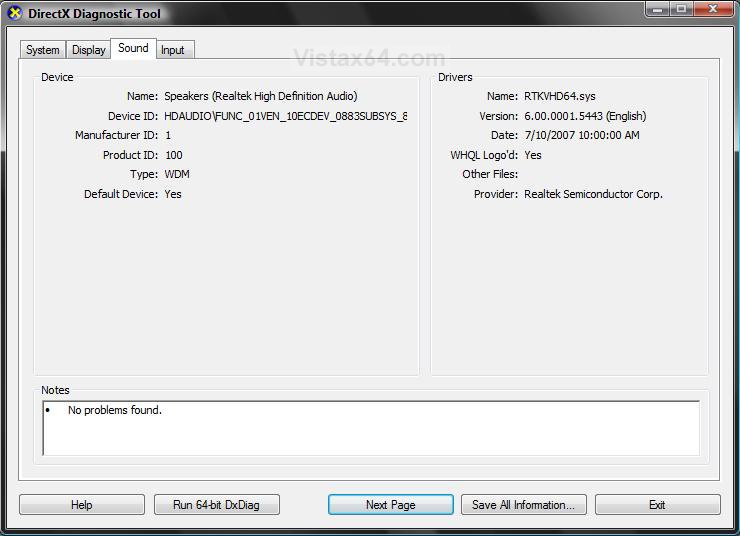
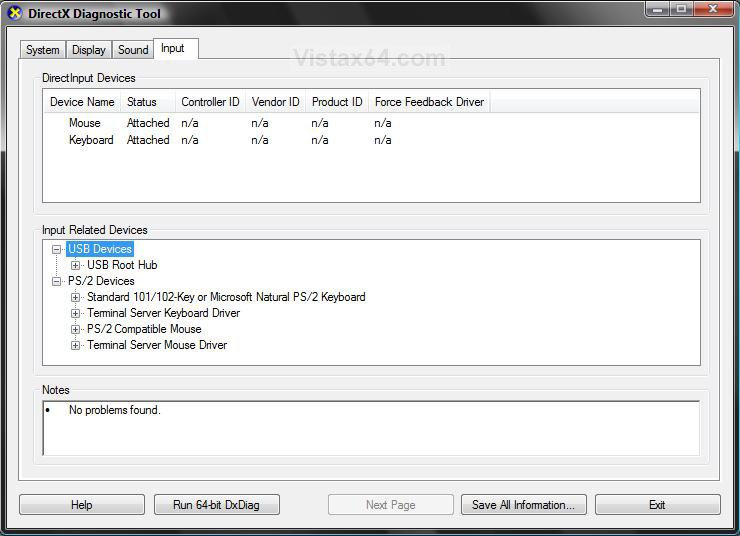
2. Here is a screenshot of each tab in dxdiag so you can see where the information you may receive from this tool is at in the Notes box, if it finds any problems. (see screenshots below)
3. Click on the Exit button when done.
System tab:
Display tab:
Sound tab:
NOTE: You may have more than one Sound tab if you have more than one sound output or input.
Input tab:
That's it,
Shawn
Related Tutorials
- How to Generate a System Health Report in Vista
- How to Start the Memory Diagnostics Tool in Vista
- How to Repair and Verify the Integrity of Vista System Files with System File Checker
- How to Troubleshoot the Computer with Reliability Monitor in Vista
- How to Run Check Disk at Startup in Vista
- How to Use the Resource Monitor in Vista
Attachments

Last edited by a moderator: