
How to Pin a Program to the Start Menu in Vista
 Information
This will show you how to add or remove a pinned program or program shortcut to the left white area of the Start menu to make it easier to open.
 Note
Note- This does not work in the Classic Start Menu.
- It is best to Pin the actual source EXE for the program and not a shortcut to the program. It is easier for a shortcut to be moved or deleted, causing the pinned program shortcut in the Start menu to not work anymore.
 Tip
TipTo see how to pin a folder or folder shortcut to the Start Menu, see: How to Pin a Folder to the Start Menu in Vista
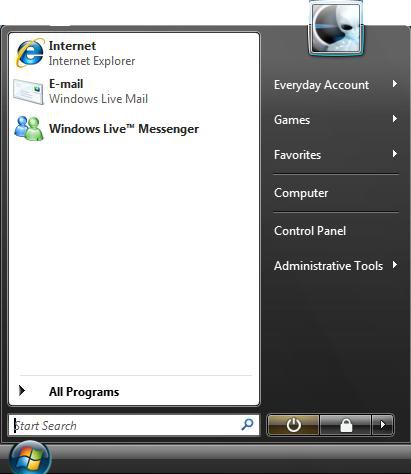
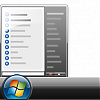
EXAMPLE: Pin area of the Start Menu
NOTE: This is the left white side of the Start menu. To change the size of these icons to be large or small, see: How to Display Small or Large Icons in the Vista Start Menu
 OPTION ONE
1. Right click on the program exe or program shortcut.
NOTE: If you delete or move this program exe or program shortcut, the pinned icon will no longer function properly.
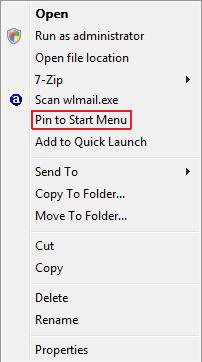
2. Click on Pin to Start Menu. (See screenshot below)
NOTE: Sometimes you may need to press and hold Shift key and then right click to see the Pin to Start Menu option.
OPTION TWO NOTE: If you cannot get Vista to remove the pinned program, then see step two here: How to Fix Recent Programs Not Being Remembered in Vista
1. Right click on the pinned program inside the Start Menu.
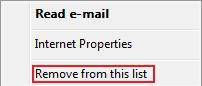
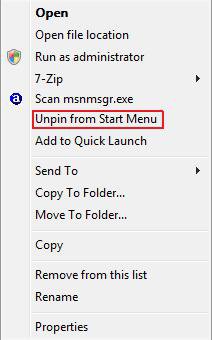
2. Depending on the pinned program, click on either Remove from this list or Unpin from Start Menu. (See screenshots below)
That's it,
Shawn
Related Tutorials
- How to Add or Delete a Shortcut or Folder From the Start Menu in Vista
- How to Customize the Start Menu in Vista
- How to Change the Start Menu to Classic View in Vista
- How to Turn the Recent Items List On or Off in Vista
- How to Customize the Context Menu for the Start Menu in Vista
- How to Pin a Folder to the Start Menu in Vista
- How to Display Small or Large Icons in the Vista Start Menu
- How to Enable or Disable the All Programs List in the Vista Start Menu
- How to Add or Remove Help from the Normal and Classic Vista Start Menu
- How to Restore the Start Menu Search Button after Installing the Vista SP1
- How to Enable or Disable Pin to Start Menu in Vista
- How to Reset the Pin To Start Menu Area in Vista
- How to Backup and Restore Pinned Start Menu Items in Vista
Attachments
Last edited by a moderator:


