
How to Generate a System Health Report in Vista and Windows 7
 Information
The System Health Report helps track down any errors that may occur within your software or hardware and generates a report that tells you exactly what the problems are. When the report is generated, you will see a list of: the status of any critical components on the computer, whether or not the problem has been detected, and any possible solutions you can try. This can be a very useful tool for troubleshooting problems and for a great source of information on your system.
 Note
NoteThe System Health Report seems to not always properly detect, recognise, or report on anti-spy, anti-virus, anti-malware software that is installed on your system.
 Warning
You will need to do this from within an administrator account or provide the administrator password in the UAC prompt for it to work.
 Tip
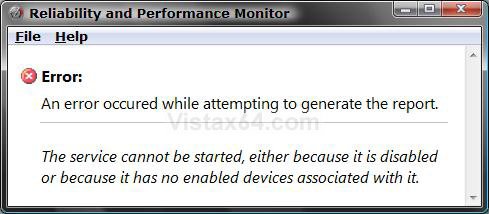
TipIf you get this error message below, then check the Performance Logs & Alerts Service to make sure it is set to Start and Manual.
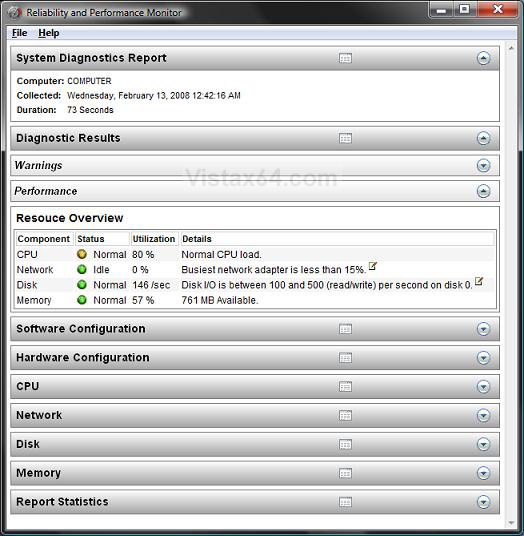
EXAMPLE: System Health Report
NOTE: Each drop down arrow on the right hand side will open the line for more information.
Here's How:
1. Open the Control Panel. (Classic View or Icons View)
NOTE: You can also open an elevated command prompt, then type perfmon /report in the command promptand press enter to run a System Health Report.
2. Click on the Click to Play button in the video below.
That's it,
Shawn
Related Tutorials
- How to Generate and View a System Performance Report in Windows
- How to Repair and Verify the Integrity of Vista System Files with System File Checker
- How to Start the Memory Diagnostics Tool in Vista
- How to Troubleshoot the Computer with Reliability Monitor in Vista
- How to Use the DirectX Diagnostic Tool in Vista
- How to Use the Resource Monitor in Vista
- How to Run Check Disk at Startup in Vista
- How to Start Vista in Safe Mode
Attachments
Last edited:


